

Hytale Controls Guide: All PC Mouse & Keyboard Keybinds
Publié le par

Partager :

Partager sur X

Partager sur Facebook

Partager sur Threads

Partager sur Bluesky

Copier dans le presse-papiers

Partager par e-mail
Eager to hop into Hytale and start exploring every nook and cranny of its open world? Yes, there's plenty to see and discover, but learning the game's controls is a great place to start. With our Hytale controls guide you'll have all the know-how you need to start shaping the world however you like.
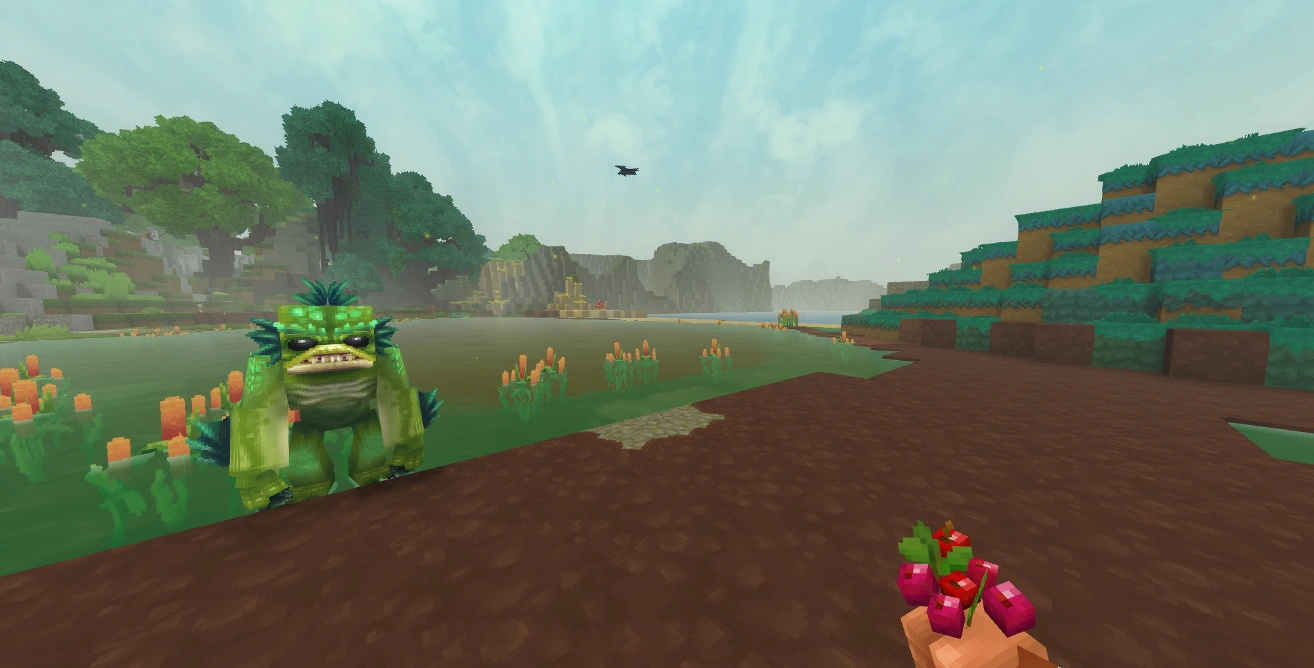 If you're a Minecraft fan, you should feel right at home in Hytale. Not only because of the long-forgotten temples and being able to trade with NPCs, but the controls are very similar as well. Placing blocks, moving through your hotbar, sprinting, walking, and smacking vile critters on the head are all available to you.
While each action has a keybind by default, you can jump into the game's settings to rebind the controls however you please. You can also alter whether or not your keybindings for crouching, sprinting, and walking need to be held or function as a toggle. Finally, keep in mind that, at this point, Hytale does not have controller support.
Here is the full list of PC keybinds for Hytale:
If you're a Minecraft fan, you should feel right at home in Hytale. Not only because of the long-forgotten temples and being able to trade with NPCs, but the controls are very similar as well. Placing blocks, moving through your hotbar, sprinting, walking, and smacking vile critters on the head are all available to you.
While each action has a keybind by default, you can jump into the game's settings to rebind the controls however you please. You can also alter whether or not your keybindings for crouching, sprinting, and walking need to be held or function as a toggle. Finally, keep in mind that, at this point, Hytale does not have controller support.
Here is the full list of PC keybinds for Hytale:
Hytale Controls Guide: All PC Keybinds (Keyboard and Mouse)
If you're a Minecraft fan, you should feel right at home in Hytale. Not only because of the long-forgotten temples and being able to trade with NPCs, but the controls are very similar as well. Placing blocks, moving through your hotbar, sprinting, walking, and smacking vile critters on the head are all available to you.
While each action has a keybind by default, you can jump into the game's settings to rebind the controls however you please. You can also alter whether or not your keybindings for crouching, sprinting, and walking need to be held or function as a toggle. Finally, keep in mind that, at this point, Hytale does not have controller support.
Here is the full list of PC keybinds for Hytale:
Movement
- Move Forwards: W
- Move Backwards: S
- Move Left: A
- Move Right: D
- Jump: Spacebar
- Crouch/Slide/Roll: Left Ctrl
- Sprint: Left Shift
- Walk: Left Alt
- Fly Up: Spacebar
- Fly Down: Left Ctrl
Actions
- Primary Action: Left Mouse
- Secondary Action: Right Mouse
- Use Ability 1: Q
- Use Ability 2: E
- Use Ability 3: R
- Interact with a Block: F
- Rotate a Block: R
- Show Utility Slot Selector: Z
- Mount/Dismount: F
- Drop Item: G
- Hotbar Slot 1: 1
- Hotbar Slot 2: 2
- Hotbar Slot 3: 3
- Hotbar Slot 4: 4
- Hotbar Slot 5: 5
- Hotbar Slot 6: 6
- Hotbar Slot 7: 7
- Hotbar Slot 8: 8
- Hotbar Slot 9: 9
- Switch Camera Mode: V
- Activate Camera Rotation: C
- Toggle Chat: Return
Creative
- Pick a Block: Middle Mouse
- Switch Game Mode: O
Menus
- Open Inventory: Tab
- Open Machinima Editor: N
- Open Map: M
- Open Creative Tools: B
- Show Player List: P
Builder Tools
- Toggle Builder Tools Legend: L
- Legend - Previous Page: J
- Legend - Next Page: K
- Undo: Z
- Redo: Y
- Add/Remove Favorite Material: Not Bound by Default
- Paint Brush Tool: Keypad 1
- Sculpt Brush Tool: Keypad 2
- Selection Tool: Keypad 3
- Paste Tool: Keypad 4
- Line Tool: Keypad 5
- Change Sculpt Brush Modifier: Left Shift
- Use Paint Mode for Brush: U
- Select Block from Set: Q
- Paste Preview: T
Miscellaneous
- Switch HUD Visibility: F8
- Toggle Fullscreen: F11
- Take Screenshot: F12
- Command: /
Debug
- Decrease Speed Multiplier: F1
- Increase Speed Multiplier: F2
- Toggle Creative Collision: F3
- Toggle Fly Camera: F4
- Toggle Fly Camera Control Target: F5
- Toggle Debug Screens: F7
Créez votre propre
serveur Hytale
serveur Hytale
Choisissez un plan, sélectionnez un jeu et jouez avec vos amis !
Abonnez-vous à notre newsletter
Abonnez-vous pour recevoir les dernières mises à jour sur l'univers du jeu vidéo !

Rejoignez notre Discord
Rejoignez notre communauté de plus de 20 000 membres passionnés !
Comment évalueriez-vous ce blog ?
Partagez votre avis et aidez-nous à améliorer nos blogs !
Pas aimé
Neutre
Aimé

Besoin d'un serveur de jeu ?
Louez un serveur de jeu où vous et vos amis pouvez jouer en privé avec une faible latence et des paramètres personnalisés. Choisissez parmi 110+ jeux, invitez des joueurs du monde entier et profitez de parties privées, ou créez votre propre communauté en ligne avec vos propres règles.

Blogs pertinents







OBTENEZ LES DERNIÈRES INFOS !
Inscrivez-vous à nos e-mails pour obtenir des mises à jour sur nos jeux hébergés, des nouvelles de l'entreprise et des offres exclusives. Restez au courant !













