
Counter-Strike 2 PC Controls Guide (Mouse & Keyboard)
Publié le par

Partager :

Partager sur X

Partager sur Facebook

Partager sur Threads

Partager sur Bluesky

Copier dans le presse-papiers

Partager par e-mail
Move out, soldier! Well, not quite yet. Before climbing through the ranks, you must know what you're doing. Counter-Strike 2 controls are slightly more in-depth than your average first-person shooter, but with time and practice, you'll be moving like a natural on the battlefield.
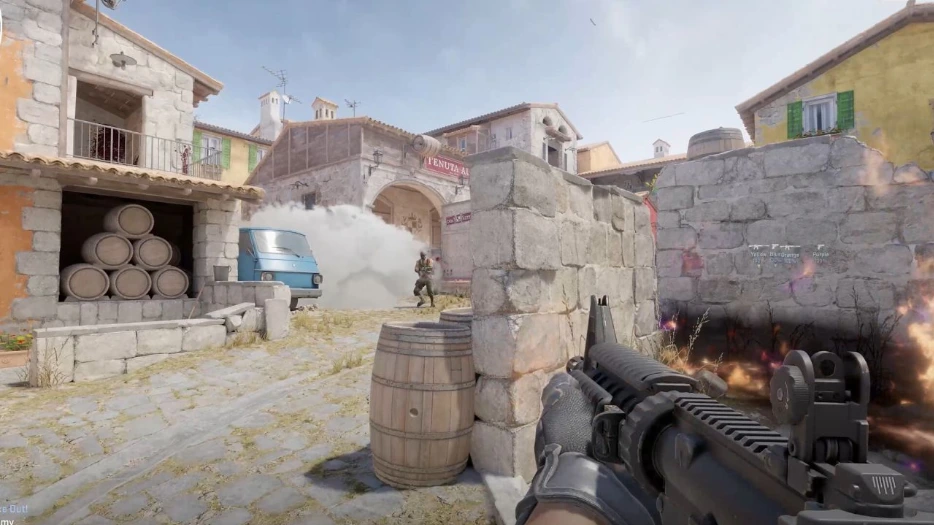 If you've played a first-person shooter before, you'll largely feel at home in Counter-Strike 2. However, there are a few extra mechanics and features that you might not be expecting. As a result, there are a few more controls to learn and master. Don't worry — there are plenty of ways to practice without fighting players. You can download custom-made maps from within the Steam Workshop to improve your aim or familiarity with the controls. Some maps are designed to help you aim, help you weave through environments, practice grenade-throwing, and much more.
All the controls listed below are the default settings for Counter-Strike 2 with a mouse and keyboard. Some controls don't have a keybind by default. You can always go in and rebind the CS2 controls whenever you want. Simply follow these steps:
If you've played a first-person shooter before, you'll largely feel at home in Counter-Strike 2. However, there are a few extra mechanics and features that you might not be expecting. As a result, there are a few more controls to learn and master. Don't worry — there are plenty of ways to practice without fighting players. You can download custom-made maps from within the Steam Workshop to improve your aim or familiarity with the controls. Some maps are designed to help you aim, help you weave through environments, practice grenade-throwing, and much more.
All the controls listed below are the default settings for Counter-Strike 2 with a mouse and keyboard. Some controls don't have a keybind by default. You can always go in and rebind the CS2 controls whenever you want. Simply follow these steps:
Counter-Strike 2 Controls - PC (Mouse & Keyboard)
If you've played a first-person shooter before, you'll largely feel at home in Counter-Strike 2. However, there are a few extra mechanics and features that you might not be expecting. As a result, there are a few more controls to learn and master. Don't worry — there are plenty of ways to practice without fighting players. You can download custom-made maps from within the Steam Workshop to improve your aim or familiarity with the controls. Some maps are designed to help you aim, help you weave through environments, practice grenade-throwing, and much more.
All the controls listed below are the default settings for Counter-Strike 2 with a mouse and keyboard. Some controls don't have a keybind by default. You can always go in and rebind the CS2 controls whenever you want. Simply follow these steps:
- Select 'Options'
- Select the 'Keyboard' tab.
- Click the control you want to change.
- Click 'Edit Key.'
- Press the new key you'd like to have for the control.
- Apply your changes.
Movement Keys
- Toggle Inventory Display: I
- Move Forward: W
- Move Backward: S
- Move Left (strafe): A
- Move Right (strafe): D
- Walk: Left Shift
- Duck: Left Ctrl
- Jump: Spacebar
Weapon Keys
- Use: E
- Fire: Mouse Left Click
- Secondary Fire: Mouse Right Click
- Reload: R
- Radial Weapon Menu: Unbound by Default
- Select Previous Weapon: Mouse Wheel Up
- Select Next Weapon: Mouse Wheel Down
- Last Weapon Used: Q
- Drop Weapon: G
- Inspect Weapon: F
- Switch Viewmodel Left/Right Hand: h
- Buy Menu: B
- Autobuy: F3
- Rebuy: F4
- Primary Weapon: 1
- Secondary Weapon: 2
- Melee Weapons: 3
- Cycle Grenades: 4
- Explosives & Traps: 5
- HE Grenade: 6
- Flashbang: 7
- Smoke Grenade: 8
- Decoy Grenade: 9
- Molotov Cocktail / Incendiary Grenade: 0
- Zeus x27: Unbound by Default
- Healthshot: X
- Utility Items: Unbound by Default
- Graffiti Menu: T
UI Keys
- Scoreboard: Tab
- Show Team Equipment: Unbound by Default
- Toggle Radar Zoom: Unbound by Default
- Call Vote: Unbound by Default
- Choose Team: M
- Toggle Console: `
Communication Options
- Player Ping: MOUSE3
- Radio Message: Z
- Command Radio Message: Unbound by Default
- Standard Radio Message: Unbound by Default
- Report Radio Message: Unbound by Default
- Team Message: U
- Chat Message: Y
- Use Microphone: MOUSE 4
- Temporarily Disable Incoming Chat: Unbound by Default
Chat Wheel Keys
- Chat Wheel 1: C
- Chat Wheel 2: V
- Chat Wheel 3: Unbound by Default
Misc Keys
- Automatically Buy Equipment: F1
- Rebuy Previous Equipment: F2
- Report Bug: F4
- Take Screenshot: F12
Créez votre propre
serveur Counter Strike 2
serveur Counter Strike 2
Choisissez un plan, sélectionnez un jeu et jouez avec vos amis !
Abonnez-vous à notre newsletter
Abonnez-vous pour recevoir les dernières mises à jour sur l'univers du jeu vidéo !

Rejoignez notre Discord
Rejoignez notre communauté de plus de 20 000 membres passionnés !
Comment évalueriez-vous ce blog ?
Partagez votre avis et aidez-nous à améliorer nos blogs !
Pas aimé
Neutre
Aimé

Besoin d'un serveur de jeu ?
Louez un serveur de jeu où vous et vos amis pouvez jouer en privé avec une faible latence et des paramètres personnalisés. Choisissez parmi 110+ jeux, invitez des joueurs du monde entier et profitez de parties privées, ou créez votre propre communauté en ligne avec vos propres règles.

Blogs pertinents







OBTENEZ LES DERNIÈRES INFOS !
Inscrivez-vous à nos e-mails pour obtenir des mises à jour sur nos jeux hébergés, des nouvelles de l'entreprise et des offres exclusives. Restez au courant !













