

Windrose Controls Guide (PC): Keyboard & Mouse, and Controller (Gamepad)
发布于 ,作者

分享:

分享至 X

分享至 Facebook

分享至 Threads

分享至 Bluesky

复制到剪贴板

通过电子邮件分享
You’re shipwrecked on an island after a vicious pirate attack, and you’re left with nothing but a few tools and weapons. Understanding the game’s controls is the first step to mastering your character and equipment. This Windrose Controls Guide helps you in that regard, aiding you and other pirate kings and queens in grasping the different keybinds when using the keyboard, mouse, or gamepad.
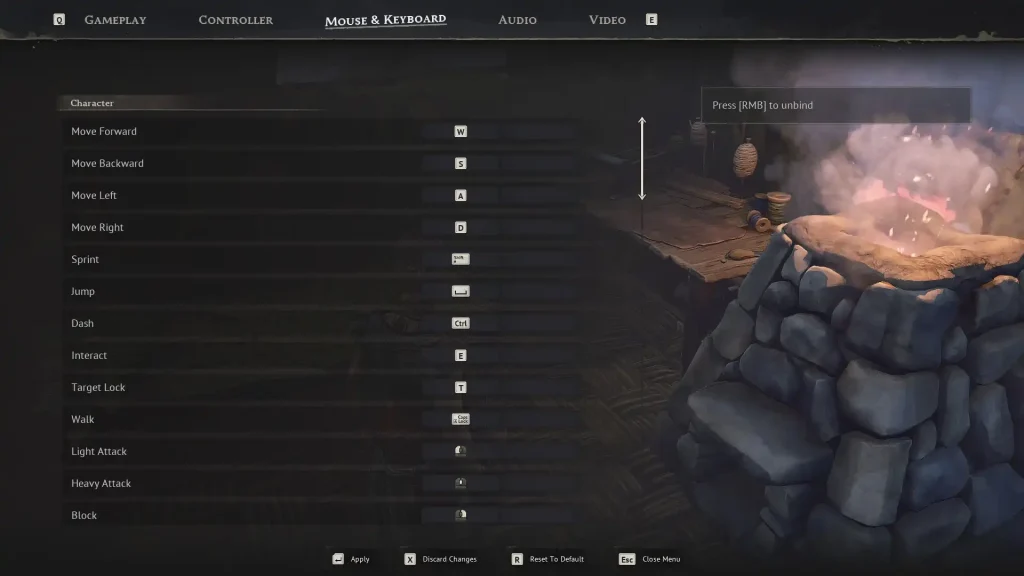
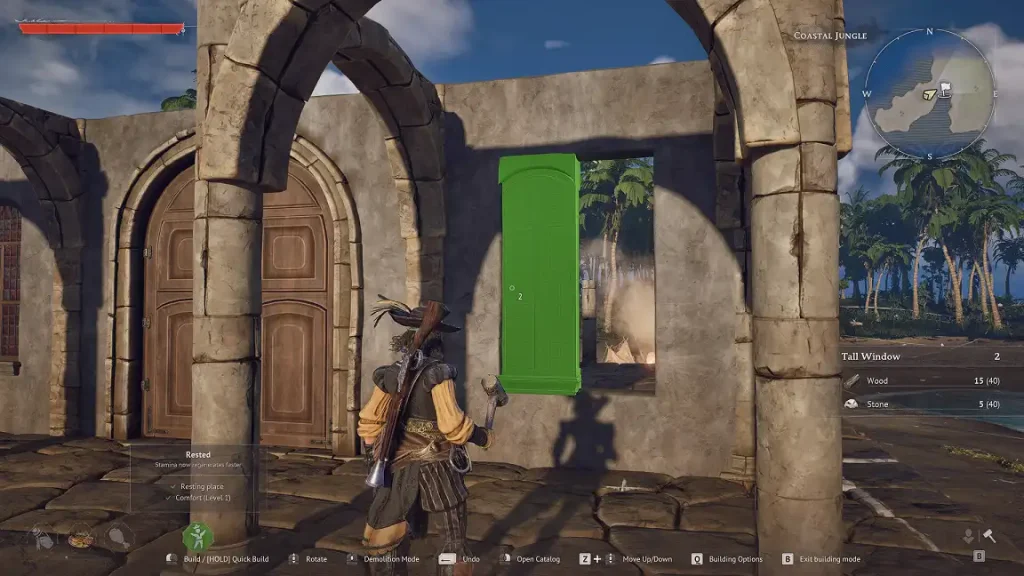 As of the game’s Early Access release, players can change the default keyboard and mouse controls mentioned below. However, it’s not possible to alter gamepad keybinds at the time of writing. Nonetheless, Windrose Crew, the game’s developer, aims to provide additional gamepad support in a future patch.
So, keep reading to learn more about the game’s controls to support your crew in solo mode or on a Windrose dedicated server:
As of the game’s Early Access release, players can change the default keyboard and mouse controls mentioned below. However, it’s not possible to alter gamepad keybinds at the time of writing. Nonetheless, Windrose Crew, the game’s developer, aims to provide additional gamepad support in a future patch.
So, keep reading to learn more about the game’s controls to support your crew in solo mode or on a Windrose dedicated server:
Windrose Controls Guide
As of the game’s Early Access release, players can change the default keyboard and mouse controls mentioned below. However, it’s not possible to alter gamepad keybinds at the time of writing. Nonetheless, Windrose Crew, the game’s developer, aims to provide additional gamepad support in a future patch.
So, keep reading to learn more about the game’s controls to support your crew in solo mode or on a Windrose dedicated server:
Windrose Mouse & Keyboard Controls
Character Controls
- Move Forward: W
- Move Backward: S
- Move Left: A
- Move Right: D
- Sprint: SHIFT
- Jump: SPACE
- Dash: CTRL
- Interact: E
- Target Lock: T
- Walk: CAPS LOCK
- Light Attack: Left mouse button
- Heavy Attack: Middle mouse button
- Block: Right mouse button
- Reload: R
- Aim: ALT
- Fire: Left mouse button
- Remove Weapon: Hold R
- Change Target: Left Bracket ([) or Right Bracket (])
- Special Attack: F
- Use Item 1: 1
- Use Item 2: 2
- Use Item 3: 3
- Use Item 4: 4
- Use Item 5: 5
- Use Item 6: 6
- Use Item 7: 7
- Use Item 8: 8
- Shovel (Next Mode): X
- Shovel (Previous Mode): Z
Building Controls
- Build Mode: B
- Open Catalog: Right mouse button
- Build: Left mouse button
- Quick Build: Hold Left mouse button
- Rotate: Scroll Wheel Forward/Backward
- Building Options: Q
- Toggle Destroy Mode: Middle mouse button
- Destroy Block: Left mouse button
- Camera Mode: V
- Snapping Mode: P
- Shift Block: Z
- Rotation Step: L
Menu Controls
- Game Menu: ESCAPE
- Inventory: TAB or I
- Map: M
- Discovery: G
- Adventure: J
- Recall Ship: K
- Previous Tab: Q
- Next Tab: E
- Previous Tab (Secondary): A
- Next Tab (Secondary): D
- Confirm Operation: SPACE
- Decrease Value: Z
- Increase Value: X
- Story (First Page): Q
- Story (Previous Page): A
- Story (Play/Pause): SPACE
- Story (Next Page): D
- Story (Last Page): E
- Story (Close): ESCAPE
Ship Controls
- Speed Up: W
- Slow Down/Reverse: S
- Camera Mode: F
- Toggle Shanty: B
- Turn Right: D
- Turn Left: A
- Begin Boarding: SPACE
- Next Shanty: N
- Leave Helm: E
- Interact (From Ship): SPACE
- Aim: Right mouse button
- Fire: Left mouse button
- Select Cannonballs: 1
- Select Chain Shots: 2
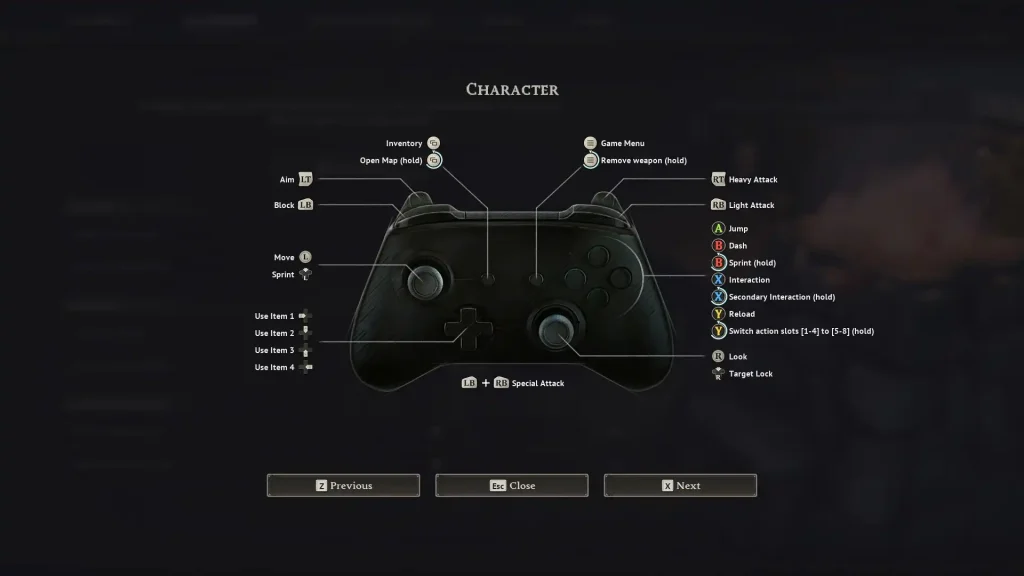
Windrose Controller Controls (Xbox Controller Layout)
Character Controls
- Basic Movement: Left Analog Stick
- Look Around: Right Analog Stick
- Sprint: Press Left Analog Stick or Hold B
- Jump: A
- Dash: B
- Interaction: X
- Secondary Interaction: Hold X
- Target Lock: Press Right Analog Stick
- Light Attack: Right Bumper
- Heavy Attack: Right Trigger
- Block: Left Bumper
- Reload: Y
- Switch Action Slots: Hold Y
- Aim: Left Trigger
- Game Menu: Menu Button
- Remove Weapon: Hold Menu Button
- Special Attack: Left Bumper + Right Bumper
- Use Item 1: Left Directional Button
- Use Item 2: Up Directional Button
- Use Item 3: Down Directional Button
- Use Item 4: Right Directional Button
- Inventory: View Button
- Open Map: Hold View Button
Building Controls
- Build Mode: B
- Open Catalog: Y
- Build: Right Trigger
- Quick Build: Hold Right Trigger
- Rotate: Right Bumper or Left Bumper
- Building Options: Menu Button
- Toggle Destroy Mode: Left Trigger
- Destroy Block: Right Trigger
- Camera Mode: Press Right Analog Stick
- Move Up: Up Directional Button
- Move Down: Down Directional Button
Ship Controls
- Speed Up: A
- Slow Down/Reverse: B
- Camera Mode: Press Right Analog Stick
- Toggle Shanty: Hold Y
- Begin Boarding: Y
- Next Shanty: Press Left Analog Stick
- Disembark Captain: X
- Interact (From Ship): Y
- Aim: Left Trigger
- Fire: Right Trigger
- Select Cannonballs: Left Bumper
- Select Chain Shots: Right Bumper
- Use Item 1: Left Directional Button
- Use Item 2: Up Directional Button
- Use Item 3: Down Directional Button
- Use Item 4: Right Directional Button

您对这篇博客有何评价?
分享您的看法,帮助我们将博客做得更好!
不喜欢
一般
喜欢

需要游戏服务器吗?
租用一台游戏服务器,您可以和朋友们在极低延迟和自定义设置下私密游玩。从 110+ 款游戏中挑选您的最爱,邀请全球玩家,享受私密对战,或者按照您自己的规则建立属于您的在线社区。








获取第一手独家资讯!
订阅我们的电子邮件,获取有关我们托管游戏、公司新闻和独家优惠的最新动态。随时掌握一手资讯!













