

What’s New in Minecraft 1.19.4?
发布于 ,作者

分享:

分享至 X

分享至 Facebook

分享至 Threads

分享至 Bluesky

复制到剪贴板

通过电子邮件分享
Minecraft 1.19.4 has gone live! However, with all the hype surrounding the Trails & Tales update its hard to remember what this update even provides. So, today we explore Minecraft 1.19.4, what it includes, and how you too can give it a try.
 Installing Minecraft 1.19.4 is done right from your client. Select latest release, then click play, and once the automated process finishes, it should automatically open the game. If there are any troubles doing so, we welcome questions in the comments below!

Details and Adjustments in Minecraft 1.19.4
https://twitter.com/Minecraft/status/1635675676958408707Being an in-between patch there are no new biomes or mobs, but that does not mean what was added is nothing less than fantastic! More parity between Java Edition and Bedrock Edition, updated horse breeding, and an entirely new world creation screen. Below are the highlights of Minecraft 1.19.4!
Horse Breeding
- Made Easier & More Reliable
Jukebox
- Parity Between Java & Bedrock
World Creation
- UI Overhaul
General Gameplay Adjustments
- Elytra Inventory Interaction
- Armor Stands
- Camera Tilt
General Visual Adjustments
- Vex Animations
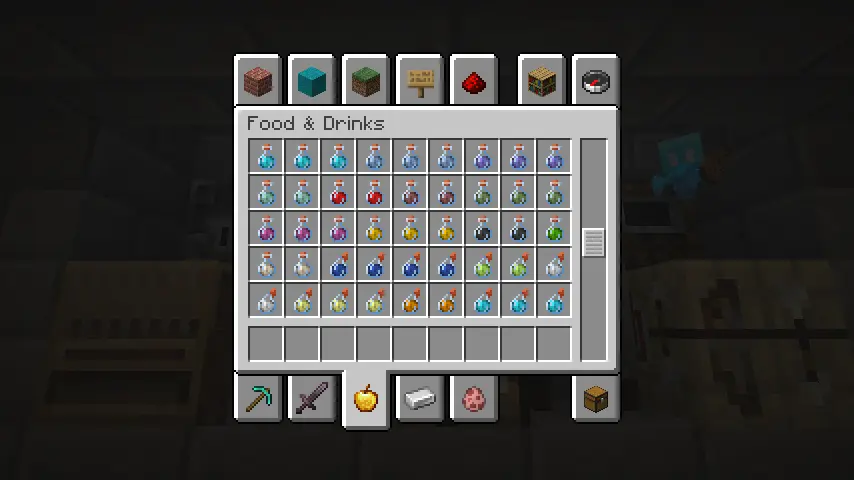
- Potion Colors
- Enchantment Glint
How to Install Minecraft 1.19.4
Installing Minecraft 1.19.4 is done right from your client. Select latest release, then click play, and once the automated process finishes, it should automatically open the game. If there are any troubles doing so, we welcome questions in the comments below!
What’s New in Minecraft 1.19.4?
As the wait for Minecraft Trails & Tales continues, the smaller updates in between are often overlooked! What is your opinion on the horse breeding changes? Was there anything else you would have added from Bedrock Edition? We would love to hear your thoughts! Until Next Time, BisectHosting =)
您对这篇博客有何评价?
分享您的看法,帮助我们将博客做得更好!
不喜欢
一般
喜欢

需要游戏服务器吗?
租用一台游戏服务器,您可以和朋友们在极低延迟和自定义设置下私密游玩。从 110+ 款游戏中挑选您的最爱,邀请全球玩家,享受私密对战,或者按照您自己的规则建立属于您的在线社区。








获取第一手独家资讯!
订阅我们的电子邮件,获取有关我们托管游戏、公司新闻和独家优惠的最新动态。随时掌握一手资讯!













