

Vintage Story Controls Guide: All PC Keybinds
发布于 ,作者

分享:

分享至 X

分享至 Facebook

分享至 Threads

分享至 Bluesky

复制到剪贴板

通过电子邮件分享
In Vintage Story, you have the freedom to explore massive, procedurally generated lands and create whatever you can think of. Where you go and what you do is up to you, but you won't get far if you don't know how to control anything. Luckily, our Vintage Story controls guide can tell you exactly what you need to know so that you can hop in and start surviving this eldritch sandbox in style.
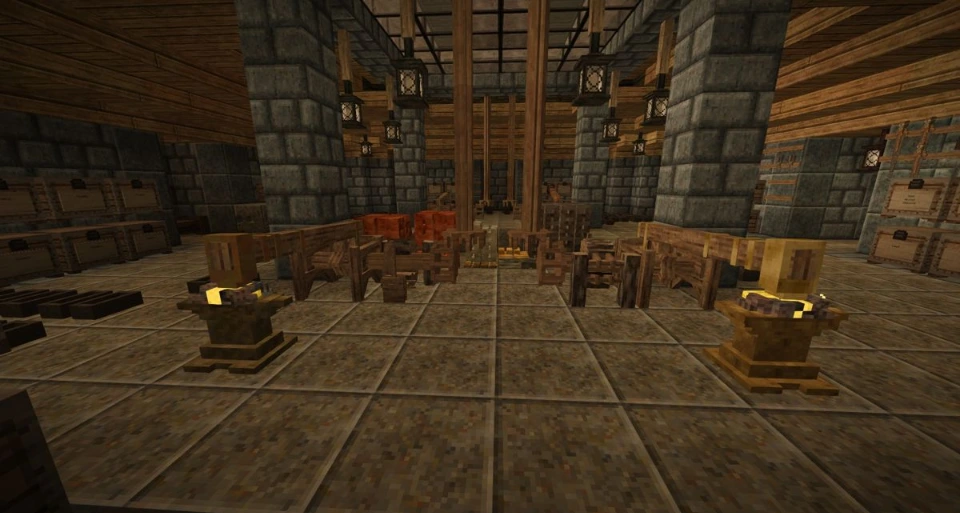 If you're familiar with sandbox survival games, then you should feel right at home in Vintage Story. You can harvest materials, pick up blocks, and replace those blocks in whatever manner you like to form elaborate creations of your design. Of course, you're not alone in the wilderness; plenty of unsightly monsters would love to turn you into their next meal. You'll have to carefully manage your inventory, equip some gear, and fight off any would-be killers you encounter. Remember to keep an eye on your nutrition levels as well!
Below, we've listed all the controls you'll need to get started. We've also included important info on how to adjust your HUD, game debugs, and more.
If you're familiar with sandbox survival games, then you should feel right at home in Vintage Story. You can harvest materials, pick up blocks, and replace those blocks in whatever manner you like to form elaborate creations of your design. Of course, you're not alone in the wilderness; plenty of unsightly monsters would love to turn you into their next meal. You'll have to carefully manage your inventory, equip some gear, and fight off any would-be killers you encounter. Remember to keep an eye on your nutrition levels as well!
Below, we've listed all the controls you'll need to get started. We've also included important info on how to adjust your HUD, game debugs, and more.
Vintage Story Controls: All PC Keybinds
If you're familiar with sandbox survival games, then you should feel right at home in Vintage Story. You can harvest materials, pick up blocks, and replace those blocks in whatever manner you like to form elaborate creations of your design. Of course, you're not alone in the wilderness; plenty of unsightly monsters would love to turn you into their next meal. You'll have to carefully manage your inventory, equip some gear, and fight off any would-be killers you encounter. Remember to keep an eye on your nutrition levels as well!
Below, we've listed all the controls you'll need to get started. We've also included important info on how to adjust your HUD, game debugs, and more.
Movement
- Move Forward: W
- Move Backward: S
- Move Left: A
- Move Right: D
- Sneak: Shift
- Run: Ctrl
- Jump: Spacebar
- Sit Down: G
Actions
- Attack/Interact/Break Blocks/Use Tools: Left Mouse Click
- Place Blocks/Open Containers/Eat Equipped Items/Pick Up Objects: Right Mouse Click
- Open Backpack/Crafting Inventory: E
- Open Character Inventory: C
- Drop Item from Hotbar Slot: Q
- Drop All Items from Hotbar Slots: Ctrl + Q
- Select Tool/Clayforming Mode: F
- Swap Left/Right Hand Contents: X
- Select Hotbar Slot: 0-9
- Select Backpack Slot: Ctrl + 1-4
- Transfer Item Stack: Shift + Left Mouse Click
- Take Half of Stack: Right Mouse Click
- Take Individual Items from Stack: Ctrl + Scroll Wheel
User Interface & HUD
- Pause Game/Settings: Esc
- Show/Hide HUD: F4
- Camera Toggle: F5
- Show/Hide Minimap: F6
- Show/Hide Compass: Ctrl + V
- Show/Hide Block & Entity Info: Ctrl + B
- Show/Hide Interaction Info: Ctrl + N
- Zoom Out: - (Only works in third-person mode)
- Zoom In: + (Only works in third-person mode)
- Lock/Unlock Cursor: Left Alt
- Chat: T
- Begin Client Command: .
- Begin Server Command: /
- Show/Hide Chat Dialog: Tab
- Open Macro Editor: Ctrl + M
- Toggle Fullscreen Mode: F11
- Take Screenshot: F12
- Take Mega Screenshot: Ctrl + F12
Creative Mode Controls
- -1 Fly/Move Speed: F1
- +1 Fly/Move Speed: F2
- -0.1 Fly/Move Speed: Shift + F1
- +0.1 Fly/Move Speed: Shift + F2
- Cycle Fly Mode: F3
- Fly Mode On/Off: Spacebar x2
- Show/Hide Meta Blocks: F4
Debug & Macros
- FPS Graph: Alt + F3
- Debug Screen & FPS Graph: Ctrl + F3
- Reload World: Ctrl + F1
- Reload Shaders: Alt + F1
- Reload Textures: Alt + F2
- Compact Large Object Heap: Alt + F8
- Recompose All Dialogs: Alt + F9
- Cycle Dialog Outline Modes: Alt + F10
- Toggle Tick Profiler: Ctrl + F10

您对这篇博客有何评价?
分享您的看法,帮助我们将博客做得更好!
不喜欢
一般
喜欢

需要游戏服务器吗?
租用一台游戏服务器,您可以和朋友们在极低延迟和自定义设置下私密游玩。从 110+ 款游戏中挑选您的最爱,邀请全球玩家,享受私密对战,或者按照您自己的规则建立属于您的在线社区。








获取第一手独家资讯!
订阅我们的电子邮件,获取有关我们托管游戏、公司新闻和独家优惠的最新动态。随时掌握一手资讯!













