
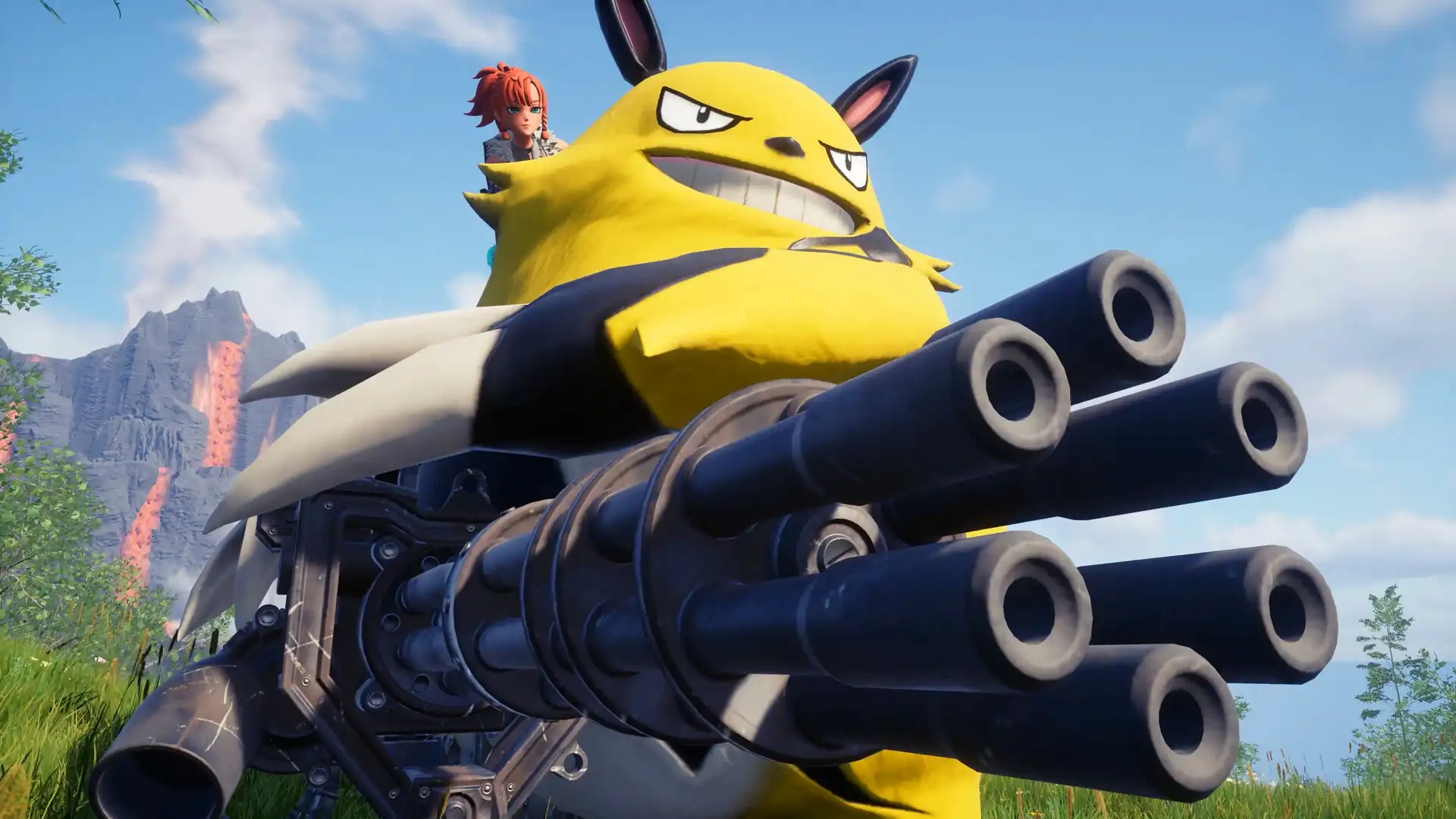
Palworld Controls Guide: All PC and Controller Keybinds
发布于 ,作者

分享:

分享至 X

分享至 Facebook

分享至 Threads

分享至 Bluesky

复制到剪贴板

通过电子邮件分享
Like starting relatively any game, you must learn the controls for Palworld to play the game efficiently. Note that the game’s controls differ depending on your device. So, keep reading as we go over the controller and keyboard controls for the game in this guide.
 At the time of writing, Palworld was released on the Steam and Game Pass platforms. That means that the available methods of controlling your character and Pals are through a controller or a keyboard and mouse.
 Some players may prefer to use the keyboard and mouse to use Palworld’s controls. However, some users may prefer to change the keyboard keybinds because of their awkward placements. For example, the roll is set to the “Ctrl” key by default. So, you may have difficulty extending a finger to press this button when dodging incoming attacks.
 Unlike the keyboard and mouse, the Palworld controls are generally simpler when using a controller. However, the controller controls typically show the button names for the Xbox or standard PC controller model. So, it can become confusing if you use another controller with a different button layout, such as one for the PlayStation.
Palworld Controls and Keybinds
At the time of writing, Palworld was released on the Steam and Game Pass platforms. That means that the available methods of controlling your character and Pals are through a controller or a keyboard and mouse.
Keyboard and Mouse Controls
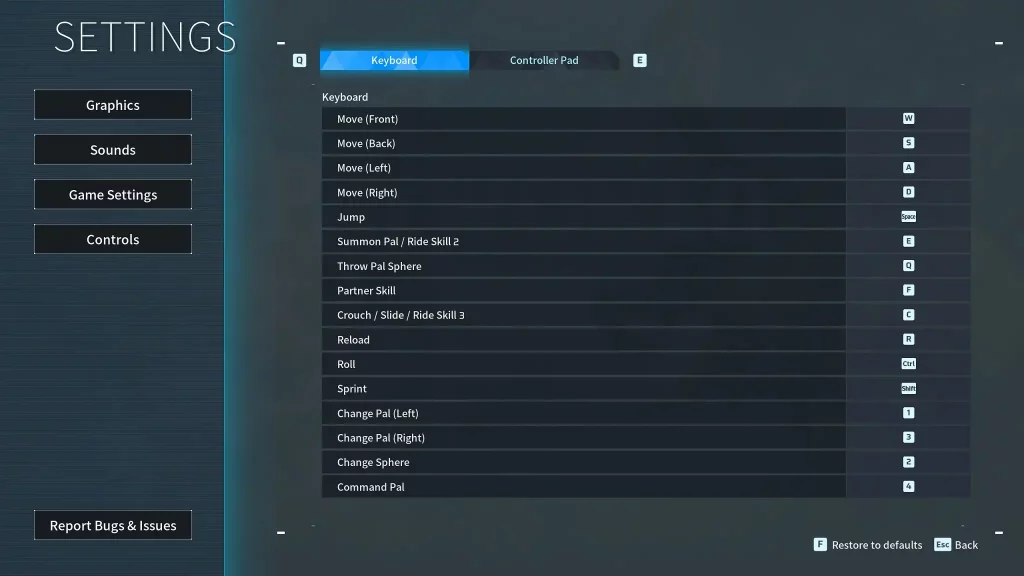
Some players may prefer to use the keyboard and mouse to use Palworld’s controls. However, some users may prefer to change the keyboard keybinds because of their awkward placements. For example, the roll is set to the “Ctrl” key by default. So, you may have difficulty extending a finger to press this button when dodging incoming attacks.
- Move (Front): W
- Move (Back): S
- Move (Left): A
- Move (Right): D
- Left Click: Attack/Use equipped item
- Right Click: Cancel Pal Sphere throw
- Jump: Space
- Summon Pal/Ride Skill 2: E
- Throw Pal Sphere: Q
- Partner Skill: F
- Crouch/Slide/Ride Skill 3: C
- Reload: R
- Roll: Ctrl
- Sprint: Shift
- Change Pal (Left): 1
- Change Pal (Right): 3
- Change Sphere: 2
- Pal Commands: 4
Controller Controls
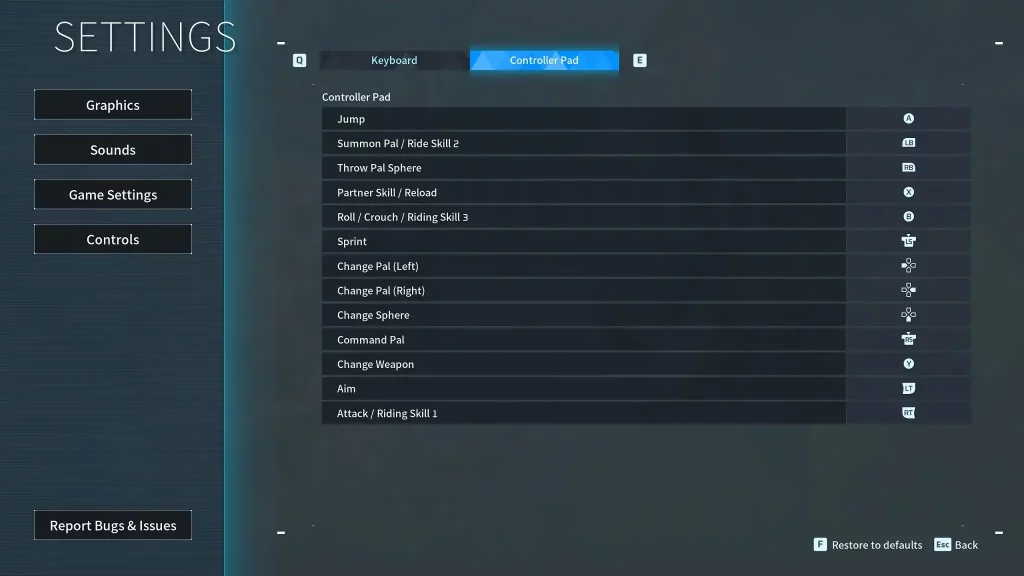
Unlike the keyboard and mouse, the Palworld controls are generally simpler when using a controller. However, the controller controls typically show the button names for the Xbox or standard PC controller model. So, it can become confusing if you use another controller with a different button layout, such as one for the PlayStation.
- Movement: Left analog stick
- Aim/Look Around: Right analog stick
- Jump: A
- Summon Pal/Ride Skill 2: Left Bumper
- Throw Pal Sphere: Right Bumper
- Partner Skill/Reload: X
- Roll/Crouch/Riding Skill 3: B
- Sprint: Left analog stick (press)
- Change Pal (Left): Left directional button
- Change Pal (Right): Right directional button
- Change Sphere: Down directional button
- Pal Commands: Right analog stick (press)
- Change Weapon: Y
- Aim: Left Trigger
- Attack/Riding Skill 1: Right Trigger

您对这篇博客有何评价?
分享您的看法,帮助我们将博客做得更好!
不喜欢
一般
喜欢

需要游戏服务器吗?
租用一台游戏服务器,您可以和朋友们在极低延迟和自定义设置下私密游玩。从 110+ 款游戏中挑选您的最爱,邀请全球玩家,享受私密对战,或者按照您自己的规则建立属于您的在线社区。








获取第一手独家资讯!
订阅我们的电子邮件,获取有关我们托管游戏、公司新闻和独家优惠的最新动态。随时掌握一手资讯!













