缩略图
Five Online Minecraft Tools to Bookmark in 2025
发布于 ,作者
分享:
复制

分享至 X

复制

分享至 Facebook

复制

分享至 Threads

复制

分享至 Bluesky

复制

复制到剪贴板

电子邮件

通过电子邮件分享

The internet is full of many hidden treasures, including useful Minecraft tools that require no download! Today, we explore a few such examples in five must bookmark online Minecraft tools.
Five Online Minecraft Tools to Bookmark in 2025

5: Circle Generator

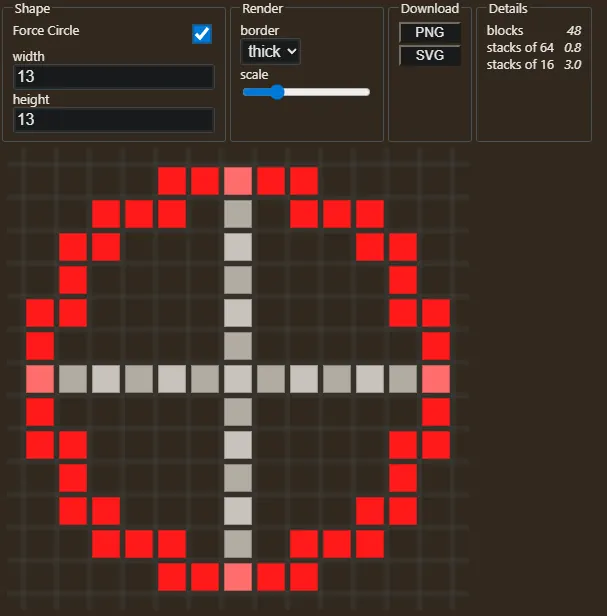
Online Minecraft Tools: Circle Generator Screenshot In a game of cubes, circles are hard to build. However, with Pixel Circle Generator, builds that utilize circles and ovals can be planned with complete and accurate ease. No more making charts by hand or accidentally being off by one block. Simply input the type of circle or oval that is desired and follow the picture it generates.

4: Block Converter

Online Minecraft Tools: Block Converter Example Screenshot Another exciting tool for building is the block converter, capable of turning image files and models into Minecraft blocks, essentially transporting them right into the game. The converted files are displayed in a 3D Minecraft environment, which can be navigated and edited right from the browser. And, further yet, the site offers the option to export these newly created builds as schematic files, which can then be added to your server using World Edit or shared on Bloxelizer for others to use.

3: Command generator

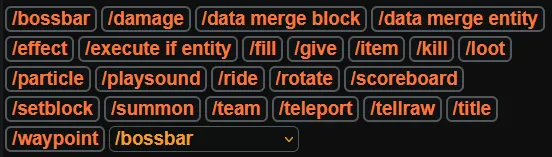
Online Minecraft Tools: Command Generator Screenshot Java Edition is filled with useful commands, but not all of them are easy to understand. Thankfully, with a command generator, the learning curve is skipped by simply filling in what it requests and entering the command it generates. Three popular examples available on the website are scoreboards, boss bars, teams, and many more. Those who already know how to use the commands will also find use in this tool simply for the time it saves and the errors it helps avoid.

2: Skin Editor

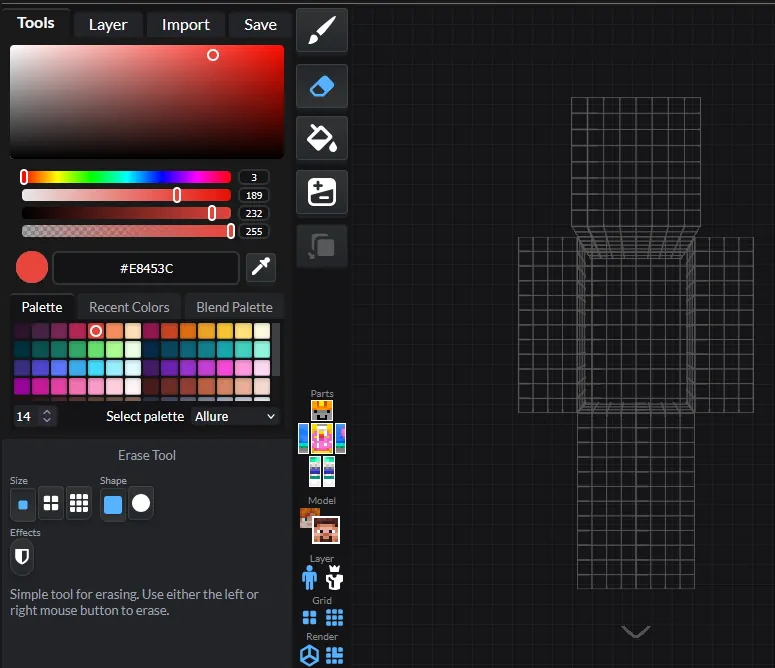
Minecraft Skin Editor Screenshot
  • Site Name: Miners Need Cooler Shoes
  • Link: Skin Editor
Custom skins are one of the best ways to express yourself in-game, especially if it is one you edited or made. Typically, this would require some sort of image editor alongside the know-how of where the pixels in the image actually appear on the skin. However, using this website, you can instead view a 3D model and edit it directly with the many tools it provides. The ability to import existing skins and edit them or outright create new ones has never been easier.

1: Seed Map

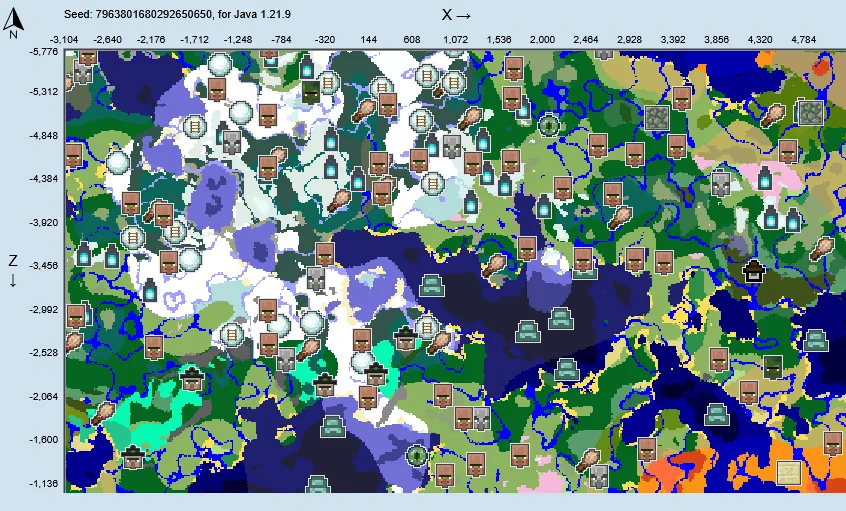
Minecraft Seed Map Screenshot Finally, we have seed map, one of the most useful tools ever created for Minecraft! After inputting a seed, a world map generates with every biome, structure, and even ore vein. This not only makes exploration for rarer structures and biomes easy, but it also serves as a way to get a general idea for a world before committing. After all, not many like those ocean island starts.
创建您自己的
Minecraft 服务器

选择一款套餐计划,挑选一款游戏,然后和朋友们一起畅玩吧!

订阅我们的最新资讯

订阅以获取有关游戏的所有最新动态!

Discord
加入我们的 Discord

加入我们拥有超过 20,000 名志同道合玩家的社区!

加入服务器

您对这篇博客有何评价?

分享您的看法,帮助我们将博客做得更好!
不喜欢
一般
喜欢

需要游戏服务器吗?
租用一台游戏服务器,您可以和朋友们在极低延迟和自定义设置下私密游玩。从 110+ 款游戏中挑选您的最爱,邀请全球玩家,享受私密对战,或者按照您自己的规则建立属于您的在线社区。


相关博客

Sample title for BLog

Sample title for BLog

发布于
Sample title for BLog

Sample title for BLog

发布于
Sample title for BLog

Sample title for BLog

发布于
Sample title for BLog

Sample title for BLog

发布于
Sample title for BLog

Sample title for BLog

发布于
Sample title for BLog

Sample title for BLog

发布于
注册表单背景

获取第一手独家资讯!

订阅我们的电子邮件,获取有关我们托管游戏、公司新闻和独家优惠的最新动态。随时掌握一手资讯!

BisectHosting Logo