

How to Create a OneBlock Server in Minecraft
发布于 ,作者

分享:

分享至 X

分享至 Facebook

分享至 Threads

分享至 Bluesky

复制到剪贴板

通过电子邮件分享
OneBlock Minecraft is a mod wherein players must farm materials and summon enemies with one strict restriction – they’re only standing on one block. It’s a game about making the most out of the materials you find to defeat the boss at the end. But first, you must create a OneBlock Minecraft server, and we're here to help.
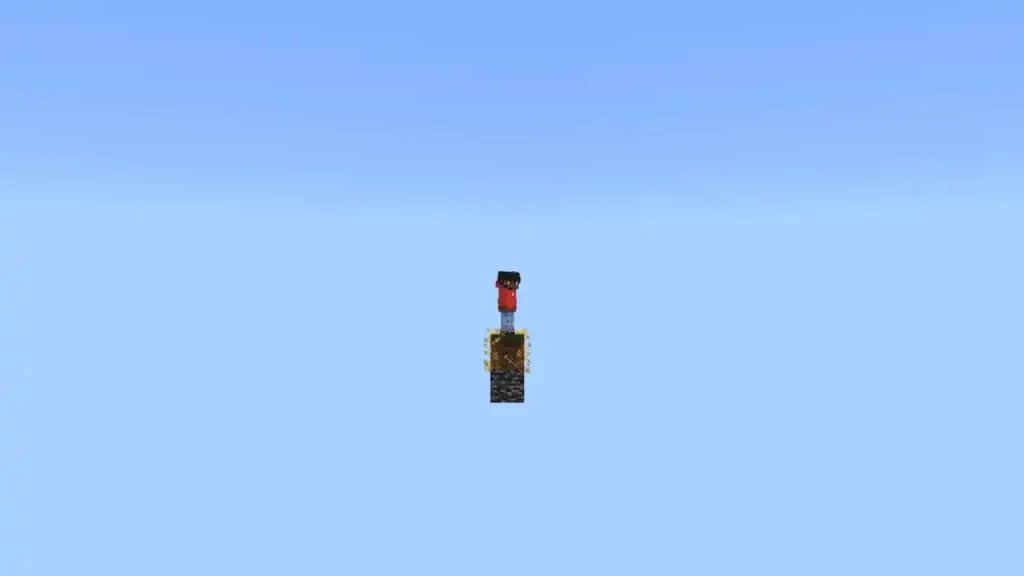 Creating a OneBlock Minecraft server might look complicated. But follow these steps, and you can create a server for you and your friends to enjoy OneBlock games.

How to Create a OneBlock Minecraft Server
Creating a OneBlock Minecraft server might look complicated. But follow these steps, and you can create a server for you and your friends to enjoy OneBlock games.
- Access the OneBlock Spigot page, and press the Download Now button at the top right
- Choose the location of the download on your PC if asked and confirm the download
- Log in to the BisectHosting Premium or Budget panel
- Stop the server and click the File Manager tab
- Open the plugins folder, then upload the .jar file downloaded in step 1
- Start the server
- Open Minecraft and log into the game
- Go to your preferred location in the game and type “/ob set” (without the quotes) at the command line to spawn a grass block at your character’s location
- Join a OneBlock game by typing “/ob join” (without the quotes) at the command line
OneBlock Minecraft Phases
After setting up a OneBlock server, the challenge can finally begin. Each OneBlock game typically has 10 phases. First, the Plains phase begins, wherein dirt, wood, sheep, and other basic overworld materials and mobs spawn. Players move on to the second phase after 700 blocks. In this stage, the player can gather items from the underground, such as cobblestone, coal, and iron. Underground mobs also spawn, ranging from creepers to zombies. During the third to sixth phases, players have the opportunity to collect items from various biomes. These areas are the Desert, Dungeon, Ocean, Jungle, and Winter biomes. The Nether appears for the seventh phase. That means the player can farm materials like netherrack, nether bricks, glowstone, and soul sand. Nether mobs also appear, such as Blaze, Ghasts, and Withers. The eighth and ninth phases are Idyll and Desolation. Although these stages are fairly mundane, they prepare the player for the tenth and final phase. Once the final phase appears, players must defeat the Ender Dragon using the resources and knowledge they've gathered along the way through the previous nine stages. Here, defeating the Ender Dragon wins the OneBlock game!OneBlock Server Commands
Server administrators can type “/ob” (without the quotes) followed by a specific command to trigger an action. One example is the /ob join command mentioned in an earlier section. Other commands you can use include:- set: Set the first block while airborne
- set [radius]: Changes the spawning distance between islands from 100 to 500
- circlemode [true | false]: Create new islands in a circular pattern
- autojoin [true | false]: Automatically sends players to their islands upon joining the world
- protection [true | false]: Toggles players’ ability to leave their islands (can trigger the doomed to fall message if protection is off and a player plummets from an island)
- droptossup [true | false]: Toggles items dropping normally or spawning on a block above the regenerating block
- physics [true | false]: Toggles gravity for blocks like sand or gravel
- invite [player]: Invites a specified player to join the island
- accept: Accepts an invitation sent from another player
- kick [player]: Kicks specified player from the island
- IDReset: Resets all game progress, including islands and player levels
- islands [true | false]: Toggles automatic island creation for new players
- islands set_my_by_def: Administrator island becomes the default template for new players
- islands default: Resets island template to default
- islands_rebirth [true | false]: Toggles spawn location to default or on each player’s island
- progress_bar [color]: Changes progress bar’s color
- progress_bar [true | false]: Toggles progress bar display at the top of the screen
- clear [player]: Reset a specific player’s progress

您对这篇博客有何评价?
分享您的看法,帮助我们将博客做得更好!
不喜欢
一般
喜欢

需要游戏服务器吗?
租用一台游戏服务器,您可以和朋友们在极低延迟和自定义设置下私密游玩。从 110+ 款游戏中挑选您的最爱,邀请全球玩家,享受私密对战,或者按照您自己的规则建立属于您的在线社区。








获取第一手独家资讯!
订阅我们的电子邮件,获取有关我们托管游戏、公司新闻和独家优惠的最新动态。随时掌握一手资讯!













