

5 Tips & Tricks to Improve Your Minecraft FPS
发布于 ,作者

分享:

分享至 X

分享至 Facebook

分享至 Threads

分享至 Bluesky

复制到剪贴板

通过电子邮件分享
There are many reasons one’s Minecraft FPS may be bad, but thankfully, there are plenty of options to consider before the discussion of new hardware needs to be had. So, today, we explore five easy ways to improve your FPS in Minecraft alongside some useful tips to ensure that the new performance levels are here to stay.
 In Java Edition, a common issue players encounter is a lack of RAM dedicated to their Minecraft client. Typically, 3GB to 4GB is recommended. This issue is especially prevalent with modpacks where even more RAM may be recommended but not yet allocated. In either case, we offer a step-by-step guide on increasing the RAM dedicated to your client here!
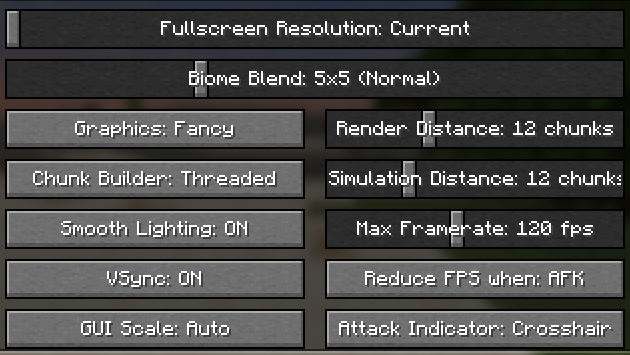 If more RAM was not the answer, or if your PC did not have any extra to spare, adjusting Minecraft’s in-game settings can lead to many improvements. Below, we have listed some recommendations:
 Should problems persist beyond both settings and dedicated RAM, the issue may be elsewhere on the PC. A way to check if something is eating up your resources unnecessarily is to open the Task Manager, done by pressing CTRL + ALT + Del on the keyboard at the same time, and then selecting “Task Manager.”
Once inside the task manager, look at the processes tab and check to see how much of the CPU and memory is being used while the game is closed. If you have trouble seeing this information, you can "sort" by CPU and memory usage in the dropdown.
If these percentages are high, the exact programs using them will be visible and (hopefully) can be closed. An example many players do not expect to harm their Minecraft FPS is having too many tabs open in an internet browser, which eats a surprising amount of RAM.
Should problems persist beyond both settings and dedicated RAM, the issue may be elsewhere on the PC. A way to check if something is eating up your resources unnecessarily is to open the Task Manager, done by pressing CTRL + ALT + Del on the keyboard at the same time, and then selecting “Task Manager.”
Once inside the task manager, look at the processes tab and check to see how much of the CPU and memory is being used while the game is closed. If you have trouble seeing this information, you can "sort" by CPU and memory usage in the dropdown.
If these percentages are high, the exact programs using them will be visible and (hopefully) can be closed. An example many players do not expect to harm their Minecraft FPS is having too many tabs open in an internet browser, which eats a surprising amount of RAM.
 If all else has failed, there are some useful client-side mods that can lend a hand too. A popular example is none other than Optifine, which many have relied on for good FPS since its release nearly ten years ago. We offer a step-by-step guide on installing Opifine here. Should Optifine not be to your taste, there are many other popular options as well, such as Sodium by JellySquid.
Regardless of which is picked, chances are they will be able to help your FPS in Minecraft to get it to playable levels.
If all else has failed, there are some useful client-side mods that can lend a hand too. A popular example is none other than Optifine, which many have relied on for good FPS since its release nearly ten years ago. We offer a step-by-step guide on installing Opifine here. Should Optifine not be to your taste, there are many other popular options as well, such as Sodium by JellySquid.
Regardless of which is picked, chances are they will be able to help your FPS in Minecraft to get it to playable levels.
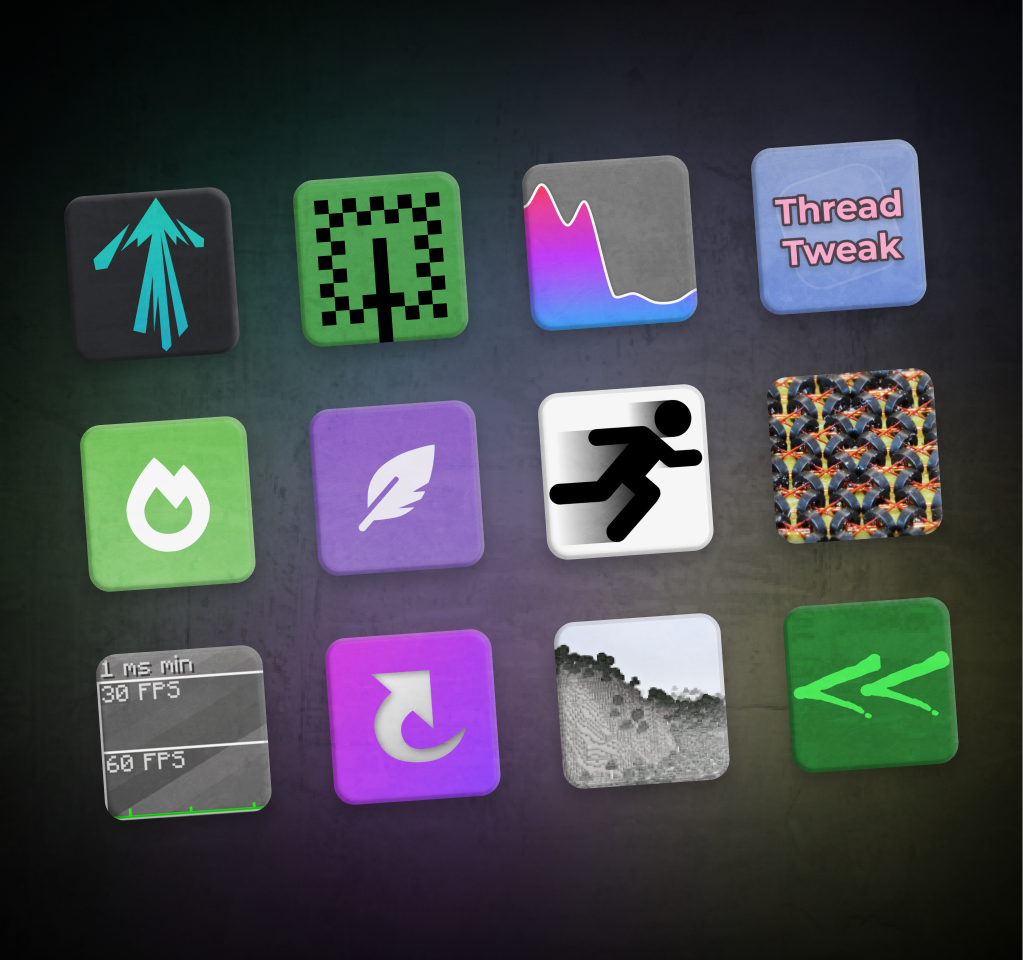 The final suggestion of this list is to try out a modpack dedicated to providing an optimized Minecraft Experience. Two popular examples of this are the Adrenaline and Simply Optimized modpacks. Everything within them is used to bring out the best performance and FPS your PC can manage. All, of course, while ensuring Minecraft still looks great!
Need more help? We offer guides on our knowledgebase for installing modpacks both on a server and using a client-side launcher as well!
The final suggestion of this list is to try out a modpack dedicated to providing an optimized Minecraft Experience. Two popular examples of this are the Adrenaline and Simply Optimized modpacks. Everything within them is used to bring out the best performance and FPS your PC can manage. All, of course, while ensuring Minecraft still looks great!
Need more help? We offer guides on our knowledgebase for installing modpacks both on a server and using a client-side launcher as well!
Dedicated RAM
In Java Edition, a common issue players encounter is a lack of RAM dedicated to their Minecraft client. Typically, 3GB to 4GB is recommended. This issue is especially prevalent with modpacks where even more RAM may be recommended but not yet allocated. In either case, we offer a step-by-step guide on increasing the RAM dedicated to your client here!
Adjusting Game Settings to Improve Minecraft FPS
If more RAM was not the answer, or if your PC did not have any extra to spare, adjusting Minecraft’s in-game settings can lead to many improvements. Below, we have listed some recommendations:
- Reduce Graphics to Fast
- Lower Render and Simulation Distances
- Set FPS to Unlimited or cap FPS at 30 if you need to lower the stress on your PC
- Disable Smooth Lighting & Clouds
- Reduce Particles to Minimal
Closing Background Programs to Improve Minecraft FPS
Should problems persist beyond both settings and dedicated RAM, the issue may be elsewhere on the PC. A way to check if something is eating up your resources unnecessarily is to open the Task Manager, done by pressing CTRL + ALT + Del on the keyboard at the same time, and then selecting “Task Manager.”
Once inside the task manager, look at the processes tab and check to see how much of the CPU and memory is being used while the game is closed. If you have trouble seeing this information, you can "sort" by CPU and memory usage in the dropdown.
If these percentages are high, the exact programs using them will be visible and (hopefully) can be closed. An example many players do not expect to harm their Minecraft FPS is having too many tabs open in an internet browser, which eats a surprising amount of RAM.
Performance Mods to Improve Minecraft FPS
If all else has failed, there are some useful client-side mods that can lend a hand too. A popular example is none other than Optifine, which many have relied on for good FPS since its release nearly ten years ago. We offer a step-by-step guide on installing Opifine here. Should Optifine not be to your taste, there are many other popular options as well, such as Sodium by JellySquid.
Regardless of which is picked, chances are they will be able to help your FPS in Minecraft to get it to playable levels.
Performance Modpacks
The final suggestion of this list is to try out a modpack dedicated to providing an optimized Minecraft Experience. Two popular examples of this are the Adrenaline and Simply Optimized modpacks. Everything within them is used to bring out the best performance and FPS your PC can manage. All, of course, while ensuring Minecraft still looks great!
Need more help? We offer guides on our knowledgebase for installing modpacks both on a server and using a client-side launcher as well!
您对这篇博客有何评价?
分享您的看法,帮助我们将博客做得更好!
不喜欢
一般
喜欢

需要游戏服务器吗?
租用一台游戏服务器,您可以和朋友们在极低延迟和自定义设置下私密游玩。从 110+ 款游戏中挑选您的最爱,邀请全球玩家,享受私密对战,或者按照您自己的规则建立属于您的在线社区。








获取第一手独家资讯!
订阅我们的电子邮件,获取有关我们托管游戏、公司新闻和独家优惠的最新动态。随时掌握一手资讯!













