

Minecraft Experience Cape Guide: How to Redeem
发布于 ,作者

分享:

分享至 X

分享至 Facebook

分享至 Threads

分享至 Bluesky

复制到剪贴板

通过电子邮件分享
One of the many exciting parts of Minecraft Experience is the goodies you get to bring home, including the Minecraft Experience cape, which every scanned ticket holder gets to own! So, today, we explain step by step how to redeem your Minecraft experience cape.
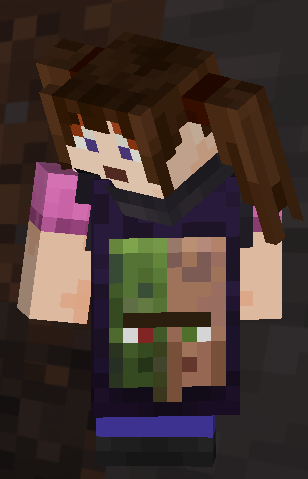 Purchasing a ticket for Minecraft Experience does not automatically provide a cape code. Instead, it is emailed only after your ticket has been scanned at the door. Once that has been done, check the email used to purchase the tickets. An email should be present from the vendor containing the 25-digit promo codes, which expire thirty days after Minecraft Experience leaves the location where you attended.
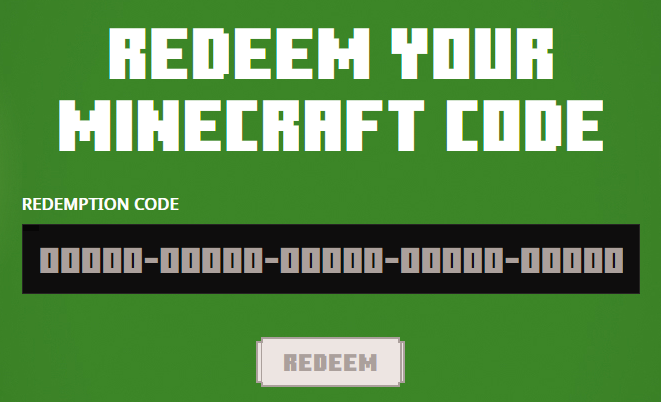 With the code in hand, the next step is heading over to Minecraft’s official code redemption page. A link should be present within the email the codes were obtained from, but if it wasn’t, the English redemption page can be found at https://www.minecraft.net/en-us/redeem.
Once the page is open, copy your 25-digit code and paste it into the box beneath “Redemption Code” before clicking “Redeem.”
With the code in hand, the next step is heading over to Minecraft’s official code redemption page. A link should be present within the email the codes were obtained from, but if it wasn’t, the English redemption page can be found at https://www.minecraft.net/en-us/redeem.
Once the page is open, copy your 25-digit code and paste it into the box beneath “Redemption Code” before clicking “Redeem.”
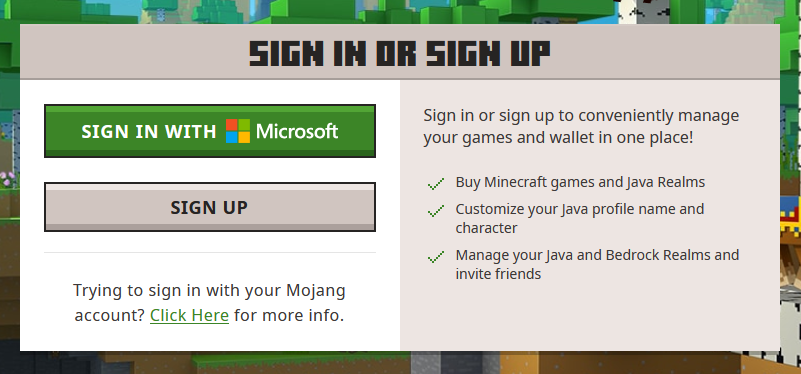 After redeeming, you will be prompted to log in to your Microsoft account. This step is very straightforward, but if multiple Microsoft accounts are owned, be sure the one associated with your Minecraft account is the one being logged into. Once logged in, proceed to step three.
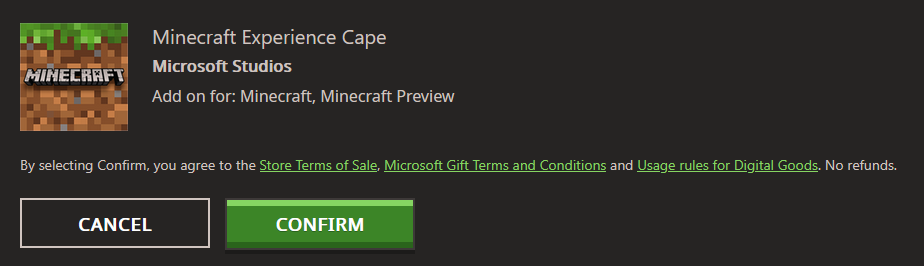 Upon successfully logging in, one final prompt will be displayed asking you to confirm the reward you would like to redeem. In this case, it should say “Minecraft Experience Cape.” If all looks correct, click “Confirm” and proceed to the next page.
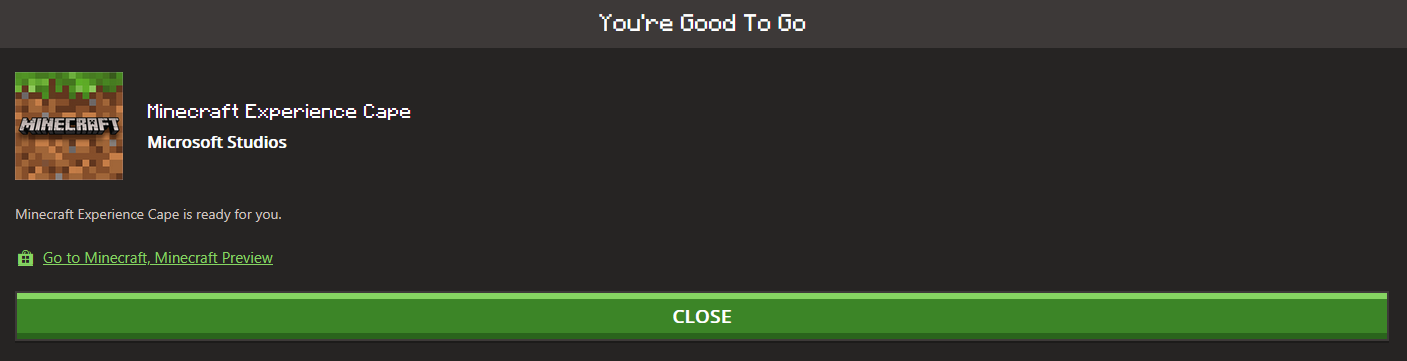 The cape should now be redeemed, complete with a confirmation on the screen. From there, Java Edition players can head over to the “All Games” tab on the left, select “Change Skin” under Java, and then equip their new cape. Meanwhile, Bedrock Edition players can find their cape in-game in the dressing room under the capes section on the left-hand side.
In either case, a short wait may occur before the cape appears as an option, but as soon as it does, all that remains is showing it off in-game.
The cape should now be redeemed, complete with a confirmation on the screen. From there, Java Edition players can head over to the “All Games” tab on the left, select “Change Skin” under Java, and then equip their new cape. Meanwhile, Bedrock Edition players can find their cape in-game in the dressing room under the capes section on the left-hand side.
In either case, a short wait may occur before the cape appears as an option, but as soon as it does, all that remains is showing it off in-game.
Obtaining a Cape Code
Purchasing a ticket for Minecraft Experience does not automatically provide a cape code. Instead, it is emailed only after your ticket has been scanned at the door. Once that has been done, check the email used to purchase the tickets. An email should be present from the vendor containing the 25-digit promo codes, which expire thirty days after Minecraft Experience leaves the location where you attended.
How to Redeem Your Minecraft Experience Cape
Step 1: Enter The Code
With the code in hand, the next step is heading over to Minecraft’s official code redemption page. A link should be present within the email the codes were obtained from, but if it wasn’t, the English redemption page can be found at https://www.minecraft.net/en-us/redeem.
Once the page is open, copy your 25-digit code and paste it into the box beneath “Redemption Code” before clicking “Redeem.”
Step 2: Sign In
After redeeming, you will be prompted to log in to your Microsoft account. This step is very straightforward, but if multiple Microsoft accounts are owned, be sure the one associated with your Minecraft account is the one being logged into. Once logged in, proceed to step three.
Step 3: Confirm the Redemption
Upon successfully logging in, one final prompt will be displayed asking you to confirm the reward you would like to redeem. In this case, it should say “Minecraft Experience Cape.” If all looks correct, click “Confirm” and proceed to the next page.
Step 4: Equip the Cape
The cape should now be redeemed, complete with a confirmation on the screen. From there, Java Edition players can head over to the “All Games” tab on the left, select “Change Skin” under Java, and then equip their new cape. Meanwhile, Bedrock Edition players can find their cape in-game in the dressing room under the capes section on the left-hand side.
In either case, a short wait may occur before the cape appears as an option, but as soon as it does, all that remains is showing it off in-game.
您对这篇博客有何评价?
分享您的看法,帮助我们将博客做得更好!
不喜欢
一般
喜欢

需要游戏服务器吗?
租用一台游戏服务器,您可以和朋友们在极低延迟和自定义设置下私密游玩。从 110+ 款游戏中挑选您的最爱,邀请全球玩家,享受私密对战,或者按照您自己的规则建立属于您的在线社区。








获取第一手独家资讯!
订阅我们的电子邮件,获取有关我们托管游戏、公司新闻和独家优惠的最新动态。随时掌握一手资讯!













