

Minecraft 1.19.81 Update (Bedrock): Patch Notes & How To Install
发布于 ,作者

分享:

分享至 X

分享至 Facebook

分享至 Threads

分享至 Bluesky

复制到剪贴板

通过电子邮件分享
The Minecraft community noticed some issues with one of the game’s latest patches. But Mojang, the developer behind this hit sandbox title, released the Minecraft 1.19.81 update to remedy these concerns.
 The Minecraft 1.19.91 update for Bedrock is available for all supported platforms except for the game’s Nintendo Switch version. However, the patch for Nintendo’s current-generation gaming console will soon be available.
This update fixes the following issues:
The Minecraft 1.19.91 update for Bedrock is available for all supported platforms except for the game’s Nintendo Switch version. However, the patch for Nintendo’s current-generation gaming console will soon be available.
This update fixes the following issues:
 An over-the-air (OTA) update should be available for your gaming platform of choice. For example, force the game to update on your device (e.g., Android, iOS, or PS4) by going to the recommended menu.
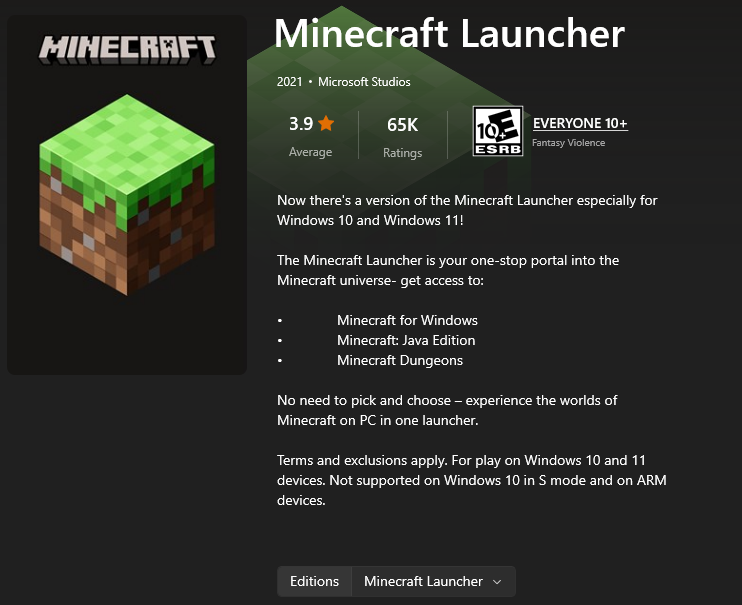
The same goes when you’re playing the game on a Windows PC. Open the Minecraft launcher and select the Bedrock edition. The game should automatically update to the 1.19.81 patch.
But, if the automatic update fails, you may install the patch through the Microsoft Store. Open that app, and click on the Library icon at the bottom left corner of the window.
In the Library window, click the “Get Updates” button at the upper right. Note that the period in which the updates finish depends on the number of detected apps with new patches to be installed. After which, open the Minecraft launcher again and check if the game now has the 1.19.81 patch.
If updating through the Microsoft store still fails, you may also try installing the patch through the Xbox App. Open it, and select “My Library.” Here, search for the Minecraft Bedrock edition and click on it. Then, click on the three dots underneath the banner and force the update from there.
At this point, your Minecraft Bedrock app should have the 1.19.81 patch installed. If not, you may need to uninstall the app and reinstall it to get the update.
You can also try out the new features coming to the game. For instance, you can try the Minecraft 1.20 Snapshot 2317A. Alternatively, you may also want to check out Mojang’s latest game, Minecraft Legends.
An over-the-air (OTA) update should be available for your gaming platform of choice. For example, force the game to update on your device (e.g., Android, iOS, or PS4) by going to the recommended menu.
The same goes when you’re playing the game on a Windows PC. Open the Minecraft launcher and select the Bedrock edition. The game should automatically update to the 1.19.81 patch.
But, if the automatic update fails, you may install the patch through the Microsoft Store. Open that app, and click on the Library icon at the bottom left corner of the window.
In the Library window, click the “Get Updates” button at the upper right. Note that the period in which the updates finish depends on the number of detected apps with new patches to be installed. After which, open the Minecraft launcher again and check if the game now has the 1.19.81 patch.
If updating through the Microsoft store still fails, you may also try installing the patch through the Xbox App. Open it, and select “My Library.” Here, search for the Minecraft Bedrock edition and click on it. Then, click on the three dots underneath the banner and force the update from there.
At this point, your Minecraft Bedrock app should have the 1.19.81 patch installed. If not, you may need to uninstall the app and reinstall it to get the update.
You can also try out the new features coming to the game. For instance, you can try the Minecraft 1.20 Snapshot 2317A. Alternatively, you may also want to check out Mojang’s latest game, Minecraft Legends.
Minecraft 1.19.81 Patch Notes
The Minecraft 1.19.91 update for Bedrock is available for all supported platforms except for the game’s Nintendo Switch version. However, the patch for Nintendo’s current-generation gaming console will soon be available.
This update fixes the following issues:
Realm Crashes
- Fixed a crash with the ‘/tell’ command (and some other commands) that could occur on Realms
Infinite Loading With The Purchase Button
- Fixed an issue with Purchase buttons loading infinitely on Featured Servers
Show More Button Disappearance
- Fixed Featured Server offers not displaying the “Show More” button
How To Install The Minecraft 1.19.81 Update
An over-the-air (OTA) update should be available for your gaming platform of choice. For example, force the game to update on your device (e.g., Android, iOS, or PS4) by going to the recommended menu.
The same goes when you’re playing the game on a Windows PC. Open the Minecraft launcher and select the Bedrock edition. The game should automatically update to the 1.19.81 patch.
But, if the automatic update fails, you may install the patch through the Microsoft Store. Open that app, and click on the Library icon at the bottom left corner of the window.
In the Library window, click the “Get Updates” button at the upper right. Note that the period in which the updates finish depends on the number of detected apps with new patches to be installed. After which, open the Minecraft launcher again and check if the game now has the 1.19.81 patch.
If updating through the Microsoft store still fails, you may also try installing the patch through the Xbox App. Open it, and select “My Library.” Here, search for the Minecraft Bedrock edition and click on it. Then, click on the three dots underneath the banner and force the update from there.
At this point, your Minecraft Bedrock app should have the 1.19.81 patch installed. If not, you may need to uninstall the app and reinstall it to get the update.
You can also try out the new features coming to the game. For instance, you can try the Minecraft 1.20 Snapshot 2317A. Alternatively, you may also want to check out Mojang’s latest game, Minecraft Legends.

您对这篇博客有何评价?
分享您的看法,帮助我们将博客做得更好!
不喜欢
一般
喜欢

需要游戏服务器吗?
租用一台游戏服务器,您可以和朋友们在极低延迟和自定义设置下私密游玩。从 110+ 款游戏中挑选您的最爱,邀请全球玩家,享受私密对战,或者按照您自己的规则建立属于您的在线社区。








获取第一手独家资讯!
订阅我们的电子邮件,获取有关我们托管游戏、公司新闻和独家优惠的最新动态。随时掌握一手资讯!













