

How to Find Cherry Blossom Biomes
发布于 ,作者

分享:

分享至 X

分享至 Facebook

分享至 Threads

分享至 Bluesky

复制到剪贴板

通过电子邮件分享
One of the most demanded biomes made its way into Minecraft 1.20 and immediately became a fan favorite! Cherry groves, or cherry blossom biomes, are as perfect as one could hope, at least according to those who have found one. Fans quickly learnt they are quite the rarity. So, today, we answer how to find cherry blossom biomes in Minecraft 1.21.
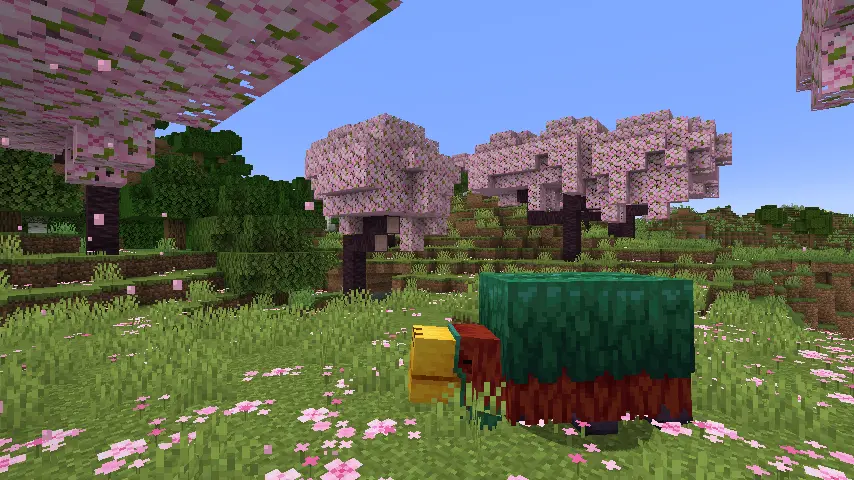
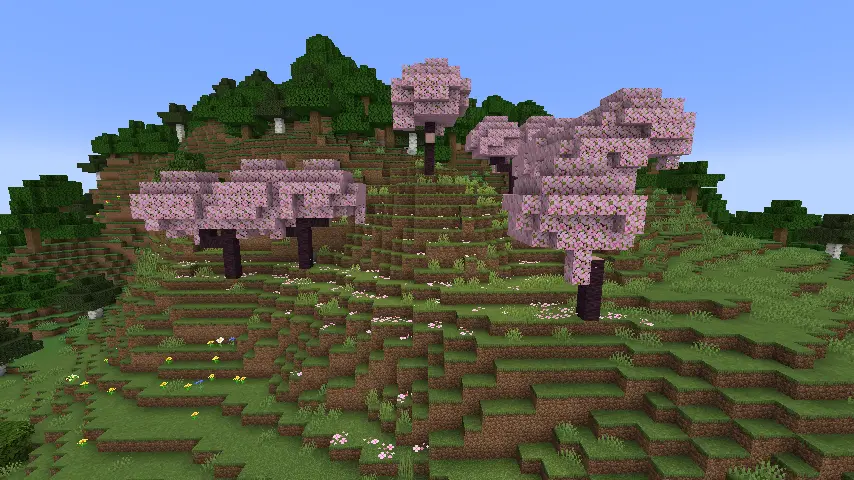 Cherry blossom biomes, or cherry groves, are a biome added in the Minecraft 1.20 update. They are easily spotted by their lime in color grass, small pink flowers called pink petals, and red cherry trees with vibrant pink leaves.
Players who find one will notice rabbits spawning more frequently within the biome and bee nest generation beeing more common.
Cherry blossom biomes, or cherry groves, are a biome added in the Minecraft 1.20 update. They are easily spotted by their lime in color grass, small pink flowers called pink petals, and red cherry trees with vibrant pink leaves.
Players who find one will notice rabbits spawning more frequently within the biome and bee nest generation beeing more common.
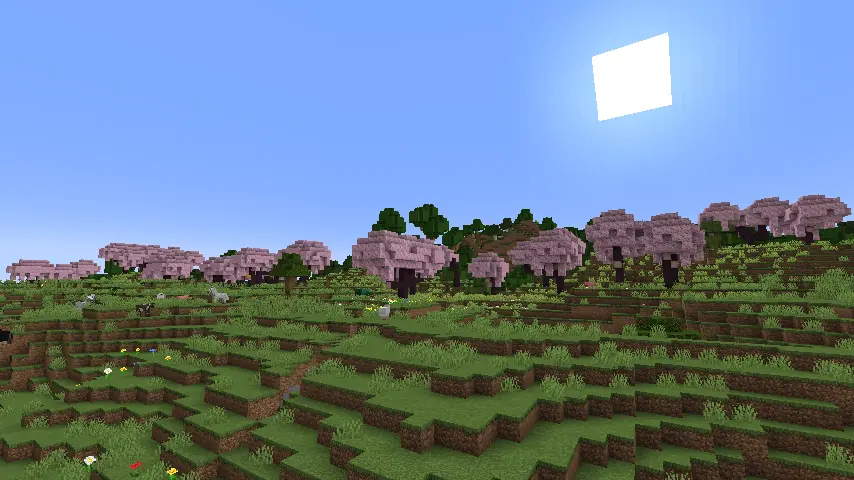 Cherry blossom biomes are a high-altitude biome like the meadow. This means they are typically part of the first layer of mountains but are still quite rare. In terms of shape and size, cherry blossom biomes can appear in the form of long thin stretches of land or, more commonly, in small clusters.
However, like with most generation in Minecraft, their shape and size are never set in stone.
Cherry blossom biomes are a high-altitude biome like the meadow. This means they are typically part of the first layer of mountains but are still quite rare. In terms of shape and size, cherry blossom biomes can appear in the form of long thin stretches of land or, more commonly, in small clusters.
However, like with most generation in Minecraft, their shape and size are never set in stone.
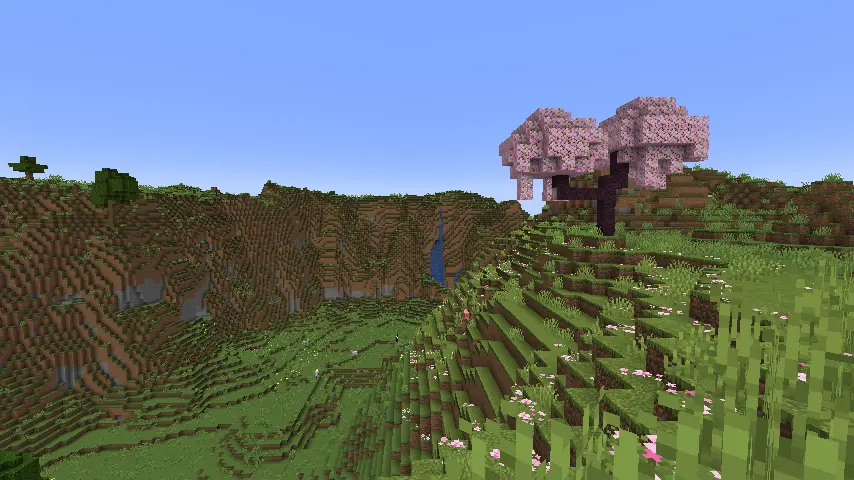 Players searching for cherry blossom biomes will have the most luck on or around mountains of the more temperate variety. Biomes like plains, forests, and meadows of a higher altitude. Unfortunately, nothing in the vanilla game can expressly point a player to cherry blossom biomes, leaving the chance of seeing one mostly up to luck.
But, with determination and the will for a long adventure, those searching will always find one soon enough.
Players searching for cherry blossom biomes will have the most luck on or around mountains of the more temperate variety. Biomes like plains, forests, and meadows of a higher altitude. Unfortunately, nothing in the vanilla game can expressly point a player to cherry blossom biomes, leaving the chance of seeing one mostly up to luck.
But, with determination and the will for a long adventure, those searching will always find one soon enough.
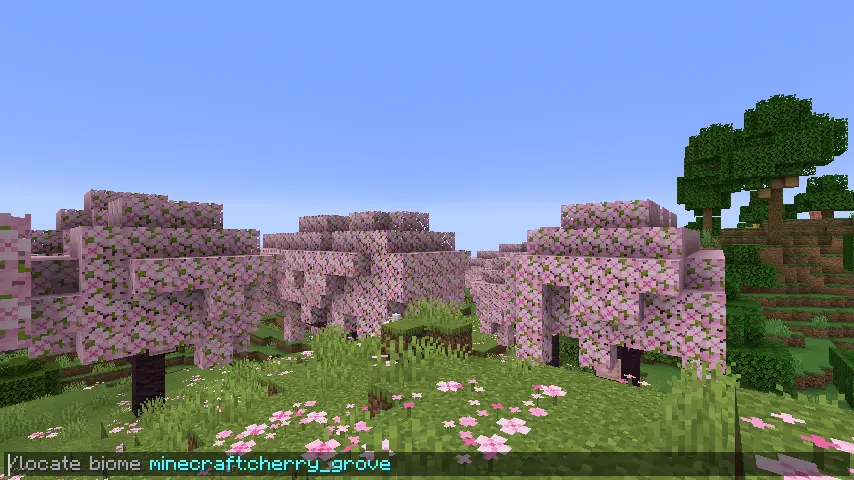 For those who may not have the time, there is always the option of using the “/locate” command. This nifty tool provides the exact coordinates of the nearest structure or biome, and by clicking them, teleports the player there.
Some would consider this cheating, but in Minecraft, that is for you to decide. The full command is as follows:
For those who may not have the time, there is always the option of using the “/locate” command. This nifty tool provides the exact coordinates of the nearest structure or biome, and by clicking them, teleports the player there.
Some would consider this cheating, but in Minecraft, that is for you to decide. The full command is as follows:
 So ends our guide on finding cherry blossom biomes. We hope it leads you to beautiful pink mountain peaks! But no matter how long it may take, don’t give up. Cherry blossoms are well worth the wait.
Until Next Time,
BisectHosting =)
So ends our guide on finding cherry blossom biomes. We hope it leads you to beautiful pink mountain peaks! But no matter how long it may take, don’t give up. Cherry blossoms are well worth the wait.
Until Next Time,
BisectHosting =)
A Summary of Cherry Blossom Biomes
Cherry blossom biomes, or cherry groves, are a biome added in the Minecraft 1.20 update. They are easily spotted by their lime in color grass, small pink flowers called pink petals, and red cherry trees with vibrant pink leaves.
Players who find one will notice rabbits spawning more frequently within the biome and bee nest generation beeing more common.
How to Find Cherry Blossom Biomes
Cherry Blossom Biome Generation
Cherry blossom biomes are a high-altitude biome like the meadow. This means they are typically part of the first layer of mountains but are still quite rare. In terms of shape and size, cherry blossom biomes can appear in the form of long thin stretches of land or, more commonly, in small clusters.
However, like with most generation in Minecraft, their shape and size are never set in stone.
Finding Cherry Blossom Biomes Without Commands
Players searching for cherry blossom biomes will have the most luck on or around mountains of the more temperate variety. Biomes like plains, forests, and meadows of a higher altitude. Unfortunately, nothing in the vanilla game can expressly point a player to cherry blossom biomes, leaving the chance of seeing one mostly up to luck.
But, with determination and the will for a long adventure, those searching will always find one soon enough.
Finding Cherry Blossom Biomes with Commands
For those who may not have the time, there is always the option of using the “/locate” command. This nifty tool provides the exact coordinates of the nearest structure or biome, and by clicking them, teleports the player there.
Some would consider this cheating, but in Minecraft, that is for you to decide. The full command is as follows:
- /locate biome Minecraft:cherry_grove
In a Cherry Blossom Biome of Your Very Own
So ends our guide on finding cherry blossom biomes. We hope it leads you to beautiful pink mountain peaks! But no matter how long it may take, don’t give up. Cherry blossoms are well worth the wait.
Until Next Time,
BisectHosting =)

您对这篇博客有何评价?
分享您的看法,帮助我们将博客做得更好!
不喜欢
一般
喜欢

需要游戏服务器吗?
租用一台游戏服务器,您可以和朋友们在极低延迟和自定义设置下私密游玩。从 110+ 款游戏中挑选您的最爱,邀请全球玩家,享受私密对战,或者按照您自己的规则建立属于您的在线社区。








获取第一手独家资讯!
订阅我们的电子邮件,获取有关我们托管游戏、公司新闻和独家优惠的最新动态。随时掌握一手资讯!













