
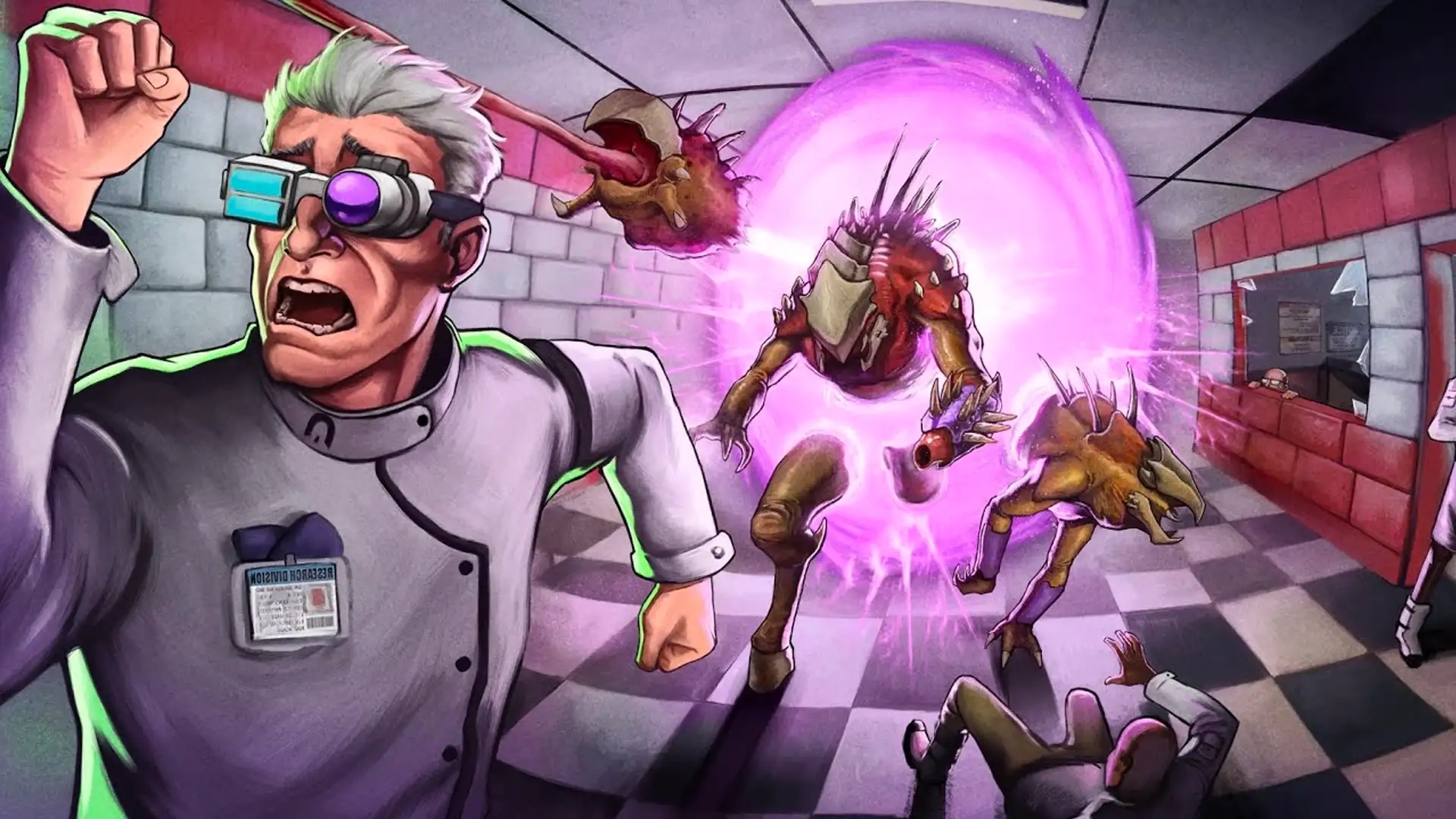
Abiotic Factor The Modding Update (Community Update #5): Patch Notes, New Official Mod Support, How to Install Mods, New Pet, & More
发布于 ,作者

分享:

分享至 X

分享至 Facebook

分享至 Threads

分享至 Bluesky

复制到剪贴板

通过电子邮件分享
That's right, thanks to Abiotic Factor Community Update #5, dubbed "The Modding Update," Abiotic Factor now officially supports mods! With that, let's dive into everything you need to know about The Modding Update for Abiotic Factor, including how the new mod tools work and the update's full patch notes (including a new pet and trinket side quest as well!).
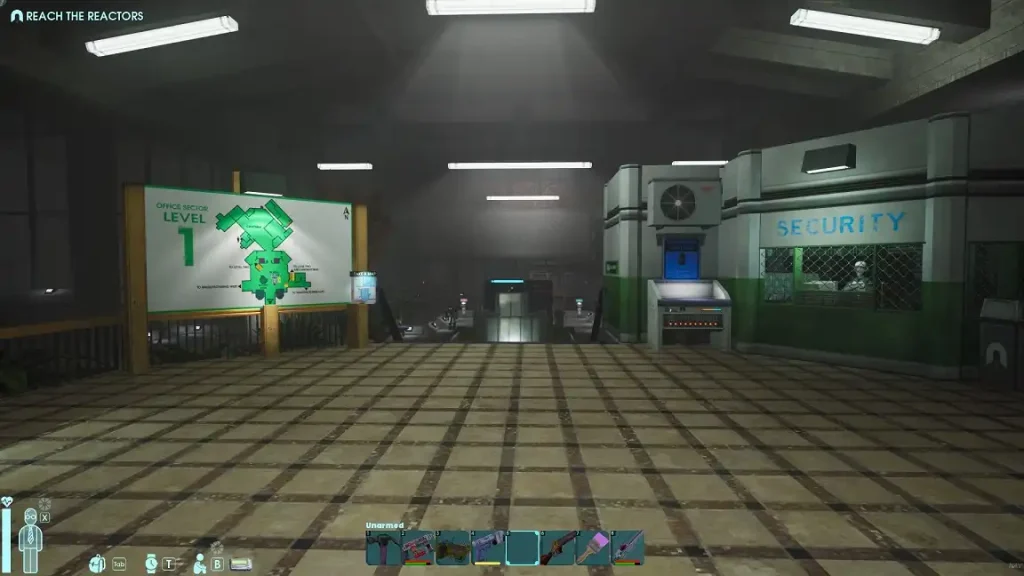
 Without further ado, let's dive into the full patch notes for the Abiotic Factor Modding Update!
 While BisectHosting has always offered Abiotic Factor mod support for servers via the unofficial UE4SS method, users can now enjoy the game's official mod support options on their dedicated server instead, thanks to The Modding Update!
To activate, simply:
While BisectHosting has always offered Abiotic Factor mod support for servers via the unofficial UE4SS method, users can now enjoy the game's official mod support options on their dedicated server instead, thanks to The Modding Update!
To activate, simply:
What's New in Abiotic Factor: The Modding Update? (Community Update #5 Highlights)
Official Mod Support (mod.io Integration + Mod Editor)
While unofficial mod support has existed for Abiotic Factor for some time, letting players create and customize their gameplay experience, the Modding Update's major highlight is the first official mod editor and mod browser! This official mod support includes integration with the popular mod.io platform, and you can use it now with your BisectHosting Abiotic Factor server. Learn more about the process at the end of this article!GATEPal Map Changes
To make your progress easier to track and the map easier to navigate for quests, Abiotic Factor Community Update #5 improves GATEPal map tracking to display multiple simultaneous quests. You can freely toggle between your quests to set your main waypoint objective via the map screen.New Pet
Abiotic Factor has a number of pets that players can tame, including variants of Pests, Peccaries, Skinks, and more, with a new pet joining the game in the Abiotic Factor Modding Update! This new pet is lS-0178-I, otherwise known as the "Foggy Friend". It does not spawn naturally as a pet, instead, it's achieved by mutating Peccaries by feeding them certain substances. We don't have the exact substances yet, so if you want this new pet, start experimenting now!Abiotic Factor The Modding Update Patch Notes (Community Update #5)
Without further ado, let's dive into the full patch notes for the Abiotic Factor Modding Update!
Official Mod Support & Mod.io Integration
- An in-game Mod Browser has been added to the title screen that is linked directly to Abiotic Factor’s Mod.io category. Scientists can view, rate, download, install, and manage mods using the Mod Browser all without even having to restart the application. Please refer to the ”How to Download Mods” post for details.
- A ton of work has happened on the fundamental gameplay structures of Abiotic Factor to enable official mod support and allow modders easier access to various parts of the game. These changes have been tested internally to an extensive degree, but please report any new bugs you see. A ton of work has gone into this system, and the Deep Field Research Team is excited to see what kind of mad science that the rest of Cascade can get up to!
- Mods can be enabled on a new save or an existing save when loading/hosting a server. Enabling a mod will make that mod’s content available in your world. Look forward to innovative new enemies, items, and R&D projects courtesy of your fellow scientists
- Mods can be disabled on a save where they previously were enabled, and their content will be removed from your save. Stability is not 100% guaranteed when disabling a mod on a save, but in most cases this will just manifest as items and deployables disappearing.
- When joining a server that has mods enabled you will be able to see what mods that server has enabled. Before joining, you will be prompted to download and install those mods which you can easily do with a single click on the button prompt. Sharing mods: Super easy!
- Certain mods, such as mods relating to personal scientist cosmetics, will be designated as “Local Only” mods. You can enable these mods to change your local appearance on your client, but you will show up with default cosmetics to other scientists unless they also have that same mod enabled locally. This does mean that you can bring any local mods you want into any server, regardless of what mods that server is or isn’t running.
- A separate Abiotic Factor Mod Editor application is now available on the Epic Games Launcher. You can use it to create your own mods!
- Unofficial mods created can still be created and loaded as they were before, but they will not appear in any of the in-game mod browser or mod management tools and will need to be manually installed by all clients to be shared in a server, same as before.
- Nearly all unofficial mods are expected to break in significant ways with this release due to how much the underlying code and data has changed to support official mods. Sorry about that!
- Official mods have an associated version number. You will not be able to enable a mod created for an earlier version number after a new update until the creator of that mod updates it to the latest version number (and presumably tests their mod to make sure nothing broke during the update.)
Multi-Quest GATEPal Update
- The GATEPal Map has been updated to display multiple simultaneous quests.
- Scientists can change which quest is currently the main waypoint objective by clicking on it in the GATEPal map screen.
- A new quest has been added to remind scientists to apply first aid to a certain manufacturing employee who could really use it. Hey. Be a pal.
- A series of quests have been added to provide additional guidance helping a particularly brainy friend escape a watery grave.
Pet Changes
- NEW PET: IS-0178-I has been added. Peccaries can mutate into them when fed certain substances.
- Fixed pets not teleporting back to their scientist when very far away sometimes.
- Scientists will now be able to see if a pet is hungry even while that pet is equipped by a colleague as a companion.
- Pets now understand that they should avoid all lasers. Just because a laser has been reflected does not make it any safer to stand around in.
- IS-0173-L has been trained to stop practicing its deadly fisticuffs on the furniture.
Narrative & Progression Changes
- Fixed an issue where scientists could skip the “Get to the Surface Tunnel” objective until it became impossible to complete.
Gear Changes
- HR would like to remind all staff that the Cascade dress code permits a maximum of ONE (1) tie to be worn around the neck as is the proper way to wear a tie. No matter how many spare ties are available in lockers across the Facility, the dress code still applies even in emergency situations. Please do not wear any additional ties
- you may find around your head like a bandana.
- HR would like to remind all staff that it is against company policy to steal spare ties out of lockers throughout the Facility, no matter how cool they look or what the circumstances may be. That’s not your tie, put it down, stop it.
- HR would like to request that all staff refrain from assaulting colleagues to steal their stylish and/or ridiculous ties, no matter how aggressive those colleagues may be. Being under the influence of IS-0178-I is no excuse.
- A total of 10 styles of tie bandana can now be collected through various methods across the Facility.
- Fixed set bonuses not being recalculated after a scientist respawns. This fixes a bug where set bonuses would disappear after respawning until a scientist changed their equipped gear.
- Fixed the Mystagogue Armor Set bonus causing scientists to slide off platforms when launched by gravitational anomalies.
- Gravitational anomalies have been tweaked to behave a little more consistently in some edge cases.
Balance Changes
- By popular demand, Mystagogue weapons technology has been recalibrated. It will now be effective against Hardlight defensive arrays, and it will now be effective against enemies that are immune to fire damage.
- The Hardlight Sledge's overclocked damage parameters have been scaled back from unstable levels, since the recent calibrations have made those damage values no longer necessary.
- Gastronomic R&D advances have made a wide array of culinary options available across the Cascade Facility more nutritious, particularly oven-cooked recipes.
- In an effort to promote more robust diets among staff members, nutritional values on several staple foodstuffs have been slightly decreased. Staff are advised to keep an eye on their cholesterol levels.
- Several different Tinctures have become more potent, with significantly increased durations.
- Advances in Chemistry have made a few assorted concoctions cheaper to produce.
- Concussive Flasks are now slightly more explosive.
- A couple damage-dealing weapon Coatings are now a little more potent.
Scientist Customization Changes
- NEW TIE FABRIC: Orange, for all scientists.
Accessibility & Controller Changes
- Rechargeable and cooking radial wheels now use the left joystick instead of right joystick by default when picking items on a controller. Scientists have the option to change this back to the right joystick using the new "Interaction Radial Menu Joystick" setting located under the “Accessibility - UI” section of the Accessibility Settings menu.
- Fixed an issue causing motion inputs to also affect radial menus when using a controller, making it difficult to select items using the radial menu.
Text & Localization Changes
- Various localization strings have been updated to fix incorrect or missing translations.
- Fixed a few typos.
Other Fixes
- Scientists speaking through VOIP should sound more normal and less high-pitched when using the 44100hz microphone sample rate.
- Added a possible fix to prevent crashes when switching Bluetooth audio input.
- Added a possible fix to prevent NPCs from appearing pixelated or in lower resolution.
- IS-0017 now correctly reduces Skills to level 3, unless the newly selected PhD and Traits would set a Skill to above level 3. It no longer raises skills up to Level 3 if they were less than that beforehand.
- Unbuilt Laser Collectors, Chemistry Benches, and Distillation Benches now correctly show the “Attack furniture with screwdriver to build.” helper text.
- Laser Collectors now display the correct maximum charge of 500.
- The Acid Coating color is now green as intended.
- The Wishing Shelf can no longer be rotated.
- The Construction Perk “Castle Doctrine” now correctly works on Cubicles, and no longer works on other deployables that aren’t intended for base defense.
- Fixed an issue with the “Play Voice” button not working while using the Transmogrifier
- Fixed a client-side issue that prevented scientists from using the radial selection menu to place an item onto a Charging Station if an item had been removed from the Charging Station before being fully charged.
- “Confirm” & “Cancel” buttons now properly fit inside the Teleporter Pad tag selection window.
- Fixed an issue preventing scientists from collecting items from their death bag using the “Take Item” option in the right-click context menu.
- Fixed an issue preventing scientists from viewing the recipe for an item required for a bench upgrade.
- Fixed an issue causing the Quantum Pick to get stuck in throwing mode.
- Fixed an issue allowing a certain NPC to stop and appear to float in midair while reloading, like some kind of witch or something.
- A certain kind of door in Anteverse 39 now has more accurate open and close sound effects.
- Fixed a bug causing Binoculars to get stuck in their own lens view if a scientist happens to get a little shove-y while using them. Shoving while using Binoculars now correctly exits out of the zoomed view.
- Fixed a bug causing the “Apply” button press to only work on controllers if the scientist is currently looking at the deployable they’re rotating. This was mostly affecting Laser Emitters, Reflectors, Prisms. Now this should work regardless of where the scientist is currently looking.
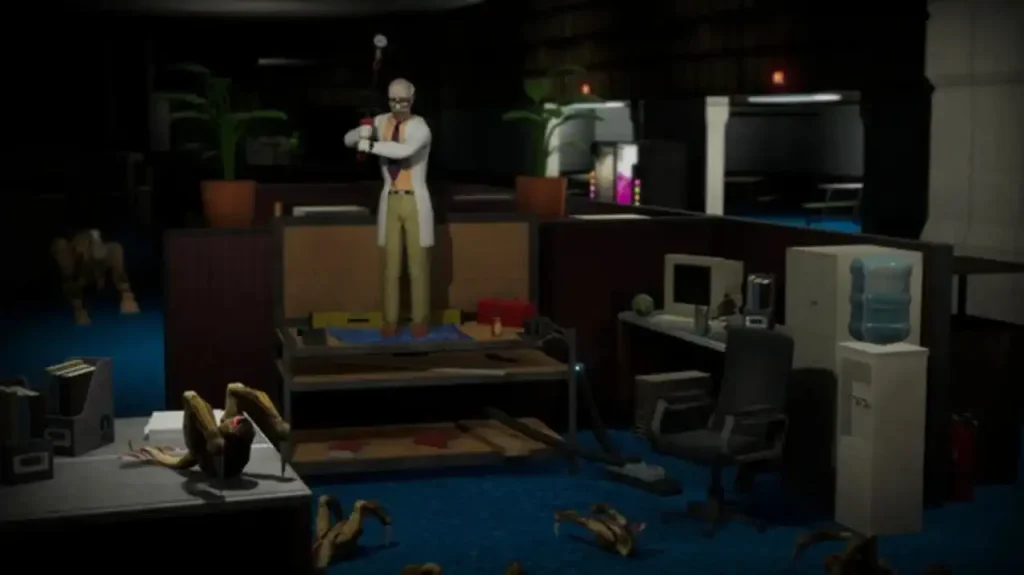
- Entities from Anteverse 23 have grown fond of certain office supplies for some reason.
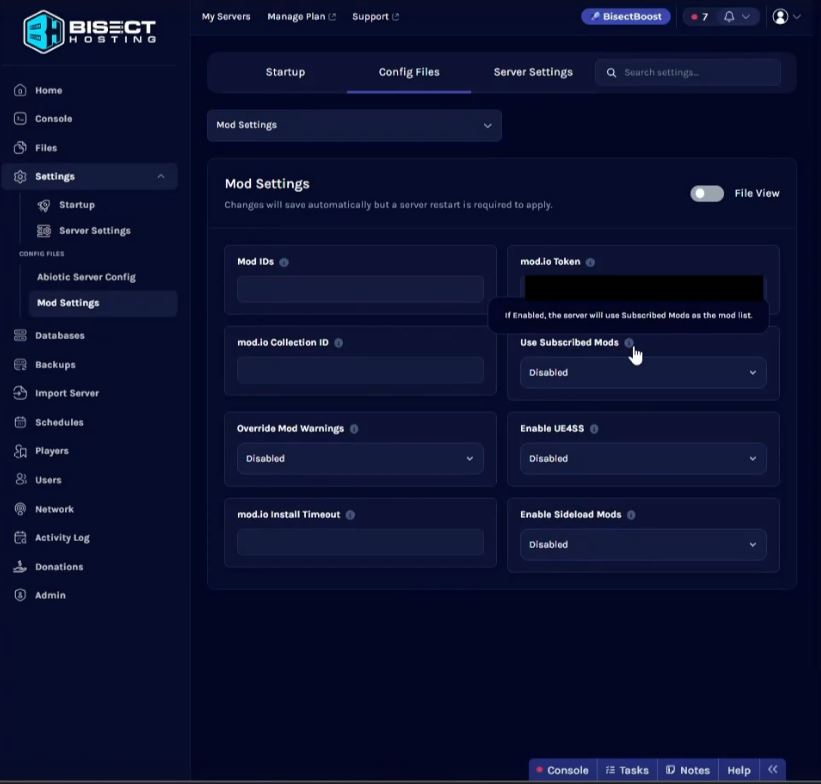
How to Use Official Abiotic Factor Mod Support on your BisectHosting Server
While BisectHosting has always offered Abiotic Factor mod support for servers via the unofficial UE4SS method, users can now enjoy the game's official mod support options on their dedicated server instead, thanks to The Modding Update!
To activate, simply:
- Visit your Starbase Games Panel
- Click Settings, then click Mod Settings
- Generate an API access Token from mod.io and enter it into the "mod.io Token" field
- Choose the Abiotic Factor mods you wish to use on your server via mod.io, either by subscribing to individual mods or adding them to a Collection
- If using Subscribed Mods - Enable "Use Subscribed Mods" in your panel
- If using a Collection - Copy the Collection ID from mod.io and enter it into the "mod.io Collection ID" field in your panel.
- You can use both methods together if you'd like to load subscribed mods as well as a Collection

您对这篇博客有何评价?
分享您的看法,帮助我们将博客做得更好!
不喜欢
一般
喜欢

需要游戏服务器吗?
租用一台游戏服务器,您可以和朋友们在极低延迟和自定义设置下私密游玩。从 110+ 款游戏中挑选您的最爱,邀请全球玩家,享受私密对战,或者按照您自己的规则建立属于您的在线社区。








获取第一手独家资讯!
订阅我们的电子邮件,获取有关我们托管游戏、公司新闻和独家优惠的最新动态。随时掌握一手资讯!













