

How to Download the 7 Days To Die Alpha 21 Update
发布于 ,作者

分享:

分享至 X

分享至 Facebook

分享至 Threads

分享至 Bluesky

复制到剪贴板

通过电子邮件分享
The 7 Days to Die Alpha 21 update was released on June 12. However, some players might find it confusing to download and install the patch. If you’re looking for the answer to this concern, you’re at the right place! So, continue reading to learn how to download the 7 Days to Die Alpha 21 patch.
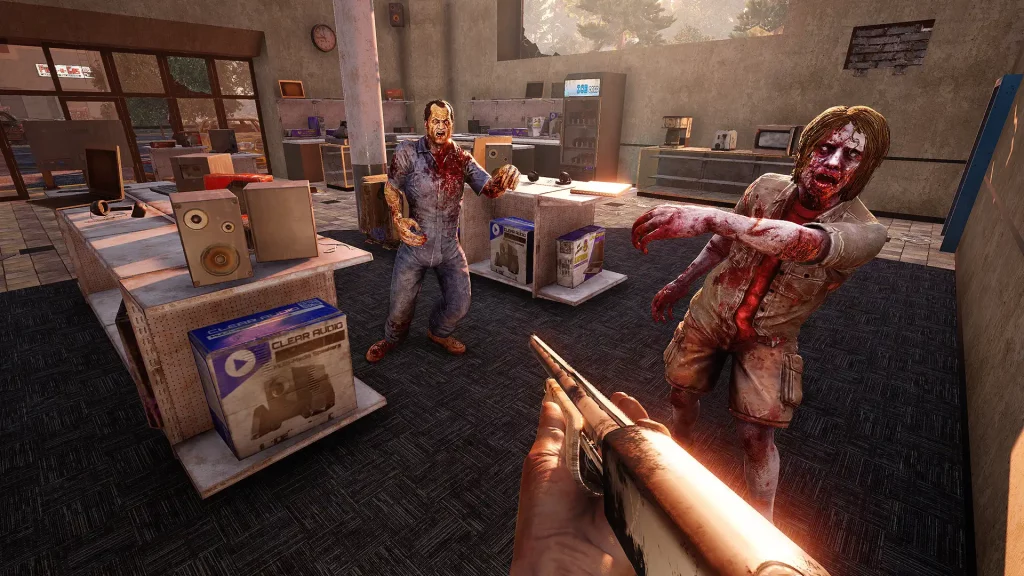 Note that your PC must have the appropriate hardware and software specifications to run 7 Days to Die, especially with the Alpha 21 update. Below are the minimum and recommended specs needed to run the game properly.

How to Download and Install the 7 Days to Die Alpha 21 Update
https://twitter.com/7DaystoDie/status/1668308393633755156Unlike many other games on Steam, you probably won’t immediately see the Alpha 21 update for 7 Days to Die when looking at your game library to download it, as it's not immediately visible on the page. The steps below will help you download and install this patch so you can start enjoying the new features and content brought to the game.
- Open Steam and go to your Library
- Right-click on the 7 Days to Die title on the sidebar and select Properties
- In the Properties window, select Betas
- Click on the dropdown box that says, “Select the beta you would like to opt into”
- Scroll to the bottom of the list and select “latest_experimental – Unstable build”
- Close the Properties window and select 7 Days to Die from the sidebar
- Click the Update button and wait for the patch to finish downloading and installing
7 Days to Die System Requirements
Note that your PC must have the appropriate hardware and software specifications to run 7 Days to Die, especially with the Alpha 21 update. Below are the minimum and recommended specs needed to run the game properly.
Minimum Requirements
- Requires a 64-bit processor and operating system
- OS: Windows 7 or higher (64-bit), macOS 10.13, and Ubuntu 16.04 (64-bit)
- Processor: 2.8 Ghz Quad Core CPU
- Memory: 8 GB RAM
- Graphics: 2 GB Dedicated Memory
- DirectX: Version 11
- Network: Broadband Internet connection
- Storage: 15 GB available space
- Sound Card: Sound Card: DirectX® Compatible
Recommended Requirements
- Requires a 64-bit processor and operating system
- OS: Windows 7 or higher (64-bit), macOS 10.13, and Ubuntu 18.04 (64-bit)
- Processor: 3.2 GHz Quad Core CPU or faster
- Memory: 12 GB RAM
- Graphics: 4 GB Dedicated Memory
- DirectX: Version 11
- Network: Broadband Internet connection
- Storage: 15 GB available space
- Sound Card: Sound Card: DirectX® Compatible
Alpha 21 Changes and Patch Notes
7 Days to Die Alpha 21 brings a ton of changes and improvements to the game. These updates range from the new outfits for characters to overhauling the entire progression system and more. Check out the patch notes here to learn more!
您对这篇博客有何评价?
分享您的看法,帮助我们将博客做得更好!
不喜欢
一般
喜欢

需要游戏服务器吗?
租用一台游戏服务器,您可以和朋友们在极低延迟和自定义设置下私密游玩。从 110+ 款游戏中挑选您的最爱,邀请全球玩家,享受私密对战,或者按照您自己的规则建立属于您的在线社区。








获取第一手独家资讯!
订阅我们的电子邮件,获取有关我们托管游戏、公司新闻和独家优惠的最新动态。随时掌握一手资讯!













