

Windrose Controls Guide (PC): Keyboard & Mouse, and Controller (Gamepad)
tarihinde yazan:

Paylaş:

X'te Paylaş

Facebook'ta Paylaş

Threads'te Paylaş

Bluesky'da Paylaş

Panoya Kopyala

E-posta ile Paylaş
You’re shipwrecked on an island after a vicious pirate attack, and you’re left with nothing but a few tools and weapons. Understanding the game’s controls is the first step to mastering your character and equipment. This Windrose Controls Guide helps you in that regard, aiding you and other pirate kings and queens in grasping the different keybinds when using the keyboard, mouse, or gamepad.
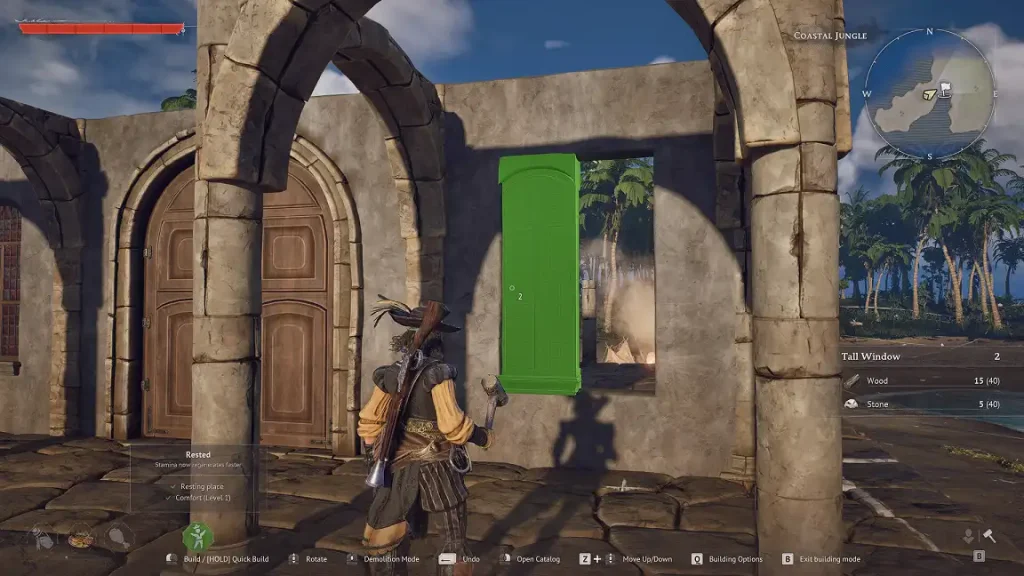 As of the game’s Early Access release, players can change the default keyboard and mouse controls mentioned below. However, it’s not possible to alter gamepad keybinds at the time of writing. Nonetheless, Windrose Crew, the game’s developer, aims to provide additional gamepad support in a future patch.
So, keep reading to learn more about the game’s controls to support your crew in solo mode or on a Windrose dedicated server:
As of the game’s Early Access release, players can change the default keyboard and mouse controls mentioned below. However, it’s not possible to alter gamepad keybinds at the time of writing. Nonetheless, Windrose Crew, the game’s developer, aims to provide additional gamepad support in a future patch.
So, keep reading to learn more about the game’s controls to support your crew in solo mode or on a Windrose dedicated server:
Windrose Controls Guide
As of the game’s Early Access release, players can change the default keyboard and mouse controls mentioned below. However, it’s not possible to alter gamepad keybinds at the time of writing. Nonetheless, Windrose Crew, the game’s developer, aims to provide additional gamepad support in a future patch.
So, keep reading to learn more about the game’s controls to support your crew in solo mode or on a Windrose dedicated server:
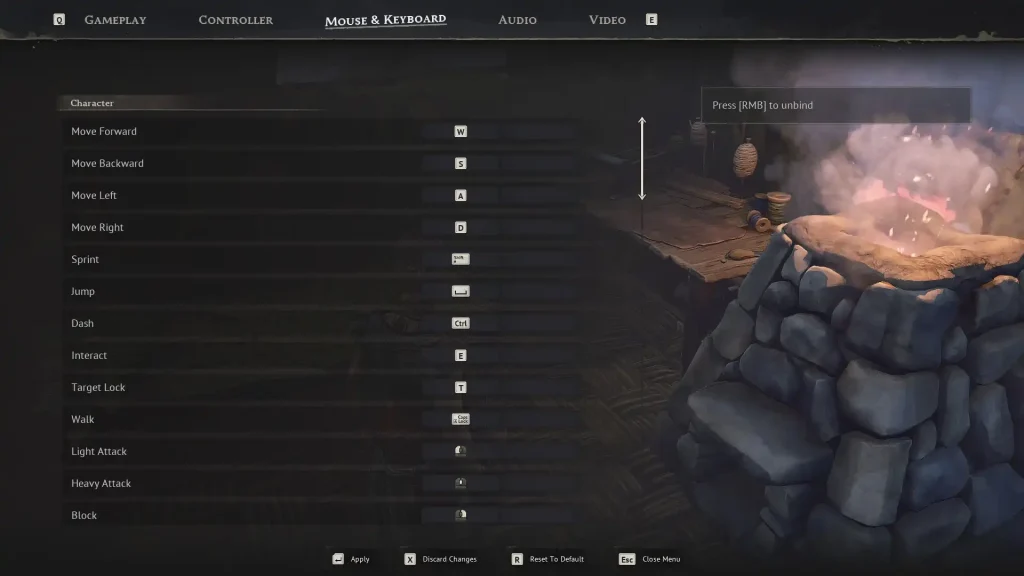
Windrose Mouse & Keyboard Controls
Character Controls
- Move Forward: W
- Move Backward: S
- Move Left: A
- Move Right: D
- Sprint: SHIFT
- Jump: SPACE
- Dash: CTRL
- Interact: E
- Target Lock: T
- Walk: CAPS LOCK
- Light Attack: Left mouse button
- Heavy Attack: Middle mouse button
- Block: Right mouse button
- Reload: R
- Aim: ALT
- Fire: Left mouse button
- Remove Weapon: Hold R
- Change Target: Left Bracket ([) or Right Bracket (])
- Special Attack: F
- Use Item 1: 1
- Use Item 2: 2
- Use Item 3: 3
- Use Item 4: 4
- Use Item 5: 5
- Use Item 6: 6
- Use Item 7: 7
- Use Item 8: 8
- Shovel (Next Mode): X
- Shovel (Previous Mode): Z
Building Controls
- Build Mode: B
- Open Catalog: Right mouse button
- Build: Left mouse button
- Quick Build: Hold Left mouse button
- Rotate: Scroll Wheel Forward/Backward
- Building Options: Q
- Toggle Destroy Mode: Middle mouse button
- Destroy Block: Left mouse button
- Camera Mode: V
- Snapping Mode: P
- Shift Block: Z
- Rotation Step: L
Menu Controls
- Game Menu: ESCAPE
- Inventory: TAB or I
- Map: M
- Discovery: G
- Adventure: J
- Recall Ship: K
- Previous Tab: Q
- Next Tab: E
- Previous Tab (Secondary): A
- Next Tab (Secondary): D
- Confirm Operation: SPACE
- Decrease Value: Z
- Increase Value: X
- Story (First Page): Q
- Story (Previous Page): A
- Story (Play/Pause): SPACE
- Story (Next Page): D
- Story (Last Page): E
- Story (Close): ESCAPE
Ship Controls
- Speed Up: W
- Slow Down/Reverse: S
- Camera Mode: F
- Toggle Shanty: B
- Turn Right: D
- Turn Left: A
- Begin Boarding: SPACE
- Next Shanty: N
- Leave Helm: E
- Interact (From Ship): SPACE
- Aim: Right mouse button
- Fire: Left mouse button
- Select Cannonballs: 1
- Select Chain Shots: 2
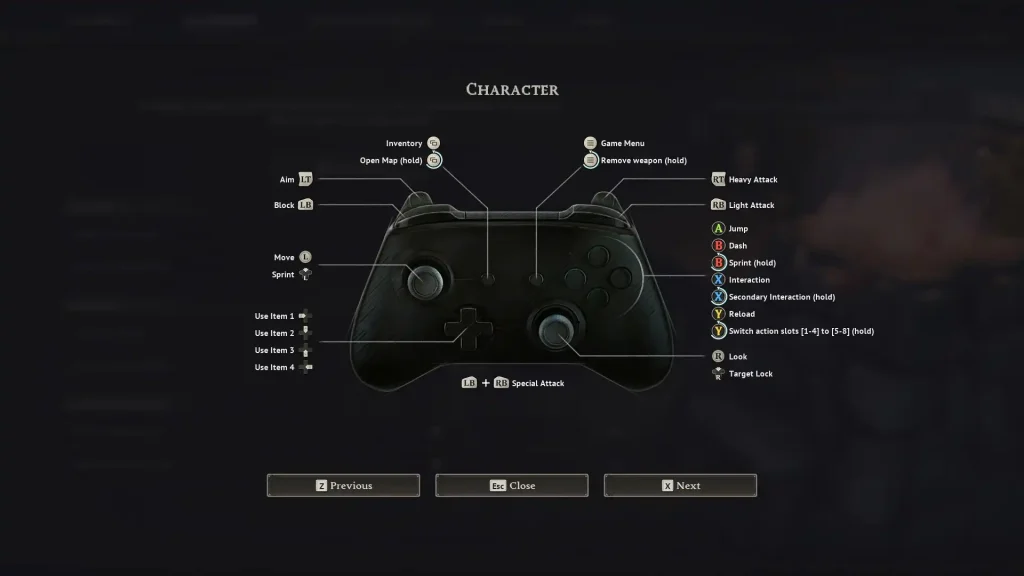
Windrose Controller Controls (Xbox Controller Layout)
Character Controls
- Basic Movement: Left Analog Stick
- Look Around: Right Analog Stick
- Sprint: Press Left Analog Stick or Hold B
- Jump: A
- Dash: B
- Interaction: X
- Secondary Interaction: Hold X
- Target Lock: Press Right Analog Stick
- Light Attack: Right Bumper
- Heavy Attack: Right Trigger
- Block: Left Bumper
- Reload: Y
- Switch Action Slots: Hold Y
- Aim: Left Trigger
- Game Menu: Menu Button
- Remove Weapon: Hold Menu Button
- Special Attack: Left Bumper + Right Bumper
- Use Item 1: Left Directional Button
- Use Item 2: Up Directional Button
- Use Item 3: Down Directional Button
- Use Item 4: Right Directional Button
- Inventory: View Button
- Open Map: Hold View Button
Building Controls
- Build Mode: B
- Open Catalog: Y
- Build: Right Trigger
- Quick Build: Hold Right Trigger
- Rotate: Right Bumper or Left Bumper
- Building Options: Menu Button
- Toggle Destroy Mode: Left Trigger
- Destroy Block: Right Trigger
- Camera Mode: Press Right Analog Stick
- Move Up: Up Directional Button
- Move Down: Down Directional Button
Ship Controls
- Speed Up: A
- Slow Down/Reverse: B
- Camera Mode: Press Right Analog Stick
- Toggle Shanty: Hold Y
- Begin Boarding: Y
- Next Shanty: Press Left Analog Stick
- Disembark Captain: X
- Interact (From Ship): Y
- Aim: Left Trigger
- Fire: Right Trigger
- Select Cannonballs: Left Bumper
- Select Chain Shots: Right Bumper
- Use Item 1: Left Directional Button
- Use Item 2: Up Directional Button
- Use Item 3: Down Directional Button
- Use Item 4: Right Directional Button
Kendi
Windrose sunucunuzu oluşturun
Windrose sunucunuzu oluşturun
Bir plan seçin, bir oyun belirleyin ve arkadaşlarınızla oynayın!
Bültenimize Katılın
Oyun dünyasındaki en son güncellemeler için abone olun!

Discord'umuza Katılın
20.000'den fazla kafa dengi üyeden oluşan topluluğumuzun bir parçası olun!
Bu blogu nasıl değerlendirirsiniz?
Fikrinizi paylaşın ve bloglarımızı daha da iyi hale getirmemize yardımcı olun!
Beğenmedim
Nötr
Beğendim

Bir oyun sunucusuna mı ihtiyacınız var?
Siz ve arkadaşlarınızın düşük gecikme süresi ve özel ayarlarla özel olarak oynayabileceğiniz bir oyun sunucusu kiralayın. 110+ oyun arasından seçim yapın, dünyanın dört bir yanından insanları davet edin ve özel maçların keyfini çıkarın veya kendi kurallarınızla kendi çevrimiçi topluluğunuzu oluşturun.

İlgili Bloglar







İLK SENİN HABERİN OLSUN!
Barındırdığımız oyunlar, şirket haberleri ve özel fırsatlar hakkında güncellemeler için e-posta listemize katılın. Haberdar olun!













