What is the Minecraft2Shell Vulnerability?
tarihinde yazan:

Paylaş:

X'te Paylaş

Facebook'ta Paylaş

Threads'te Paylaş

Bluesky'da Paylaş

Panoya Kopyala

E-posta ile Paylaş
In the digital age, cybersecurity is more important than ever. But threats can come from areas least expected, even with great caution. Today, we answer the question “What is the Minecraft2Shell Vulnerability?”
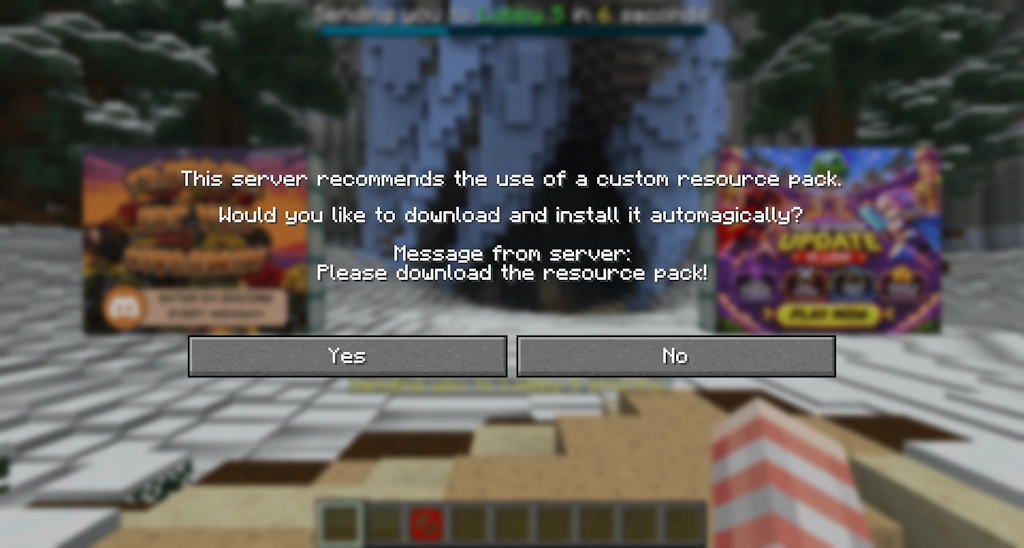 The Minecraft2Shell vulnerability allowed Java Edition server operators to use server-side resource packs, which players can opt to download when joining their servers, to run commands on the downloader’s PC. For example, a command could be run by the malicious operator to open multiple programs. Thankfully, Mojang has since fixed this vulnerability, and it is no longer a threat to those using the latest version on the official Minecraft launcher.
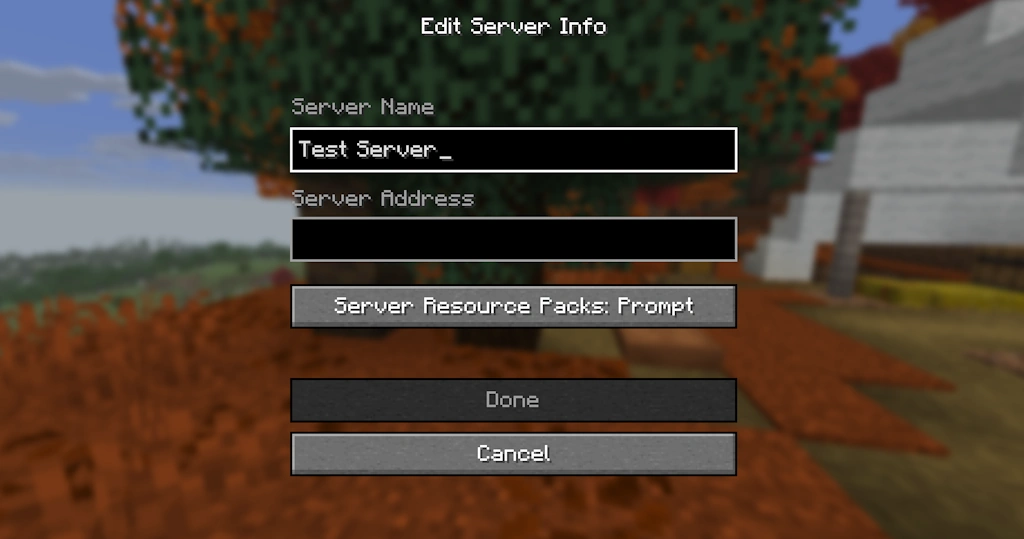 Minecraft is largely safe to trust, and resource packs, despite being third-party, typically are as well. But it is always best to proceed with some caution. Avoid joining servers or downloading resource packs from servers you do not know or trust. And, most importantly, always ensure servers must ask your permission before downloading anything.
Asking to download resource packs is the default setting for Minecraft. However, if allowed for an individual server, that specific server retains permission to install resource packs in the future. The steps below can be used to change these servers back to the prompt setting so that they must continue to ask.
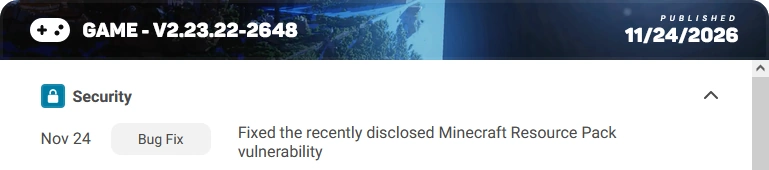 We recommend those on third-party clients confirm that the developers have applied the latest security update from Mojang. Most large clients will have an announcement regarding progress for serious issues such as this within the client, through their social media, or on their website. Lunar client, for example, confirmed the fix within their changelog for client version 2.23.22-2648 on November 24, 2026.
What is the Minecraft2Shell Vulnerability?
The Minecraft2Shell vulnerability allowed Java Edition server operators to use server-side resource packs, which players can opt to download when joining their servers, to run commands on the downloader’s PC. For example, a command could be run by the malicious operator to open multiple programs. Thankfully, Mojang has since fixed this vulnerability, and it is no longer a threat to those using the latest version on the official Minecraft launcher.
Safety & Security
Minecraft is largely safe to trust, and resource packs, despite being third-party, typically are as well. But it is always best to proceed with some caution. Avoid joining servers or downloading resource packs from servers you do not know or trust. And, most importantly, always ensure servers must ask your permission before downloading anything.
Asking to download resource packs is the default setting for Minecraft. However, if allowed for an individual server, that specific server retains permission to install resource packs in the future. The steps below can be used to change these servers back to the prompt setting so that they must continue to ask.
- Open Minecraft Java Edition.
- Click “Multiplayer”.
- Select a server.
- Click “Edit”.
- If Server Resource Packs are “Enabled”, click the button until it becomes “Prompt”.
- Return to step 3 and repeat the process for the next saved server.
Third Party Clients
We recommend those on third-party clients confirm that the developers have applied the latest security update from Mojang. Most large clients will have an announcement regarding progress for serious issues such as this within the client, through their social media, or on their website. Lunar client, for example, confirmed the fix within their changelog for client version 2.23.22-2648 on November 24, 2026.Kendi
Minecraft sunucunuzu oluşturun
Bir plan seçin, bir oyun belirleyin ve arkadaşlarınızla oynayın!
Bültenimize Katılın
Oyun dünyasındaki en son güncellemeler için abone olun!

Discord'umuza Katılın
20.000'den fazla kafa dengi üyeden oluşan topluluğumuzun bir parçası olun!
Bu blogu nasıl değerlendirirsiniz?
Fikrinizi paylaşın ve bloglarımızı daha da iyi hale getirmemize yardımcı olun!
Beğenmedim
Nötr
Beğendim

Bir oyun sunucusuna mı ihtiyacınız var?
Siz ve arkadaşlarınızın düşük gecikme süresi ve özel ayarlarla özel olarak oynayabileceğiniz bir oyun sunucusu kiralayın. 120+ oyun arasından seçim yapın, dünyanın dört bir yanından insanları davet edin ve özel maçların keyfini çıkarın veya kendi kurallarınızla kendi çevrimiçi topluluğunuzu oluşturun.

İlgili Bloglar






İLK SENİN HABERİN OLSUN!
Barındırdığımız oyunlar, şirket haberleri ve özel fırsatlar hakkında güncellemeler için e-posta listemize katılın. Haberdar olun!