

How to Use the Starbase Mods Manager
tarihinde yazan:

Paylaş:

X'te Paylaş

Facebook'ta Paylaş

Threads'te Paylaş

Bluesky'da Paylaş

Panoya Kopyala

E-posta ile Paylaş
Here at BisectHosting, we're always striving to improve and continue to offer the best game hosting services, and today we proudly took another step toward that goal! Introducing Starbase Mods Manager, a new addition that lets you browse, install, and manage mods right from our custom Starbase panel! This new feature is available now for Hytale, which is perfect for its recent early access launch, but more games are coming (and you can let us know what you want to see next here)!
So today, we'll go through a step-by-step guide to using this integrated mod manager tool on servers old and new!
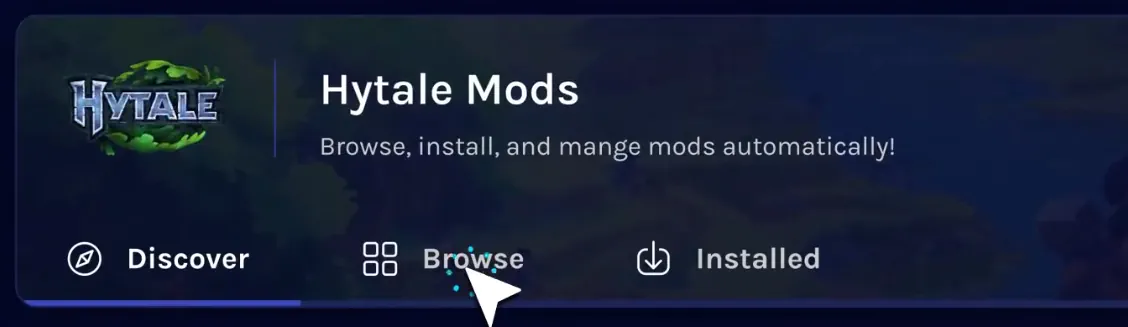 The Starbase Mods Manager is the latest new feature crafted by our dedicated team, and it can now be found on the Starbase control panel of your BisectHosting Hytale server under the “Mods” tab.
Selecting it opens a catalogue of the game’s most popular mods right from your panel, with a separate browsing tab for more in-depth searches or for quickly grabbing your favorites. Regardless of which is used, the installation process is as simple as clicking a button!
The Starbase Mods Manager is the latest new feature crafted by our dedicated team, and it can now be found on the Starbase control panel of your BisectHosting Hytale server under the “Mods” tab.
Selecting it opens a catalogue of the game’s most popular mods right from your panel, with a separate browsing tab for more in-depth searches or for quickly grabbing your favorites. Regardless of which is used, the installation process is as simple as clicking a button!
 Installing mods with the Starbase Mods Manager begins within your Starbase game server panel on the BisectHosting website, found here. Once logged in, simply follow the steps below to get started!
What is the Starbase Mods Manager?
The Starbase Mods Manager is the latest new feature crafted by our dedicated team, and it can now be found on the Starbase control panel of your BisectHosting Hytale server under the “Mods” tab.
Selecting it opens a catalogue of the game’s most popular mods right from your panel, with a separate browsing tab for more in-depth searches or for quickly grabbing your favorites. Regardless of which is used, the installation process is as simple as clicking a button!
How to Use the Starbase Mods Manager
Installing mods with the Starbase Mods Manager begins within your Starbase game server panel on the BisectHosting website, found here. Once logged in, simply follow the steps below to get started!
- Log in to the Starbase game server panel
- Select the tab labeled “Mods” on the left side of the screen.
- Inside the Mods Manager, select the “Browse” tab near the top of the screen.
- Search or browse until your desired mod has been found.
- Click the “Install” button to the right of the desired mod’s name.
- Exit the Mods Manager and restart the server.
- Hop in and play!
Kendi
Game sunucunuzu oluşturun
Game sunucunuzu oluşturun
Bir plan seçin, bir oyun belirleyin ve arkadaşlarınızla oynayın!
Bültenimize Katılın
Oyun dünyasındaki en son güncellemeler için abone olun!

Discord'umuza Katılın
20.000'den fazla kafa dengi üyeden oluşan topluluğumuzun bir parçası olun!
Bu blogu nasıl değerlendirirsiniz?
Fikrinizi paylaşın ve bloglarımızı daha da iyi hale getirmemize yardımcı olun!
Beğenmedim
Nötr
Beğendim

Bir oyun sunucusuna mı ihtiyacınız var?
Siz ve arkadaşlarınızın düşük gecikme süresi ve özel ayarlarla özel olarak oynayabileceğiniz bir oyun sunucusu kiralayın. 110+ oyun arasından seçim yapın, dünyanın dört bir yanından insanları davet edin ve özel maçların keyfini çıkarın veya kendi kurallarınızla kendi çevrimiçi topluluğunuzu oluşturun.

İlgili Bloglar







İLK SENİN HABERİN OLSUN!
Barındırdığımız oyunlar, şirket haberleri ve özel fırsatlar hakkında güncellemeler için e-posta listemize katılın. Haberdar olun!













