

RuneScape: Dragonwilds Controls Guide (Keyboard, Mouse, Controller)
tarihinde yazan:

Paylaş:

X'te Paylaş

Facebook'ta Paylaş

Threads'te Paylaş

Bluesky'da Paylaş

Panoya Kopyala

E-posta ile Paylaş
Are you looking into entering the world of Ashenfall? If so, mastering the default controls of RuneScape: Dragonwilds should be your first right of passage. Whether you’re using a keyboard or gamepad, engraving the commands to muscle memory separates the survivor from the fallen. So, begin your journey to become an expert adventurer by learning the game’s default keybinds through this guide.
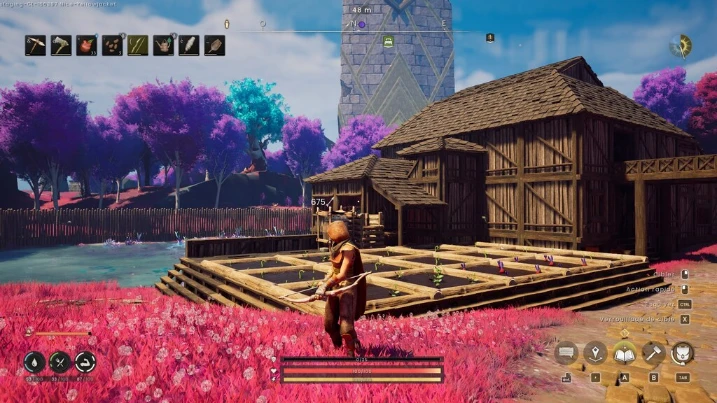
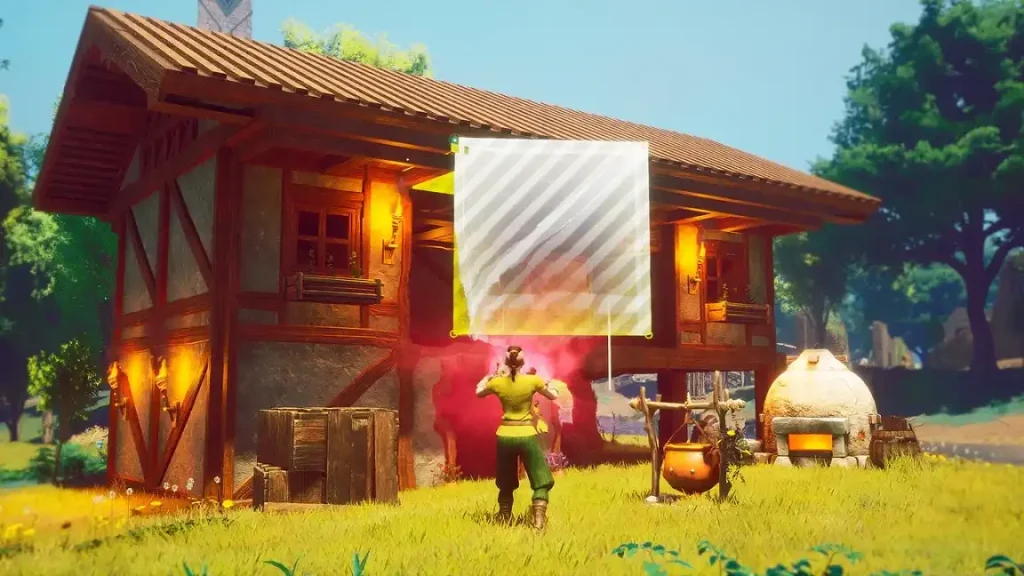 While Dragonwilds supports controllers and gamepads, it's important to note that many recommend using your mouse for some sections, including menus.
RuneScape: Dragonwilds Controls Guide
The following guide highlights the default controls for RuneScape: Dragonwilds. Consider these default keybinds for the gamepad and keyboard & mouse to be your foundation as a new player. Veterans, on the other hand, can use this guide to help remap their keybinds that suit their unique playstyles, especially for combat, resource farming, and basic survival.RuneScape: Dragonwilds Keyboard & Mouse Controls
Basic Movement Controls
- Move Forward: W
- Move Left: A
- Move Backward: S
- Move Right: D
- Crouch: C
- Jump: Space
- Sprint: SHIFT
Combat Controls
- Primary Action: Left mouse button
- Secondary Action: Right mouse button
- Special Action: Middle mouse button
- Interact: E
- Secondary Interact: F
- Evade: CTRL
Menu Controls
- Main Menu: M
- Journal: J
- Building: B
- Emote Menu: H
- Inventory Toggle: TAB
- Map: M
- Skills Menu: K
- Spells Menu: Q
- Top Bar Skills: K
- Top Bar Tab Left: Q
- Top Bar Tab Right: E
Inventory & Item Management Controls
- Destroy Item: X
- Grant Quick Transfer: CTRL
- Grant Split Stack: SHIFT
- Take All: R
Quick Access Controls
- Quick Access Slot 1: 1
- Quick Access Slot 2: 2
- Quick Access Slot 3: 3
- Quick Access Slot 4: 4
- Quick Access Slot 5: 5
- Quick Access Slot 6: 6
- Quick Access Slot 7: 7
- Quick Access Slot 8: 8
Building Controls
- Building Tab Left: Q
- Building Tab Right: E
- Cancel Building: Escape
- Destroy Object: Middle mouse button
- Free Placement: Y
- Oculus Move Down: C
- Oculus Move Up: Space
- Quick Interact: Left mouse button
- Repair: T
Crafting Controls
- Crafting Tab Left: Q
- Crafting Tab Right: E
Quest Dialog Controls
- Continue Conversation: Space
- Cancel Conversation: Escape
- Select Answer 1: 1
- Select Answer 2: 2
- Select Answer 3: 3
- Select Answer 4: 4
RuneScape: Dragonwilds Controller Controls (Xbox Controller Layout)
While Dragonwilds supports controllers and gamepads, it's important to note that many recommend using your mouse for some sections, including menus.
Basic Movement Controls
- Character Movement: Left analog stick
- Crouch: Click the right analog stick
- Jump: A
- Sprint: Click the left analog stick
Combat Controls
- Primary Action: Right trigger
- Secondary Action: Left trigger
- Special Action: Right bumper
- Interact: X
- Evade: B
Menu Controls
- Main Menu: Menu button
- Journal: Menu button
- Building: Down directional button
- Inventory Toggle: Y
- Map: Menu button
- Skills Menu: Menu button
- Spells Menu: Left bumper
- Top Bar Tab Left: Left bumper
- Top Bar Tab Right: Right bumper
Inventory & Item Management Controls
- Destroy Item: X
- Take All: Y
Building Controls
- Building Tab Left: Left bumper
- Building Tab Right: Right bumper
- Cancel Building: Up directional button
- Destroy Object: Left bumper
- Free Placement: Right directional button
- Oculus Move Down: Left analog stick
- Oculus Move Up: Right analog stick
- Quick Interact: Right bumper
- Repair: Down directional button
Crafting Controls
- Crafting Tab Left: Left bumper
- Crafting Tab Right: Right bumper
Quest Dialog Controls
- Continue Conversation: X
- Cancel Conversation: B
Kendi
Runescape: Dragonwilds sunucunuzu oluşturun
Runescape: Dragonwilds sunucunuzu oluşturun
Bir plan seçin, bir oyun belirleyin ve arkadaşlarınızla oynayın!
Bültenimize Katılın
Oyun dünyasındaki en son güncellemeler için abone olun!

Discord'umuza Katılın
20.000'den fazla kafa dengi üyeden oluşan topluluğumuzun bir parçası olun!
Bu blogu nasıl değerlendirirsiniz?
Fikrinizi paylaşın ve bloglarımızı daha da iyi hale getirmemize yardımcı olun!
Beğenmedim
Nötr
Beğendim

Bir oyun sunucusuna mı ihtiyacınız var?
Siz ve arkadaşlarınızın düşük gecikme süresi ve özel ayarlarla özel olarak oynayabileceğiniz bir oyun sunucusu kiralayın. 110+ oyun arasından seçim yapın, dünyanın dört bir yanından insanları davet edin ve özel maçların keyfini çıkarın veya kendi kurallarınızla kendi çevrimiçi topluluğunuzu oluşturun.

İlgili Bloglar







İLK SENİN HABERİN OLSUN!
Barındırdığımız oyunlar, şirket haberleri ve özel fırsatlar hakkında güncellemeler için e-posta listemize katılın. Haberdar olun!













