

Palworld Controls Guide: All PC and Controller Keybinds
tarihinde yazan:

Paylaş:

X'te Paylaş

Facebook'ta Paylaş

Threads'te Paylaş

Bluesky'da Paylaş

Panoya Kopyala

E-posta ile Paylaş
Like starting relatively any game, you must learn the controls for Palworld to play the game efficiently. Note that the game’s controls differ depending on your device. So, keep reading as we go over the controller and keyboard controls for the game in this guide.
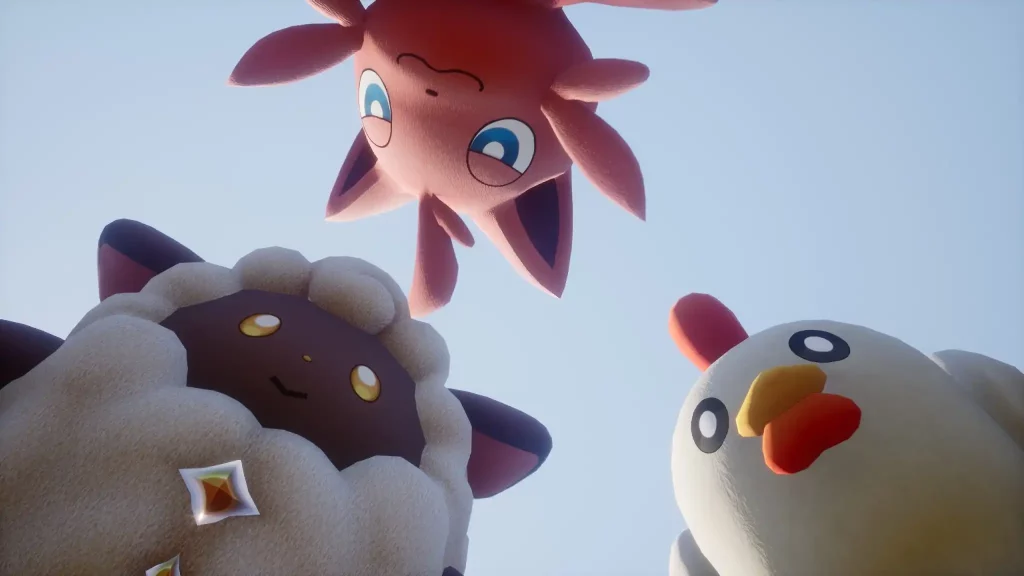 At the time of writing, Palworld was released on the Steam and Game Pass platforms. That means that the available methods of controlling your character and Pals are through a controller or a keyboard and mouse.
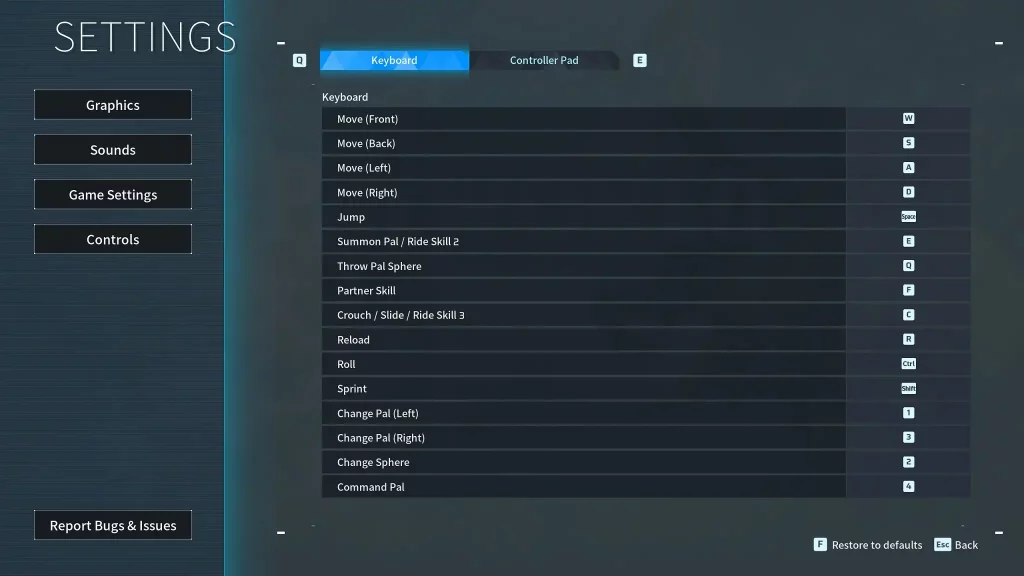 Some players may prefer to use the keyboard and mouse to use Palworld’s controls. However, some users may prefer to change the keyboard keybinds because of their awkward placements. For example, the roll is set to the “Ctrl” key by default. So, you may have difficulty extending a finger to press this button when dodging incoming attacks.
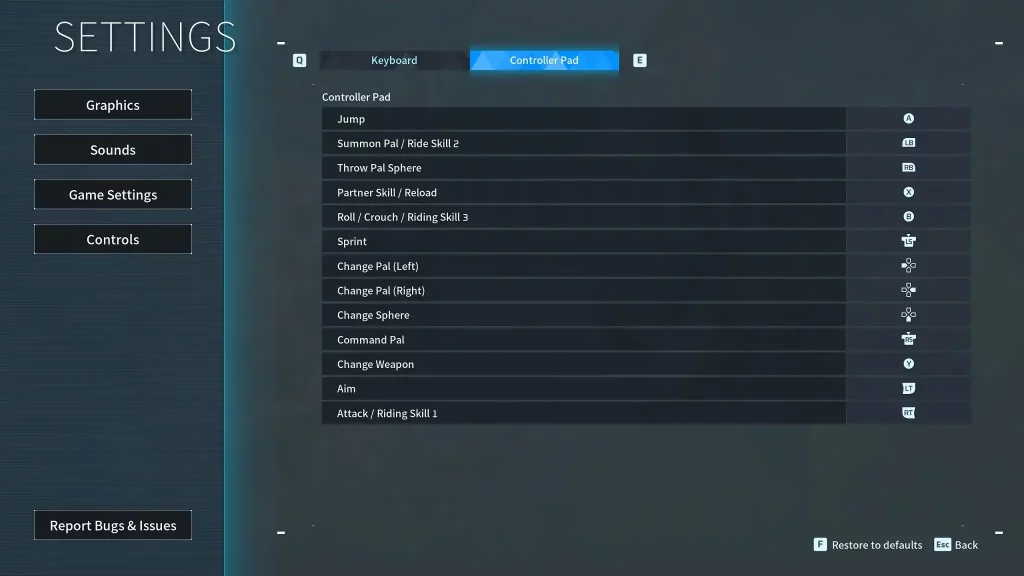 Unlike the keyboard and mouse, the Palworld controls are generally simpler when using a controller. However, the controller controls typically show the button names for the Xbox or standard PC controller model. So, it can become confusing if you use another controller with a different button layout, such as one for the PlayStation.
Palworld Controls and Keybinds
At the time of writing, Palworld was released on the Steam and Game Pass platforms. That means that the available methods of controlling your character and Pals are through a controller or a keyboard and mouse.
Keyboard and Mouse Controls
Some players may prefer to use the keyboard and mouse to use Palworld’s controls. However, some users may prefer to change the keyboard keybinds because of their awkward placements. For example, the roll is set to the “Ctrl” key by default. So, you may have difficulty extending a finger to press this button when dodging incoming attacks.
- Move (Front): W
- Move (Back): S
- Move (Left): A
- Move (Right): D
- Left Click: Attack/Use equipped item
- Right Click: Cancel Pal Sphere throw
- Jump: Space
- Summon Pal/Ride Skill 2: E
- Throw Pal Sphere: Q
- Partner Skill: F
- Crouch/Slide/Ride Skill 3: C
- Reload: R
- Roll: Ctrl
- Sprint: Shift
- Change Pal (Left): 1
- Change Pal (Right): 3
- Change Sphere: 2
- Pal Commands: 4
Controller Controls
Unlike the keyboard and mouse, the Palworld controls are generally simpler when using a controller. However, the controller controls typically show the button names for the Xbox or standard PC controller model. So, it can become confusing if you use another controller with a different button layout, such as one for the PlayStation.
- Movement: Left analog stick
- Aim/Look Around: Right analog stick
- Jump: A
- Summon Pal/Ride Skill 2: Left Bumper
- Throw Pal Sphere: Right Bumper
- Partner Skill/Reload: X
- Roll/Crouch/Riding Skill 3: B
- Sprint: Left analog stick (press)
- Change Pal (Left): Left directional button
- Change Pal (Right): Right directional button
- Change Sphere: Down directional button
- Pal Commands: Right analog stick (press)
- Change Weapon: Y
- Aim: Left Trigger
- Attack/Riding Skill 1: Right Trigger
Kendi
Palworld sunucunuzu oluşturun
Palworld sunucunuzu oluşturun
Bir plan seçin, bir oyun belirleyin ve arkadaşlarınızla oynayın!
Bültenimize Katılın
Oyun dünyasındaki en son güncellemeler için abone olun!

Discord'umuza Katılın
20.000'den fazla kafa dengi üyeden oluşan topluluğumuzun bir parçası olun!
Bu blogu nasıl değerlendirirsiniz?
Fikrinizi paylaşın ve bloglarımızı daha da iyi hale getirmemize yardımcı olun!
Beğenmedim
Nötr
Beğendim

Bir oyun sunucusuna mı ihtiyacınız var?
Siz ve arkadaşlarınızın düşük gecikme süresi ve özel ayarlarla özel olarak oynayabileceğiniz bir oyun sunucusu kiralayın. 110+ oyun arasından seçim yapın, dünyanın dört bir yanından insanları davet edin ve özel maçların keyfini çıkarın veya kendi kurallarınızla kendi çevrimiçi topluluğunuzu oluşturun.

İlgili Bloglar







İLK SENİN HABERİN OLSUN!
Barındırdığımız oyunlar, şirket haberleri ve özel fırsatlar hakkında güncellemeler için e-posta listemize katılın. Haberdar olun!













