

Minecraft Villagers Won't Restock: Potential Fixes & Things to Check
tarihinde yazan:

Paylaş:

X'te Paylaş

Facebook'ta Paylaş

Threads'te Paylaş

Bluesky'da Paylaş

Panoya Kopyala

E-posta ile Paylaş
Villager trading is one of the best ways to get items quickly and cheaply in Minecraft, but there are many small mechanics that are not made clear and can easily be missed. So, today, we explore one such example and answer the question - “Why won’t my villagers restock?”
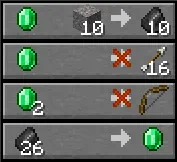 Villagers can restock their supplies up to twice every ten minutes and do so automatically by working at their workstation (job block). An action that can be audibly heard for most villager jobs to indicate that the new stock is available. This means that a villager requires access to their workstation at all times; otherwise, a restock will never occur. In Bedrock Edition, there is also a secondary requirement that each villager must be linked to a bed. They don’t need to be able to sleep in it, but it must be nearby.
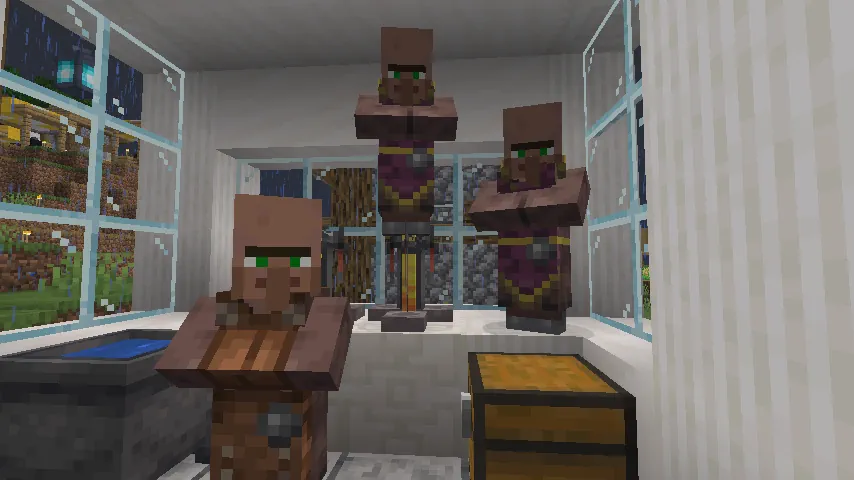 In vanilla Minecraft, there are very few reasons a villager will not restock, making it a quick fix in most situations. Below, we have provided what to try in a step-by-step guide.
Restock Mechanics
Villagers can restock their supplies up to twice every ten minutes and do so automatically by working at their workstation (job block). An action that can be audibly heard for most villager jobs to indicate that the new stock is available. This means that a villager requires access to their workstation at all times; otherwise, a restock will never occur. In Bedrock Edition, there is also a secondary requirement that each villager must be linked to a bed. They don’t need to be able to sleep in it, but it must be nearby.
Why Won’t My Minecraft Villagers Restock?
In vanilla Minecraft, there are very few reasons a villager will not restock, making it a quick fix in most situations. Below, we have provided what to try in a step-by-step guide.
1. Ensure the Villager Has Access to Their Workstation
Villagers require direct access to the front of their workstation (job block) in order to work. If this is already the case, make sure to check for small blocks, like trapdoors, that can unintentionally block access. If villagers were moved around, be sure to also double-check that it is the correct workstation they have access to. They can not work at a workstation they have not claimed, even if it is the same type.2. [Bedrock Edition Only] Ensure the Villager Is Connected to a Bed
Bedrock villagers will not restock their supplies if they don’t have a bed. Thankfully, this can be resolved by simply placing beds nearby since they don’t require direct access. The only thing to be careful of is the fact that other villagers will be just as hasty to claim them if they don’t have a bed too. Creating a small, inaccessible room of beds behind your trade station is one way to go about it.3. Review Plugins & Mods
Once steps one and two have been completed, villagers should start restocking within an in-game day. However, if more than one in-game day passes without any restocks still, it may be due to custom modifications to the game. We recommend reviewing any plugins and mods installed, especially if the issue started after adding any specific ones.Kendi
Minecraft sunucunuzu oluşturun
Minecraft sunucunuzu oluşturun
Bir plan seçin, bir oyun belirleyin ve arkadaşlarınızla oynayın!
Bültenimize Katılın
Oyun dünyasındaki en son güncellemeler için abone olun!

Discord'umuza Katılın
20.000'den fazla kafa dengi üyeden oluşan topluluğumuzun bir parçası olun!
Bu blogu nasıl değerlendirirsiniz?
Fikrinizi paylaşın ve bloglarımızı daha da iyi hale getirmemize yardımcı olun!
Beğenmedim
Nötr
Beğendim

Bir oyun sunucusuna mı ihtiyacınız var?
Siz ve arkadaşlarınızın düşük gecikme süresi ve özel ayarlarla özel olarak oynayabileceğiniz bir oyun sunucusu kiralayın. 110+ oyun arasından seçim yapın, dünyanın dört bir yanından insanları davet edin ve özel maçların keyfini çıkarın veya kendi kurallarınızla kendi çevrimiçi topluluğunuzu oluşturun.

İlgili Bloglar







İLK SENİN HABERİN OLSUN!
Barındırdığımız oyunlar, şirket haberleri ve özel fırsatlar hakkında güncellemeler için e-posta listemize katılın. Haberdar olun!













