

How to Get the Minecraft Creeper Cape
tarihinde yazan:

Paylaş:

X'te Paylaş

Facebook'ta Paylaş

Threads'te Paylaş

Bluesky'da Paylaş

Panoya Kopyala

E-posta ile Paylaş
(Estimated Read Time: 3 Minutes)
Minecraft's 15th anniversary is on the horizon, meaning celebrations galore! But this year, an unintentional sneak peek has shown us one of the goodies in store. So, today, we explore how to get the Minecraft creeper cape as per the official Minecraft website's unintentional leaks.What Are Minecraft Capes?
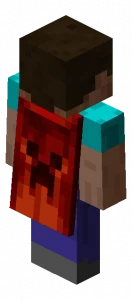 Capes in Minecraft are a cosmetic option one can select alongside their skin. However, unlike skins which are available to everyone, capes are exclusive rewards, or cosmetics Bedrock Edition users can purchase in the Minecraft store. Very few capes are available for Java Edition, so it's important to grab them before they're gone!
How to Get the Minecraft Creeper Cape
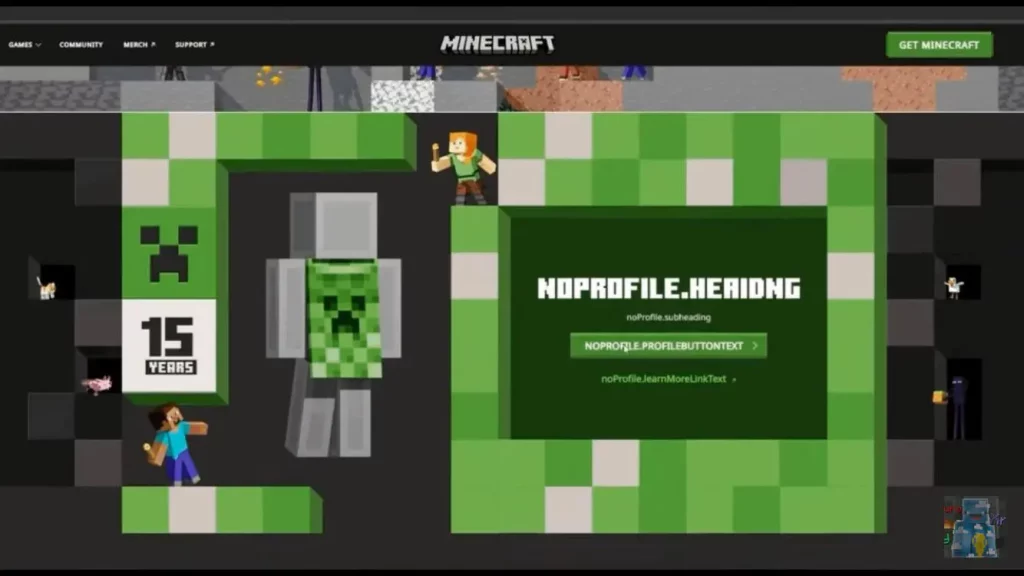 In celebration of Minecraft's 15th anniversary, everyone is receiving a limited-time creeper cape as a reward! Both Java Edition and Bedrock Edition users will be able to obtain their cape by going to a currently unavailable webpage, which we will link to here as soon as it appears.
Once available, it should be as simple as clicking claim on a large green button while logged in, assuming the leaked page remains the same. In either case, one thing is certain: it will be a limited-time reward, so be sure to get it before it disappears! We will be sure to have the exact dates listed here.
In celebration of Minecraft's 15th anniversary, everyone is receiving a limited-time creeper cape as a reward! Both Java Edition and Bedrock Edition users will be able to obtain their cape by going to a currently unavailable webpage, which we will link to here as soon as it appears.
Once available, it should be as simple as clicking claim on a large green button while logged in, assuming the leaked page remains the same. In either case, one thing is certain: it will be a limited-time reward, so be sure to get it before it disappears! We will be sure to have the exact dates listed here.
How to Change Capes: Minecraft Creeper Cape Java Edition
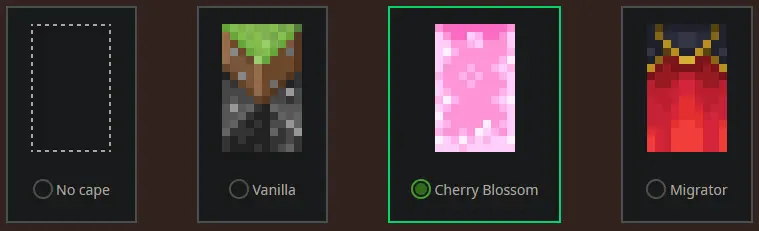 To check if you have any capes or to change the one you are wearing on Java Edition, simply open the official Minecraft website and follow the steps below.
- Select "Account" in the top right corner and then "Login."
- Click "My Games" on the left side of your Minecraft profile.
- Under "Minecraft: Java Edition," select "Change Skin."
- Scroll down to "Change Your Cape - PC/Mac."
- Click your desired cape.
How to Change Capes: Minecraft Creeper Cape Bedrock Edition
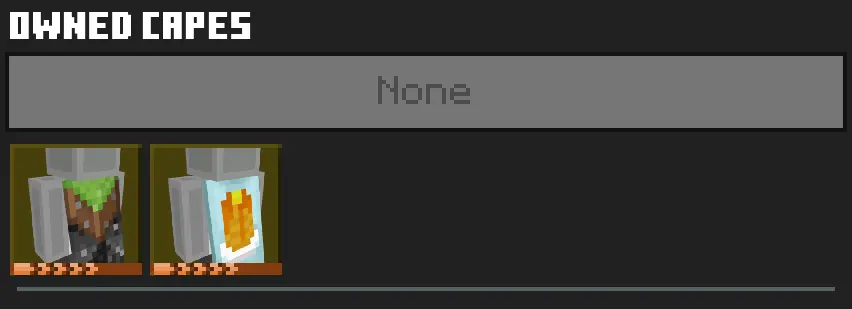 To check if you have any capes or to change the one you are wearing on Bedrock Edition, simply open the Bedrock Edition client and follow the steps below.
- Login to the Minecraft Bedrock Edition client.
- Select "Dressing Room."
- Click the red cape icon on the left side of the screen.
- Pick your desired cape and select "Equipped."
Kendi
Minecraft sunucunuzu oluşturun
Minecraft sunucunuzu oluşturun
Bir plan seçin, bir oyun belirleyin ve arkadaşlarınızla oynayın!
Bültenimize Katılın
Oyun dünyasındaki en son güncellemeler için abone olun!

Discord'umuza Katılın
20.000'den fazla kafa dengi üyeden oluşan topluluğumuzun bir parçası olun!
Bu blogu nasıl değerlendirirsiniz?
Fikrinizi paylaşın ve bloglarımızı daha da iyi hale getirmemize yardımcı olun!
Beğenmedim
Nötr
Beğendim

Bir oyun sunucusuna mı ihtiyacınız var?
Siz ve arkadaşlarınızın düşük gecikme süresi ve özel ayarlarla özel olarak oynayabileceğiniz bir oyun sunucusu kiralayın. 110+ oyun arasından seçim yapın, dünyanın dört bir yanından insanları davet edin ve özel maçların keyfini çıkarın veya kendi kurallarınızla kendi çevrimiçi topluluğunuzu oluşturun.

İlgili Bloglar







İLK SENİN HABERİN OLSUN!
Barındırdığımız oyunlar, şirket haberleri ve özel fırsatlar hakkında güncellemeler için e-posta listemize katılın. Haberdar olun!













