

How to Get the Aurora Minecraft Cape Code
tarihinde yazan:

Paylaş:

X'te Paylaş

Facebook'ta Paylaş

Threads'te Paylaş

Bluesky'da Paylaş

Panoya Kopyala

E-posta ile Paylaş
Mojang is celebrating the release of Minecraft Dungeons 2 with a Java Edition and Bedrock Edition cape that is among the most stunning released to date! So, today, we explain step by step how to get the Aurora Minecraft Cape code and redeem it right away.
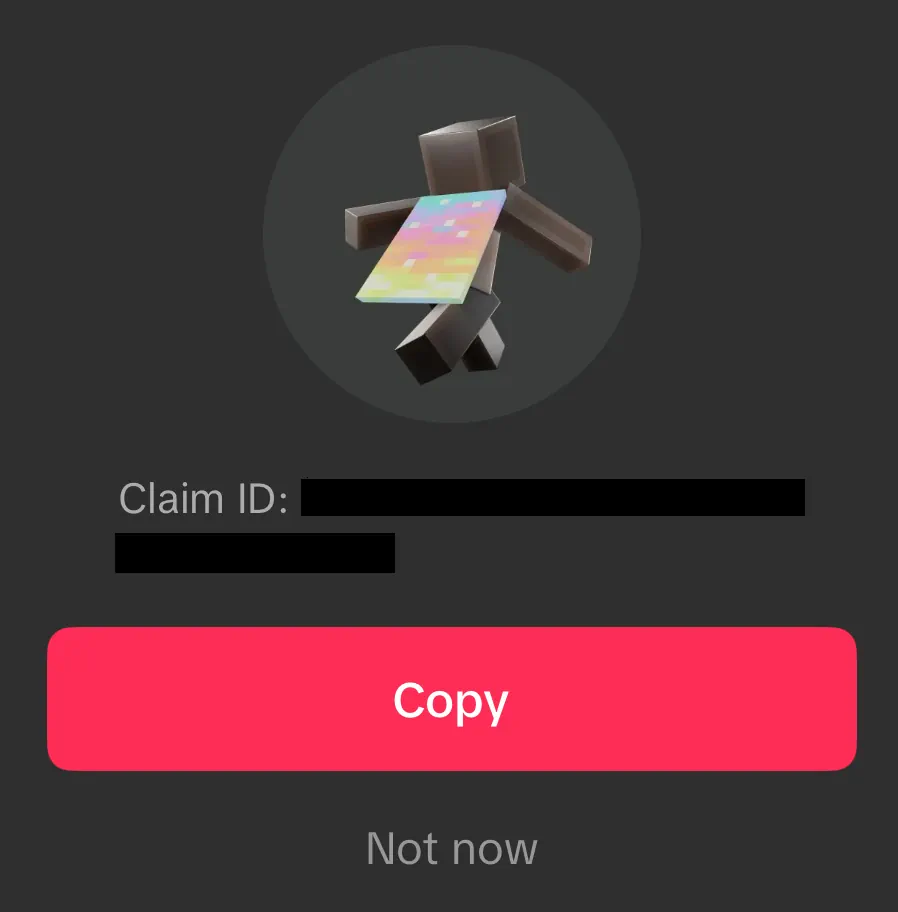 From September 29, 2026, at 7:00 UTC to October 15, 2026, at 6:59 UTC, Minecraft fans can earn an Aurora Minecraft Cape Code through viewership quests on either Twitch or TikTok. Twitch requires viewing 15 minutes of a partner or affiliate livestream in the Minecraft Dungeons 2 category, while TikTok requires viewing three minutes of an eligible Minecraft Dungeons 2 livestream. Both codes can be earned, but only one can be redeemed per Microsoft account. All Aurora Cape Codes expire October 31, 2026.
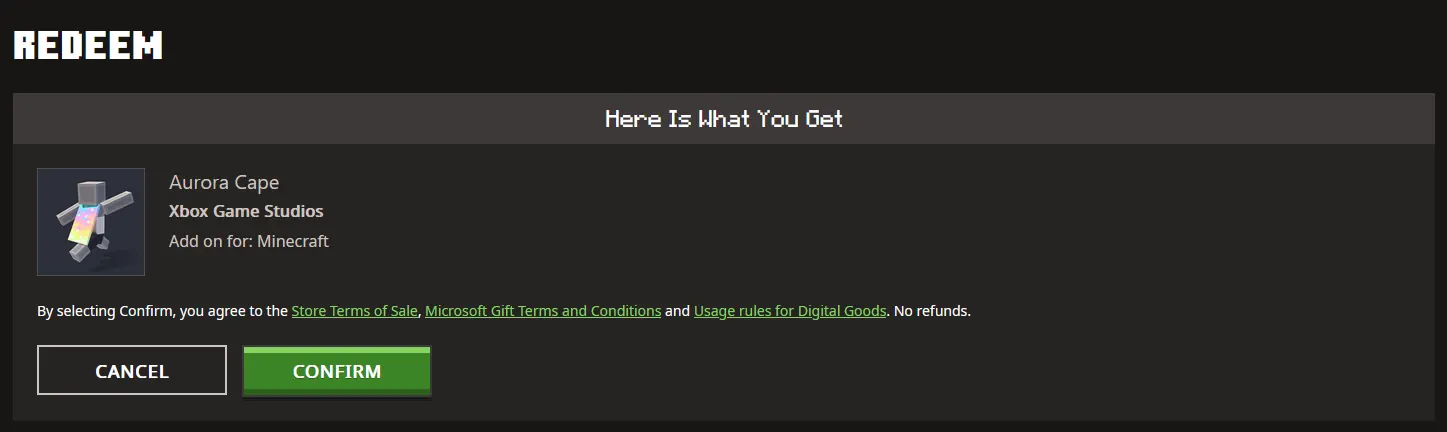 Once a code has been claimed from either Twitch or TikTok, it can be redeemed on the official Minecraft Redemption webpage, following the steps below:
How to Get the Aurora Minecraft Cape Code
From September 29, 2026, at 7:00 UTC to October 15, 2026, at 6:59 UTC, Minecraft fans can earn an Aurora Minecraft Cape Code through viewership quests on either Twitch or TikTok. Twitch requires viewing 15 minutes of a partner or affiliate livestream in the Minecraft Dungeons 2 category, while TikTok requires viewing three minutes of an eligible Minecraft Dungeons 2 livestream. Both codes can be earned, but only one can be redeemed per Microsoft account. All Aurora Cape Codes expire October 31, 2026.
Twitch:
- Log in or create a Twitch account.
- Open the Minecraft Dungeons 2 category.
- Watch 15 minutes of a partner or affiliate Minecraft Dungeons 2 livestream.
- Claim the code on the Twitch Drops & Rewards webpage.
- Redeem the code on the official Minecraft Redemptions webpage.
TikTok:
- Log in or create a TikTok account on the TikTok mobile app.
- Watch 3 minutes of an eligible Minecraft Dungeons 2 livestream.
- Claim the provided code by tapping the reward icon or reward notification.
- Redeem the code on the official Minecraft Redemption webpage.
How to Redeem Minecraft Codes
Once a code has been claimed from either Twitch or TikTok, it can be redeemed on the official Minecraft Redemption webpage, following the steps below:
- Open the official Minecraft Redemption Code webpage.
- Paste the 25-character code into the text box provided.
- Click “Redeem.”
- Sign in to your Microsoft account if not already done.
- Click “Confirm.”
Kendi
Minecraft sunucunuzu oluşturun
Minecraft sunucunuzu oluşturun
Bir plan seçin, bir oyun belirleyin ve arkadaşlarınızla oynayın!
Bültenimize Katılın
Oyun dünyasındaki en son güncellemeler için abone olun!

Discord'umuza Katılın
20.000'den fazla kafa dengi üyeden oluşan topluluğumuzun bir parçası olun!
Bu blogu nasıl değerlendirirsiniz?
Fikrinizi paylaşın ve bloglarımızı daha da iyi hale getirmemize yardımcı olun!
Beğenmedim
Nötr
Beğendim

Bir oyun sunucusuna mı ihtiyacınız var?
Siz ve arkadaşlarınızın düşük gecikme süresi ve özel ayarlarla özel olarak oynayabileceğiniz bir oyun sunucusu kiralayın. 110+ oyun arasından seçim yapın, dünyanın dört bir yanından insanları davet edin ve özel maçların keyfini çıkarın veya kendi kurallarınızla kendi çevrimiçi topluluğunuzu oluşturun.

İlgili Bloglar







İLK SENİN HABERİN OLSUN!
Barındırdığımız oyunlar, şirket haberleri ve özel fırsatlar hakkında güncellemeler için e-posta listemize katılın. Haberdar olun!













