

GTA VI Controls Guide: All Console Key Bindings
tarihinde yazan:

Paylaş:

X'te Paylaş

Facebook'ta Paylaş

Threads'te Paylaş

Bluesky'da Paylaş

Panoya Kopyala

E-posta ile Paylaş
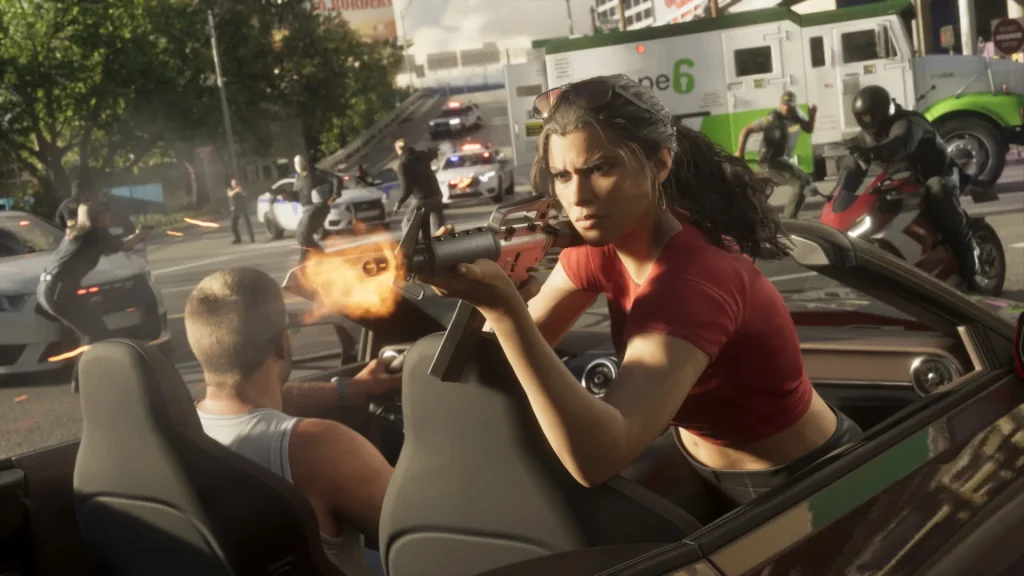
No, you're not dreaming, Grand Theft Auto VI has finally arrived! It's real, it's playable, and it has a few differences in its controls. Don't worry, you should feel right at home if you're a longtime fan of the series. If you want a quick guide to all GTA VI controls, we've got you covered right here. Take a look and prepare to embark upon your own Bonnie and Clyde story!
 On Foot
 On Foot
GTA VI Controls for PlayStation & Xbox
At this point in time, GTA VI is only available on the PlayStation 5 and Xbox Series X|S consoles. This means that, sadly, PC and Nintendo players have to sit this one out for now. Fans might notice that some controls are very similar to the previous entry, Grand Theft Auto V, but there are also big changes too. The biggest being you no longer need to mash a controller face button to sprint! Now you simply click the left analog stick, like so many other titles. Scroll down to see the full list of controls for both PlayStation and Xbox.PlayStation Controls
On Foot
- Move: Left Analog Stick
- Look: Right Analog Stick
- Run: L3
- Cover: R1
- Shoot: R2
- Interact: Triangle
- Melee: Square
- Crouch: Circle
- Rest: Hold Circle
- Jump/Climb: Cross
- Look Behind: Hold R3
- Map: Touchpad
- Holster: L1
- Loadout: Hold L1
- Aim/Interact: Hold L2
- Cellphone: D-Pad Up
- Waink App: Hold D-Pad Up
- Radio Controls: D-Pad Left
- Radio Menu: Hold D-Pad Left
- Objective/Minimap: D-Pad Down
- Quick Navigation: Hold D-Pad Down
- Detonate Explosives: D-Pad Right
- Partner Menu: Hold D-Pad Right
- Pause: Select
- Quick Throw: Hold R1
- Quick Swap Weapon: Triangle
- Zoom/Throw Path: R3
- Zoom Scope In: Hold D-Pad Up
- Zoom Scope Out: Hold D-Pad Down
- Switch Shoulder: Hold D-Pad Left
- Grapple: R2
- Punch/Kick: Square
- Block/Dodge: Cross
- Lock-On/Strafe: Hold L2
- Turn: Left Analog Stick
- Look: Right Analog Stick
- Shoot: R1
- Accelerate: R2
- Enter/Exit Vehicle: Triangle
- Melee: Square
- Headlights: Circle
- Duck: Hold Circle
- Handbrake: Cross
- Look Behind: Hold R3
- Map: Touchpad
- Holster: L1
- Loadout: Hold L1
- Brake/Reverse: L2
- Cellphone: D-Pad Up
- Interact: Hold D-Pad Up
- Indicate Left: D-pad Left
- Vehicle Menu: Hold D-Pad Left
- Indicate Right: D-Pad Right
- Partner Menu: Hold D-Pad Right
- Objective/Minimap: D-Pad Down
- Quick Navigation: Hold D-Pad Down
- Horn/Nitrous: L3
- Pitch/Roll: Left Analog Stick
- Look: Right Analog Stick
- Shoot: R1
- Throttle Up: R2
- Enter/Exit Vehicle: Triangle
- Yaw Left: Square
- Yaw Right: Circle
- Look Behind: Hold R3
- Map: Touchpad
- Holster: L1
- Throttle Down: L2
- Cellphone: D-Pad Up
- Radio Controls: D-Pad Left
- Vehicle Menu: Hold D-Pad Left
- Objective/Minimap: D-Pad Down
- Quick Navigation: Hold D-Pad Down
- Partner Menu: Hold D-Pad Right
- Undercarriage: L3
- Turn/Lean: Left Analog Stick
- Look: Right Analog Stick
- Shoot: R1
- Pedal/Move Forward: R2
- Mount/Dismount: Triangle
- Melee: Square
- Bunnyhop: Circle
- Speed Up: Cross
- Look Behind: Hold R3
- Map: Touchpad
- Holster: L1
- Loadout: Hold L1
- Brake/Reverse: L2
- Cellphone: D-Pad Up
- Interact: Hold D-Pad Up
- Objective/Minimap: D-Pad Down
- Quick Navigation: Hold D-Pad Down
- Partner Menu: Hold D-Pad Right
- Bell: L3
- Move: Left Analog Stick
- Look: Right Analog Stick
- Swim Faster: L3
- Dive: R1
- Shoot: R2
- Melee: Square
- Surface: Cross
- Look Behind: Hold R3
- Map: Touchpad
- Holster: L1
- Loadout: Hold L1
- Aim/Strafe: Hold L2
- Radio Controls: D-Pad Left
- Radio Menu: Hold D-Pad Left
- Objective/Minimap: D-Pad Down
- Quick Navigation: Hold D-Pad Down
- Partner Menu: Hold D-Pad Right
- Turn: Left Analog Stick
- Look: Right Analog Stick
- Shoot: R1
- Open Parachute: Cross
- Detach Parachute: Triangle
- Brake Left: L2
- Brake Right: R2
- Look Behind: Hold R3
- Map: Touchpad
- Holster: L1
- Loadout: Hold L1
- Cellphone: D-Pad Up
- Waink App: Hold D-Pad Up
- Radio Controls: D-Pad Left
- Radio Menu: Hold D-Pad Left
- Objective/Minimap: D-Pad Down
- Quick Navigation: Hold D-Pad Down
- Partner Menu: Hold D-Pad Right
Xbox Controls
On Foot
- Move: Left Analog Stick
- Look: Right Analog Stick
- Run: Click Left Stick
- Cover: RB
- Shoot: RT
- Interact: Y
- Melee: X
- Crouch: B
- Rest: Hold B
- Jump/Climb: A
- Look Behind: Click and Hold Right Stick
- Map: View
- Holster: LB
- Loadout: Hold LB
- Aim/Interact: Hold LT
- Cellphone: D-Pad Up
- Waink App: Hold D-Pad Up
- Radio Controls: D-Pad Left
- Radio Menu: Hold D-Pad Left
- Objective/Minimap: D-Pad Down
- Quick Navigation: Hold D-Pad Down
- Detonate Explosives: D-Pad Right
- Partner Menu: Hold D-Pad Right
- Pause: Menu
- Quick Throw: Hold RB
- Quick Swap Weapon: Y
- Zoom/Throw Path: Click Right Stick
- Zoom Scope In: Hold D-Pad Up
- Zoom Scope Out: Hold D-Pad Down
- Switch Shoulder: Hold D-Pad Left
- Grapple: RT
- Punch/Kick: X
- Block/Dodge: Y
- Lock-On/Strafe: Hold LT
- Turn: Left Analog Stick
- Look: Right Analog Stick
- Shoot: RB
- Accelerate: RT
- Enter/Exit Vehicle: Y
- Melee: X
- Headlights: B
- Duck: Hold B
- Handbrake: A
- Look Behind: Click and Hold Right Stick
- Map: View
- Holster: LB
- Loadout: Hold LB
- Brake/Reverse: LT
- Cellphone: D-Pad Up
- Interact: Hold D-Pad Up
- Indicate Left: D-pad Left
- Vehicle Menu: Hold D-Pad Left
- Indicate Right: D-Pad Right
- Partner Menu: Hold D-Pad Right
- Objective/Minimap: D-Pad Down
- Quick Navigation: Hold D-Pad Down
- Horn/Nitrous: Click Left Stick
- Pitch/Roll: Left Analog Stick
- Look: Right Analog Stick
- Shoot: RB
- Throttle Up: RT
- Enter/Exit Vehicle: Y
- Yaw Left: X
- Yaw Right: B
- Look Behind: Click and Hold Right Stick
- Map: View
- Holster: LB
- Throttle Down: LT
- Cellphone: D-Pad Up
- Radio Controls: D-Pad Left
- Vehicle Menu: Hold D-Pad Left
- Objective/Minimap: D-Pad Down
- Quick Navigation: Hold D-Pad Down
- Partner Menu: Hold D-Pad Right
- Undercarriage: Click Left Stick
- Turn/Lean: Left Analog Stick
- Look: Right Analog Stick
- Shoot: RB
- Pedal/Move Forward: RT
- Mount/Dismount: Y
- Melee: X
- Bunnyhop: B
- Speed Up: A
- Look Behind: Click and Hold Right Stick
- Map: View
- Holster: LB
- Loadout: Hold LB
- Brake/Reverse: LT
- Cellphone: D-Pad Up
- Interact: Hold D-Pad Up
- Objective/Minimap: D-Pad Down
- Quick Navigation: Hold D-Pad Down
- Partner Menu: Hold D-Pad Right
- Bell: Click Left Stick
- Move: Left Analog Stick
- Look: Right Analog Stick
- Swim Faster: Click Left Stick
- Dive: RB
- Shoot: RT
- Melee: X
- Surface: A
- Look Behind: Click and Hold Right Stick
- Map: View
- Holster: LB
- Loadout: Hold LB
- Aim/Strafe: Hold LT
- Radio Controls: D-Pad Left
- Radio Menu: Hold D-Pad Left
- Objective/Minimap: D-Pad Down
- Quick Navigation: Hold D-Pad Down
- Partner Menu: Hold D-Pad Right
- Turn: Left Analog Stick
- Look: Right Analog Stick
- Shoot: RB
- Open Parachute: A
- Detach Parachute: Y
- Brake Left: LT
- Brake Right: RT
- Look Behind: Click and Hold Right Stick
- Map: View
- Holster: LB
- Loadout: Hold LB
- Cellphone: D-Pad Up
- Waink App: Hold D-Pad Up
- Radio Controls: D-Pad Left
- Radio Menu: Hold D-Pad Left
- Objective/Minimap: D-Pad Down
- Quick Navigation: Hold D-Pad Down
- Partner Menu: Hold D-Pad Right
Kendi
Game sunucunuzu oluşturun
Game sunucunuzu oluşturun
Bir plan seçin, bir oyun belirleyin ve arkadaşlarınızla oynayın!
Bültenimize Katılın
Oyun dünyasındaki en son güncellemeler için abone olun!

Discord'umuza Katılın
20.000'den fazla kafa dengi üyeden oluşan topluluğumuzun bir parçası olun!
Bu blogu nasıl değerlendirirsiniz?
Fikrinizi paylaşın ve bloglarımızı daha da iyi hale getirmemize yardımcı olun!
Beğenmedim
Nötr
Beğendim

Bir oyun sunucusuna mı ihtiyacınız var?
Siz ve arkadaşlarınızın düşük gecikme süresi ve özel ayarlarla özel olarak oynayabileceğiniz bir oyun sunucusu kiralayın. 110+ oyun arasından seçim yapın, dünyanın dört bir yanından insanları davet edin ve özel maçların keyfini çıkarın veya kendi kurallarınızla kendi çevrimiçi topluluğunuzu oluşturun.

İlgili Bloglar







İLK SENİN HABERİN OLSUN!
Barındırdığımız oyunlar, şirket haberleri ve özel fırsatlar hakkında güncellemeler için e-posta listemize katılın. Haberdar olun!













