
Clone Hero: How to Add Songs
tarihinde yazan:

Paylaş:

X'te Paylaş

Facebook'ta Paylaş

Threads'te Paylaş

Bluesky'da Paylaş

Panoya Kopyala

E-posta ile Paylaş
Unlock near-endless music adventures in Clone Hero by adding more tracks to the game’s library. Although adding custom songs is a rewarding experience, some players may have trouble completing this task successfully. So, here’s a guide on how to add songs in Clone Hero to help you expand your personal in-game playlist today.
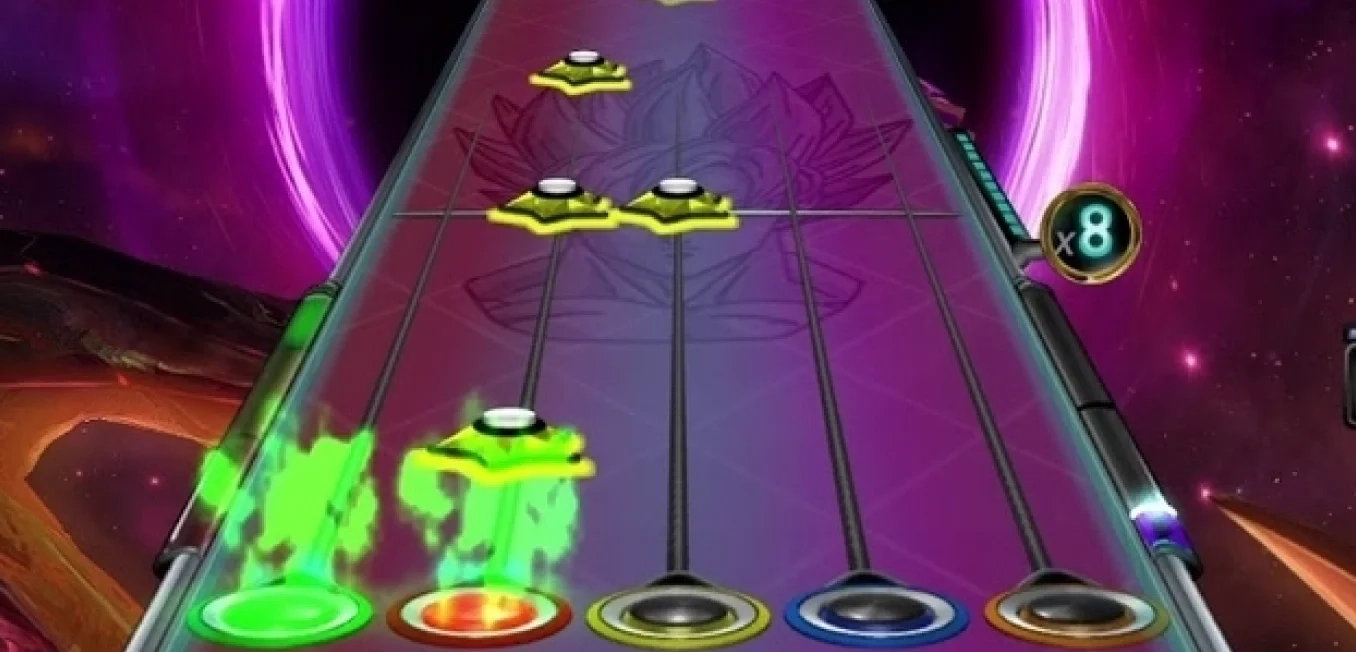
 Note that Clone Hero is a freeware music rhythm game with a loyal and active community. With that, certain community members frequently add chart tracks for Clone Hero for other players to download and play.
With that, the first step to adding songs to Clone Hero is to download the files. Some notable portals are the following:
Custom Songs Central
Chorus Encore
RhythmVerse
Clone Hero Download Sheet Master List
Extract the files if they come in a .zip/.rar/.7z or similar format. Then, place the extracted files in the game’s Songs folder. Remember, the files must have an audio file, song.ini, and notes.chart/notes.mid. Normally, the Clone Hero's Songs folder should be under the main Documents folder on your Windows PC unless moved. If you’re playing Clone Hero in portable mode, ensure to place the songs and other files in the Songs folder in the PlayerData folder of the game’s location on your PC.
As for Mac users, the Songs folder should be in your system’s Home folder by default. In particular, navigate to the Clone Hero folder and open the Songs folder from there. Linux users can find the Songs folder in the ~/.clonehero folder.
Next, launch Clone Hero and navigate to the Settings menu from the main screen. Here, click the General tab, and then select “Scan Songs.” Confirm the action afterward, which may take a few seconds to a few minutes, depending on various factors.
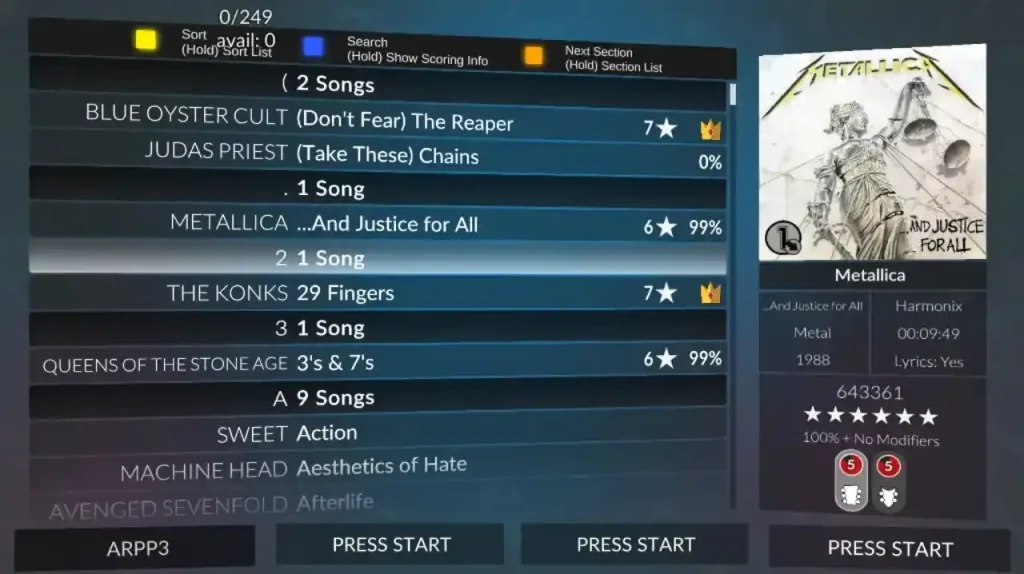
Finally, go back to the main screen and select “Quickplay.” If successful, you should see the newly added songs in the list. Now, all that’s left is to play the song and unleash your inner guitar maestro.
Note that Clone Hero is a freeware music rhythm game with a loyal and active community. With that, certain community members frequently add chart tracks for Clone Hero for other players to download and play.
With that, the first step to adding songs to Clone Hero is to download the files. Some notable portals are the following:
Custom Songs Central
Chorus Encore
RhythmVerse
Clone Hero Download Sheet Master List
Extract the files if they come in a .zip/.rar/.7z or similar format. Then, place the extracted files in the game’s Songs folder. Remember, the files must have an audio file, song.ini, and notes.chart/notes.mid. Normally, the Clone Hero's Songs folder should be under the main Documents folder on your Windows PC unless moved. If you’re playing Clone Hero in portable mode, ensure to place the songs and other files in the Songs folder in the PlayerData folder of the game’s location on your PC.
As for Mac users, the Songs folder should be in your system’s Home folder by default. In particular, navigate to the Clone Hero folder and open the Songs folder from there. Linux users can find the Songs folder in the ~/.clonehero folder.
Next, launch Clone Hero and navigate to the Settings menu from the main screen. Here, click the General tab, and then select “Scan Songs.” Confirm the action afterward, which may take a few seconds to a few minutes, depending on various factors.
Finally, go back to the main screen and select “Quickplay.” If successful, you should see the newly added songs in the list. Now, all that’s left is to play the song and unleash your inner guitar maestro.
How to Add Songs in Clone Hero
Note that Clone Hero is a freeware music rhythm game with a loyal and active community. With that, certain community members frequently add chart tracks for Clone Hero for other players to download and play.
With that, the first step to adding songs to Clone Hero is to download the files. Some notable portals are the following:
Custom Songs Central
Chorus Encore
RhythmVerse
Clone Hero Download Sheet Master List
Extract the files if they come in a .zip/.rar/.7z or similar format. Then, place the extracted files in the game’s Songs folder. Remember, the files must have an audio file, song.ini, and notes.chart/notes.mid. Normally, the Clone Hero's Songs folder should be under the main Documents folder on your Windows PC unless moved. If you’re playing Clone Hero in portable mode, ensure to place the songs and other files in the Songs folder in the PlayerData folder of the game’s location on your PC.
As for Mac users, the Songs folder should be in your system’s Home folder by default. In particular, navigate to the Clone Hero folder and open the Songs folder from there. Linux users can find the Songs folder in the ~/.clonehero folder.
Next, launch Clone Hero and navigate to the Settings menu from the main screen. Here, click the General tab, and then select “Scan Songs.” Confirm the action afterward, which may take a few seconds to a few minutes, depending on various factors.
Finally, go back to the main screen and select “Quickplay.” If successful, you should see the newly added songs in the list. Now, all that’s left is to play the song and unleash your inner guitar maestro.Kendi
Clone Hero sunucunuzu oluşturun
Clone Hero sunucunuzu oluşturun
Bir plan seçin, bir oyun belirleyin ve arkadaşlarınızla oynayın!
Bültenimize Katılın
Oyun dünyasındaki en son güncellemeler için abone olun!

Discord'umuza Katılın
20.000'den fazla kafa dengi üyeden oluşan topluluğumuzun bir parçası olun!
Bu blogu nasıl değerlendirirsiniz?
Fikrinizi paylaşın ve bloglarımızı daha da iyi hale getirmemize yardımcı olun!
Beğenmedim
Nötr
Beğendim

Bir oyun sunucusuna mı ihtiyacınız var?
Siz ve arkadaşlarınızın düşük gecikme süresi ve özel ayarlarla özel olarak oynayabileceğiniz bir oyun sunucusu kiralayın. 110+ oyun arasından seçim yapın, dünyanın dört bir yanından insanları davet edin ve özel maçların keyfini çıkarın veya kendi kurallarınızla kendi çevrimiçi topluluğunuzu oluşturun.

İlgili Bloglar







İLK SENİN HABERİN OLSUN!
Barındırdığımız oyunlar, şirket haberleri ve özel fırsatlar hakkında güncellemeler için e-posta listemize katılın. Haberdar olun!













