

How to Repair Items in Minecraft
Опубликовано автором

Поделиться:

Поделиться в X

Поделиться в Facebook

Поделиться в Threads

Поделиться в Bluesky

Скопировать в буфер обмена

Поделиться по email
A treasured item never needs to go away! A little love and care, and it is as good as the day it was made. So, today, we explain every Minecraft repair option in “How to Repair Items in Minecraft.”
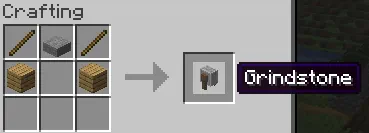 The first of the three options for repairing in Minecraft is exclusively for non-enchanted items. Simply put two identical tools, weapons, or pieces of armor into the crafting grid, and it will combine the durability. This can also be done within a grindstone, which removes enchantments, granting a little XP as well.
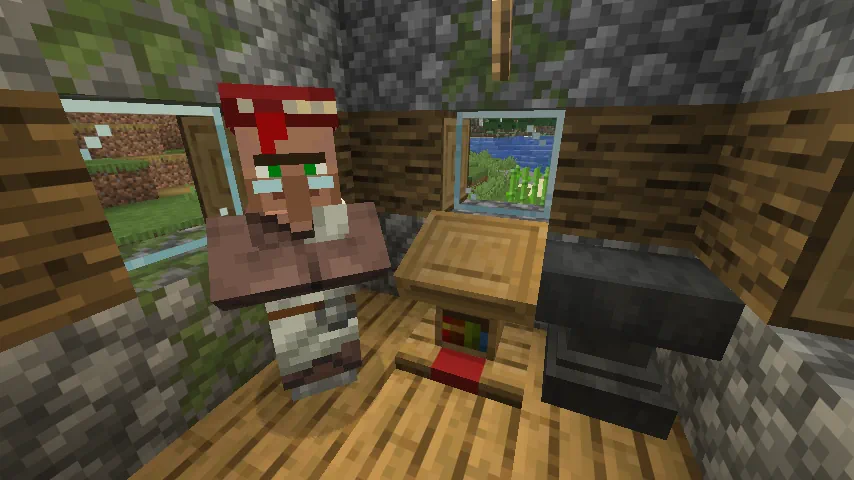 The next option for repairing items within Minecraft is the mending enchantment. Arguably the strongest in the game, it automatically consumes XP points to repair the tool, weapon, or armor it has been applied to, effectively making it last forever. This effect is intended to be balanced by having mending books be quite rare, but by repeatedly breaking and placing the lectern job block of a librarian villager, the trades can be reset until mending appears. The exact steps for this are as follows:
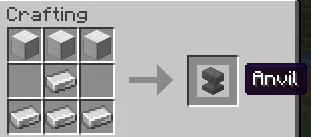 The final method for repairing in Minecraft is placing an item within an anvil alongside a second identical item. Unlike the first option, this allows enchanted items to be repaired or merged for an XP cost. However, every repair done in this way will gradually make the cost increase until it surpasses 50 levels. After that, the item can no longer be repaired as the anvil will state the level cost is too high.
How to Repair Items in Minecraft
Non-Enchanted Items
The first of the three options for repairing in Minecraft is exclusively for non-enchanted items. Simply put two identical tools, weapons, or pieces of armor into the crafting grid, and it will combine the durability. This can also be done within a grindstone, which removes enchantments, granting a little XP as well.
Mending Enchantment
The next option for repairing items within Minecraft is the mending enchantment. Arguably the strongest in the game, it automatically consumes XP points to repair the tool, weapon, or armor it has been applied to, effectively making it last forever. This effect is intended to be balanced by having mending books be quite rare, but by repeatedly breaking and placing the lectern job block of a librarian villager, the trades can be reset until mending appears. The exact steps for this are as follows:
- Block in a jobless villager.
- Place a lectern block.
- After the villager becomes a librarian, check its trades.
- If no mending trade is present, break the lectern job block.
- Repeat steps 1 through 4 until a mending trade appears.
Anvil Repairing
The final method for repairing in Minecraft is placing an item within an anvil alongside a second identical item. Unlike the first option, this allows enchanted items to be repaired or merged for an XP cost. However, every repair done in this way will gradually make the cost increase until it surpasses 50 levels. After that, the item can no longer be repaired as the anvil will state the level cost is too high.Создайте свой собственный
сервер Minecraft
сервер Minecraft
Выберите тариф, укажите игру и играйте с друзьями!
Подпишитесь на нашу рассылку
Подпишитесь, чтобы получать последние новости из мира игр!

Присоединяйтесь к нашему Discord
Станьте частью нашего сообщества, в котором уже более 20000 единомышленников!
Как бы вы оценили этот блог?
Поделитесь своим мнением и помогите нам сделать наши блоги еще лучше!
Не понравилось
Нейтрально
Понравилось

Нужен игровой сервер?
Арендуйте игровой сервер, где вы и ваши друзья сможете играть в закрытом режиме с низкой задержкой и собственными настройками. Выбирайте из 110+ игр, приглашайте людей со всего мира и наслаждайтесь приватными матчами или создайте свое собственное онлайн-сообщество со своими правилами.

Похожие статьи







УЗНАЙТЕ ВСЕ ПЕРВЫМИ!
Подпишитесь на нашу рассылку, чтобы получать обновления о наших играх, новости компании и эксклюзивные предложения. Будьте в курсе!













