

How to Enable Vibrant Visuals in Minecraft
Опубликовано автором

Поделиться:

Поделиться в X

Поделиться в Facebook

Поделиться в Threads

Поделиться в Bluesky

Скопировать в буфер обмена

Поделиться по email
Vibrant Visuals has arrived, allowing many players to enjoy the wonders of shaders for the very first time. But where is the setting found, and how is it enabled? Today, we answer that and more in “How to enable Vibrant Visuals in Minecraft.”
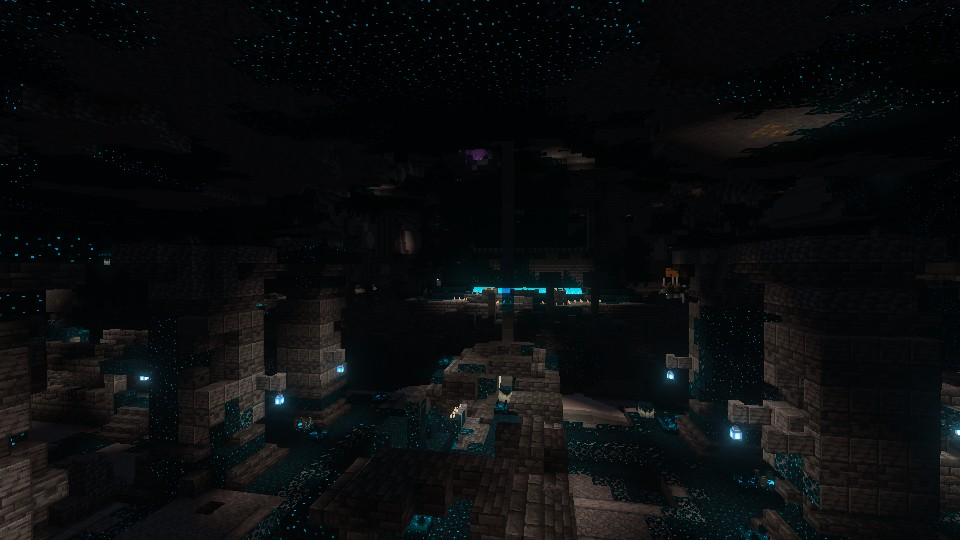
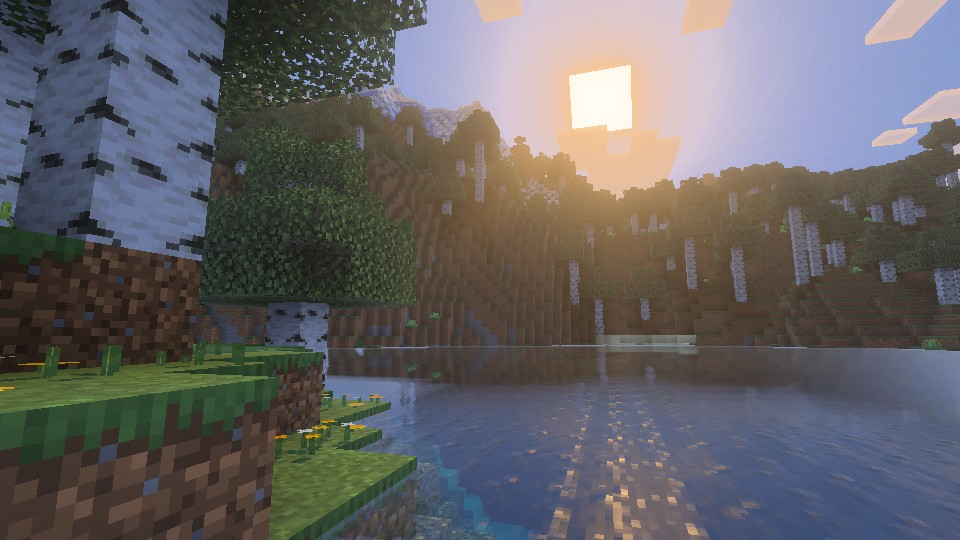 Added to Bedrock Edition in Minecraft 1.21.6 Chase the Skies, Vibrant Visuals is a new graphics setting above fancy that updates select textures, makes water and the light that passes through it more realistic, and adds dynamic lighting with shadows that are accurate down to the pixel.
The setting is entirely optional and can be enabled or disabled at any time, including while in-game.
Added to Bedrock Edition in Minecraft 1.21.6 Chase the Skies, Vibrant Visuals is a new graphics setting above fancy that updates select textures, makes water and the light that passes through it more realistic, and adds dynamic lighting with shadows that are accurate down to the pixel.
The setting is entirely optional and can be enabled or disabled at any time, including while in-game.
 Vibrant Visuals is not currently available for Minecraft Java Edition, but Mojang has confirmed that it will be released at some point down the line. They want to get everything just right in Bedrock before copying the project over to Java Edition in its finished form. Sadly, no specific release date has been given at this time.
What Is Vibrant Visuals?
Added to Bedrock Edition in Minecraft 1.21.6 Chase the Skies, Vibrant Visuals is a new graphics setting above fancy that updates select textures, makes water and the light that passes through it more realistic, and adds dynamic lighting with shadows that are accurate down to the pixel.
The setting is entirely optional and can be enabled or disabled at any time, including while in-game.
How to Enable Vibrant Visuals in Minecraft
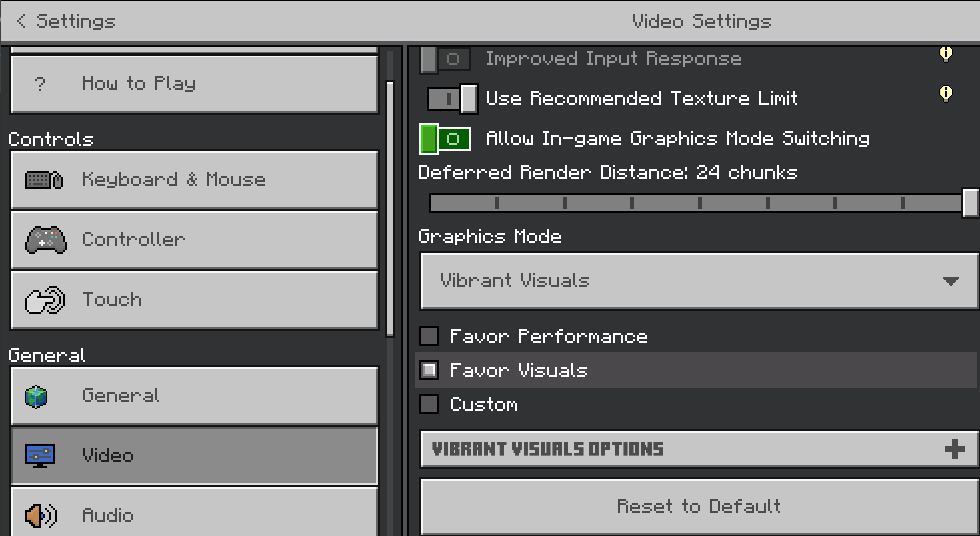
- Open Minecraft Bedrock Edition
- Click “Settings”
- Click “Video”
- Scroll Down to “Graphics Mode”
- Select “Vibrant Visuals” From the Dropdown Menu
- Select “Favor Performance” or “Favor Visuals” Based on Preference and Hardware
- Leave the Settings and Enjoy the Visuals In-Game
Will It Release on Minecraft Java Edition?
Vibrant Visuals is not currently available for Minecraft Java Edition, but Mojang has confirmed that it will be released at some point down the line. They want to get everything just right in Bedrock before copying the project over to Java Edition in its finished form. Sadly, no specific release date has been given at this time.Создайте свой собственный
сервер Minecraft
сервер Minecraft
Выберите тариф, укажите игру и играйте с друзьями!
Подпишитесь на нашу рассылку
Подпишитесь, чтобы получать последние новости из мира игр!

Присоединяйтесь к нашему Discord
Станьте частью нашего сообщества, в котором уже более 20000 единомышленников!
Как бы вы оценили этот блог?
Поделитесь своим мнением и помогите нам сделать наши блоги еще лучше!
Не понравилось
Нейтрально
Понравилось

Нужен игровой сервер?
Арендуйте игровой сервер, где вы и ваши друзья сможете играть в закрытом режиме с низкой задержкой и собственными настройками. Выбирайте из 110+ игр, приглашайте людей со всего мира и наслаждайтесь приватными матчами или создайте свое собственное онлайн-сообщество со своими правилами.

Похожие статьи







УЗНАЙТЕ ВСЕ ПЕРВЫМИ!
Подпишитесь на нашу рассылку, чтобы получать обновления о наших играх, новости компании и эксклюзивные предложения. Будьте в курсе!













