
Clone Hero: How to Add Songs
Опубликовано автором

Поделиться:

Поделиться в X

Поделиться в Facebook

Поделиться в Threads

Поделиться в Bluesky

Скопировать в буфер обмена

Поделиться по email
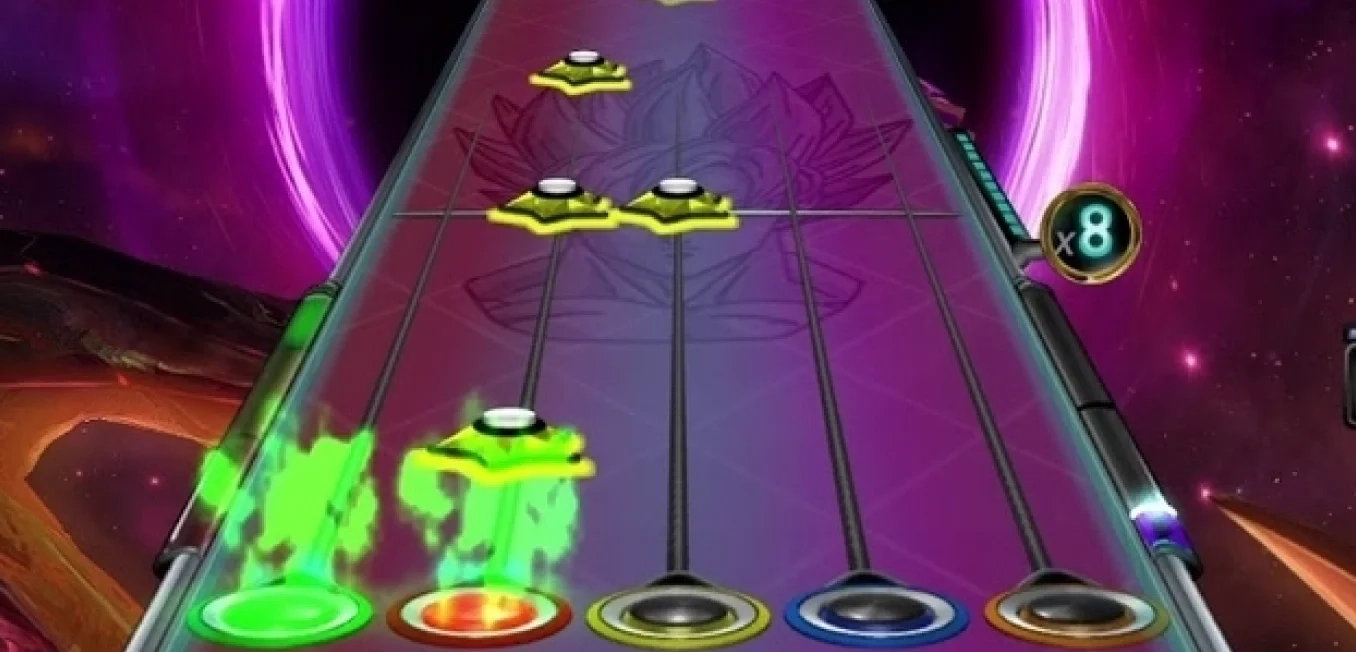
Unlock near-endless music adventures in Clone Hero by adding more tracks to the game’s library. Although adding custom songs is a rewarding experience, some players may have trouble completing this task successfully. So, here’s a guide on how to add songs in Clone Hero to help you expand your personal in-game playlist today.
 Note that Clone Hero is a freeware music rhythm game with a loyal and active community. With that, certain community members frequently add chart tracks for Clone Hero for other players to download and play.
With that, the first step to adding songs to Clone Hero is to download the files. Some notable portals are the following:
Custom Songs Central
Chorus Encore
RhythmVerse
Clone Hero Download Sheet Master List
Extract the files if they come in a .zip/.rar/.7z or similar format. Then, place the extracted files in the game’s Songs folder. Remember, the files must have an audio file, song.ini, and notes.chart/notes.mid. Normally, the Clone Hero's Songs folder should be under the main Documents folder on your Windows PC unless moved. If you’re playing Clone Hero in portable mode, ensure to place the songs and other files in the Songs folder in the PlayerData folder of the game’s location on your PC.
As for Mac users, the Songs folder should be in your system’s Home folder by default. In particular, navigate to the Clone Hero folder and open the Songs folder from there. Linux users can find the Songs folder in the ~/.clonehero folder.
Next, launch Clone Hero and navigate to the Settings menu from the main screen. Here, click the General tab, and then select “Scan Songs.” Confirm the action afterward, which may take a few seconds to a few minutes, depending on various factors.
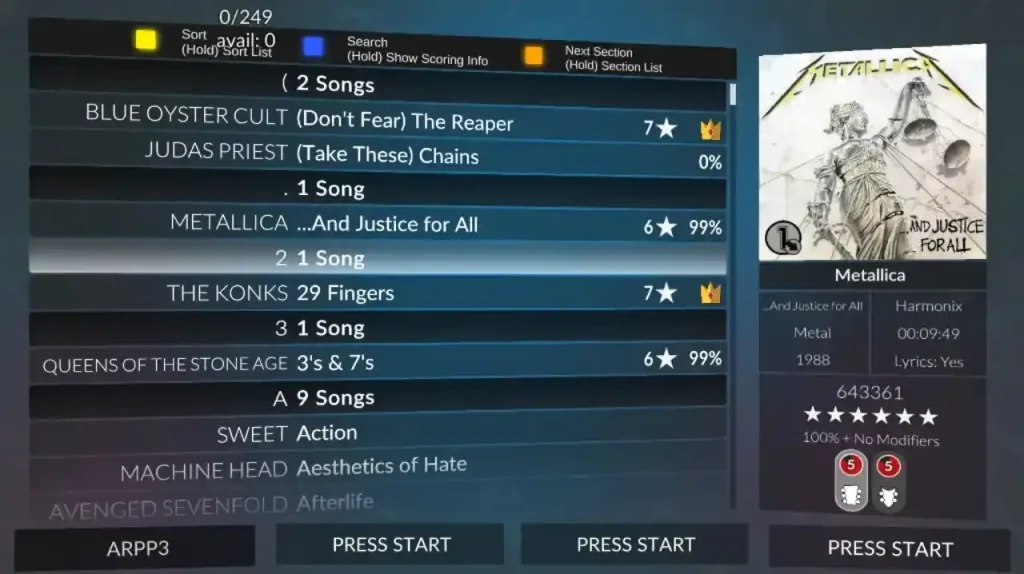
Finally, go back to the main screen and select “Quickplay.” If successful, you should see the newly added songs in the list. Now, all that’s left is to play the song and unleash your inner guitar maestro.
Note that Clone Hero is a freeware music rhythm game with a loyal and active community. With that, certain community members frequently add chart tracks for Clone Hero for other players to download and play.
With that, the first step to adding songs to Clone Hero is to download the files. Some notable portals are the following:
Custom Songs Central
Chorus Encore
RhythmVerse
Clone Hero Download Sheet Master List
Extract the files if they come in a .zip/.rar/.7z or similar format. Then, place the extracted files in the game’s Songs folder. Remember, the files must have an audio file, song.ini, and notes.chart/notes.mid. Normally, the Clone Hero's Songs folder should be under the main Documents folder on your Windows PC unless moved. If you’re playing Clone Hero in portable mode, ensure to place the songs and other files in the Songs folder in the PlayerData folder of the game’s location on your PC.
As for Mac users, the Songs folder should be in your system’s Home folder by default. In particular, navigate to the Clone Hero folder and open the Songs folder from there. Linux users can find the Songs folder in the ~/.clonehero folder.
Next, launch Clone Hero and navigate to the Settings menu from the main screen. Here, click the General tab, and then select “Scan Songs.” Confirm the action afterward, which may take a few seconds to a few minutes, depending on various factors.
Finally, go back to the main screen and select “Quickplay.” If successful, you should see the newly added songs in the list. Now, all that’s left is to play the song and unleash your inner guitar maestro.
How to Add Songs in Clone Hero
Note that Clone Hero is a freeware music rhythm game with a loyal and active community. With that, certain community members frequently add chart tracks for Clone Hero for other players to download and play.
With that, the first step to adding songs to Clone Hero is to download the files. Some notable portals are the following:
Custom Songs Central
Chorus Encore
RhythmVerse
Clone Hero Download Sheet Master List
Extract the files if they come in a .zip/.rar/.7z or similar format. Then, place the extracted files in the game’s Songs folder. Remember, the files must have an audio file, song.ini, and notes.chart/notes.mid. Normally, the Clone Hero's Songs folder should be under the main Documents folder on your Windows PC unless moved. If you’re playing Clone Hero in portable mode, ensure to place the songs and other files in the Songs folder in the PlayerData folder of the game’s location on your PC.
As for Mac users, the Songs folder should be in your system’s Home folder by default. In particular, navigate to the Clone Hero folder and open the Songs folder from there. Linux users can find the Songs folder in the ~/.clonehero folder.
Next, launch Clone Hero and navigate to the Settings menu from the main screen. Here, click the General tab, and then select “Scan Songs.” Confirm the action afterward, which may take a few seconds to a few minutes, depending on various factors.
Finally, go back to the main screen and select “Quickplay.” If successful, you should see the newly added songs in the list. Now, all that’s left is to play the song and unleash your inner guitar maestro.Создайте свой собственный
сервер Clone Hero
сервер Clone Hero
Выберите тариф, укажите игру и играйте с друзьями!
Подпишитесь на нашу рассылку
Подпишитесь, чтобы получать последние новости из мира игр!

Присоединяйтесь к нашему Discord
Станьте частью нашего сообщества, в котором уже более 20000 единомышленников!
Как бы вы оценили этот блог?
Поделитесь своим мнением и помогите нам сделать наши блоги еще лучше!
Не понравилось
Нейтрально
Понравилось

Нужен игровой сервер?
Арендуйте игровой сервер, где вы и ваши друзья сможете играть в закрытом режиме с низкой задержкой и собственными настройками. Выбирайте из 110+ игр, приглашайте людей со всего мира и наслаждайтесь приватными матчами или создайте свое собственное онлайн-сообщество со своими правилами.

Похожие статьи







УЗНАЙТЕ ВСЕ ПЕРВЫМИ!
Подпишитесь на нашу рассылку, чтобы получать обновления о наших играх, новости компании и эксклюзивные предложения. Будьте в курсе!













