
Rust Settings Guide: Best PC Settings for Performance & Optimization
Opublikowano przez

Udostępnij:

Udostępnij na X

Udostępnij na Facebooku

Udostępnij na Threads

Udostępnij na Bluesky

Skopiuj do schowka

Udostępnij przez e-mail
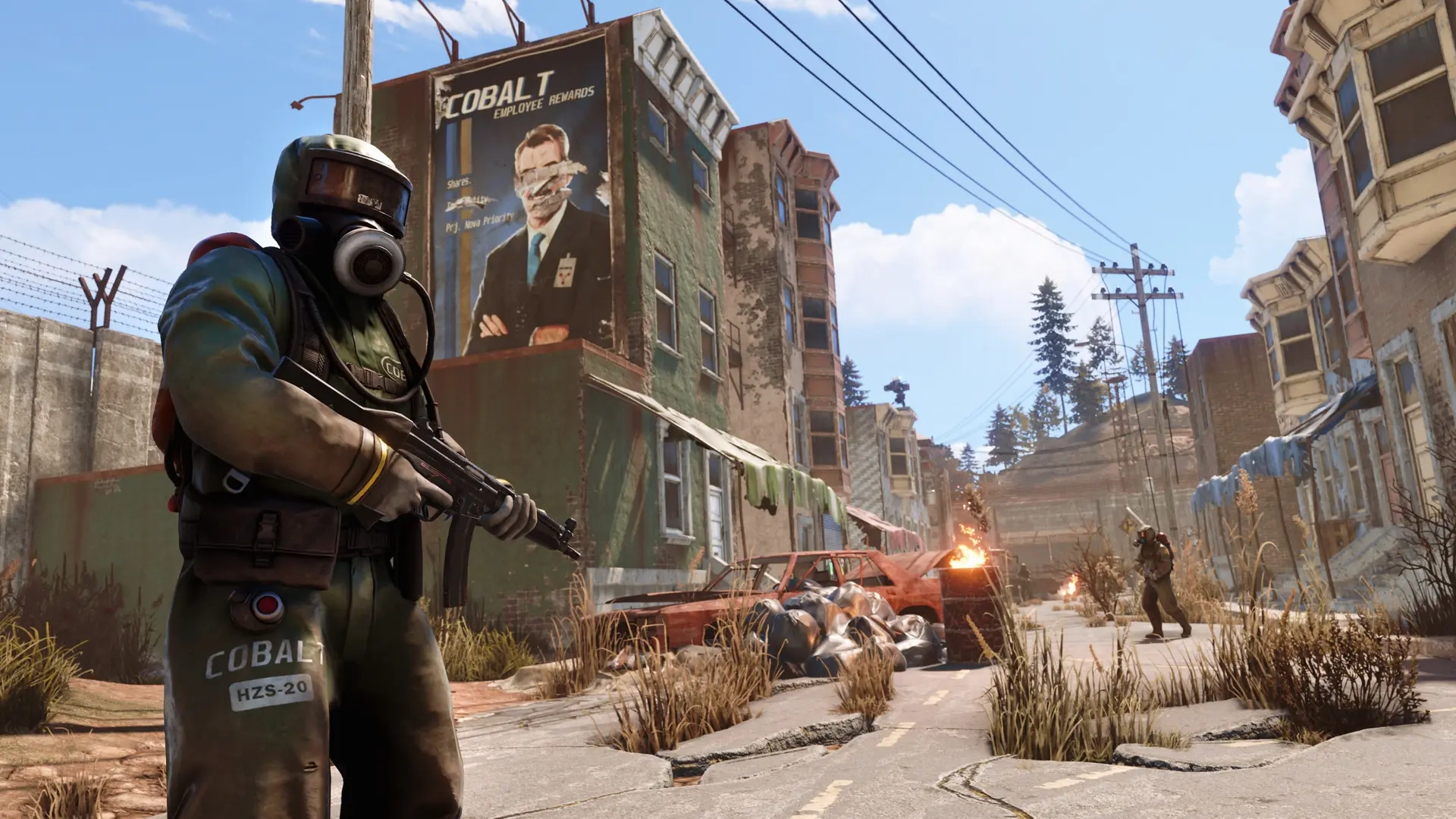
Sometimes, failing to defeat a scientist or another player in Rust isn’t a skill issue, as it might probably be your PC. In particular, the current settings for the Rust client running on your gaming system might be holding you back from getting those headshots. So, keep reading to learn the best PC settings for Rust to improve your KDA.
 First, it’s important to mention that changing the settings for Rust on PC won’t immediately enhance your skills. Optimizing the settings can help reduce friction while playing this intense PvP title.
Also, the PC settings listed below are often ideal for optimal gameplay. That means some visual elements, such as water quality and decorative textures, won’t look as good as when running the game with settings that push the limits of a high-end gaming system.
Additionally, adjusting the settings generally depends on hardware and software limitations. So, the first step to elevate your Rust gameplay is to check whether your PC meets the minimum or recommended system requirements to run the game optimally.
First, it’s important to mention that changing the settings for Rust on PC won’t immediately enhance your skills. Optimizing the settings can help reduce friction while playing this intense PvP title.
Also, the PC settings listed below are often ideal for optimal gameplay. That means some visual elements, such as water quality and decorative textures, won’t look as good as when running the game with settings that push the limits of a high-end gaming system.
Additionally, adjusting the settings generally depends on hardware and software limitations. So, the first step to elevate your Rust gameplay is to check whether your PC meets the minimum or recommended system requirements to run the game optimally.




Best PC Settings in Rust
First, it’s important to mention that changing the settings for Rust on PC won’t immediately enhance your skills. Optimizing the settings can help reduce friction while playing this intense PvP title.
Also, the PC settings listed below are often ideal for optimal gameplay. That means some visual elements, such as water quality and decorative textures, won’t look as good as when running the game with settings that push the limits of a high-end gaming system.
Additionally, adjusting the settings generally depends on hardware and software limitations. So, the first step to elevate your Rust gameplay is to check whether your PC meets the minimum or recommended system requirements to run the game optimally.
Rust Minimum System Requirements
- OS: Windows 11 64-bit
- Processor: AMD Ryzen 5 1400 or Intel® Core i5-6600
- Memory: 12 GB RAM
- Graphics: AMD Radeon RX 470, NVIDIA GeForce GTX 1060, or Intel® Arc™ A580
- DirectX: Version 11
- Storage: 45 GB available space
- Additional Notes: SSD is highly recommended, or expect longer-than-average load times.
Rust Recommended System Requirements
- OS: Windows 11 64-bit
- Processor: AMD Ryzen 7 3700X or Intel® Core i7-6700K
- Memory: 16 GB RAM
- Graphics: AMD Radeon RX 6600XT, NVIDIA GeForce RTX 3060, or Intel® Arc™ B580
- DirectX: Version 12
- Storage: 45 GB available space
- Additional Notes: SSD Required
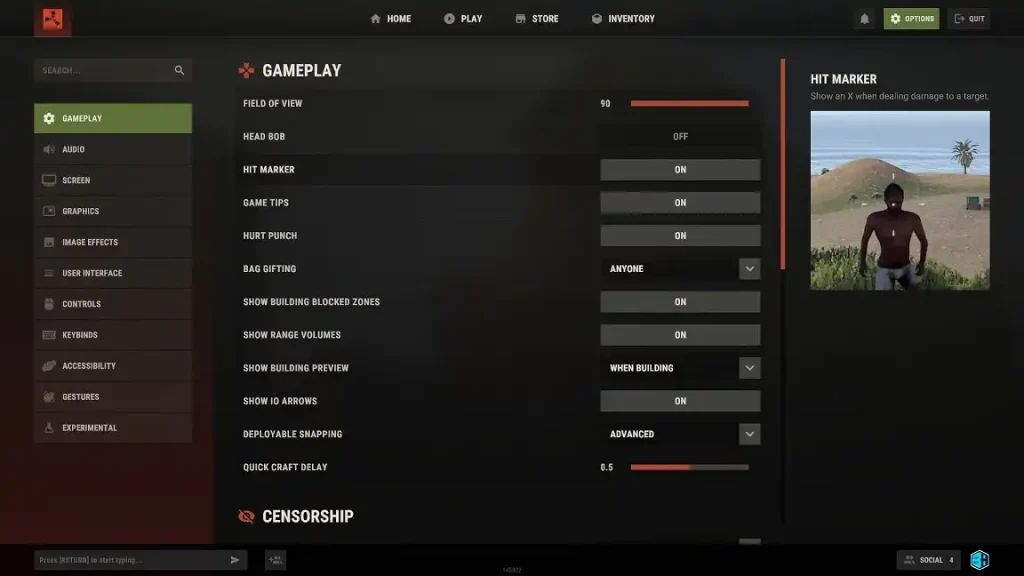
Gameplay Settings
- Field of View: 90
- Head Bob: Off
- Hit Marker: On
- Game Tips: On/Off
- Hurt Punch: On
- Bag Gifting: Anyone/Team/Disabled
- Show Building Blocked Zones: On
- Show Range Volumes: On
- Show Building Preview: When Building
- Show IO Arrows: On
- Deployable Snapping: Advanced
- Quick Craft Delay: 0.5
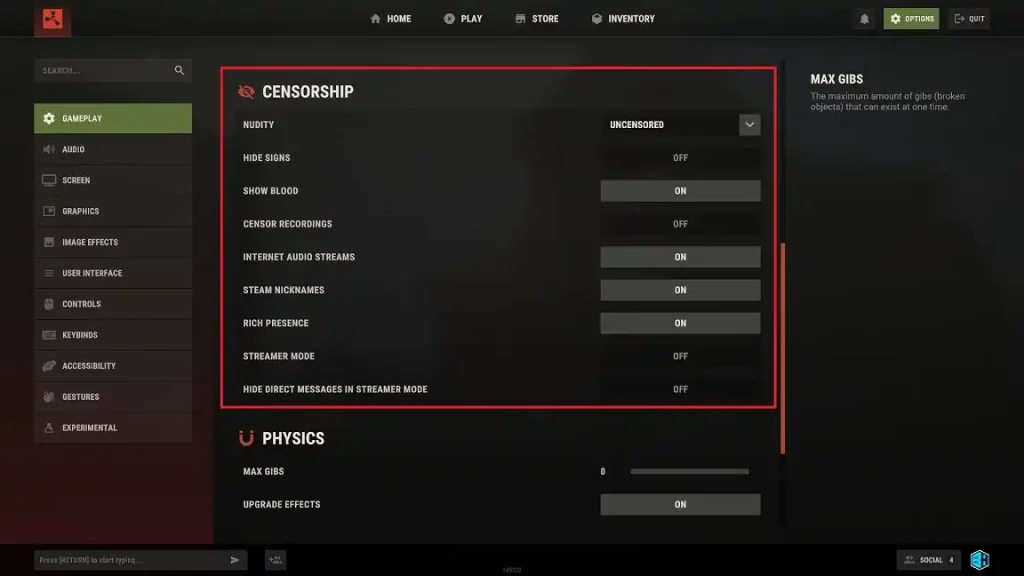
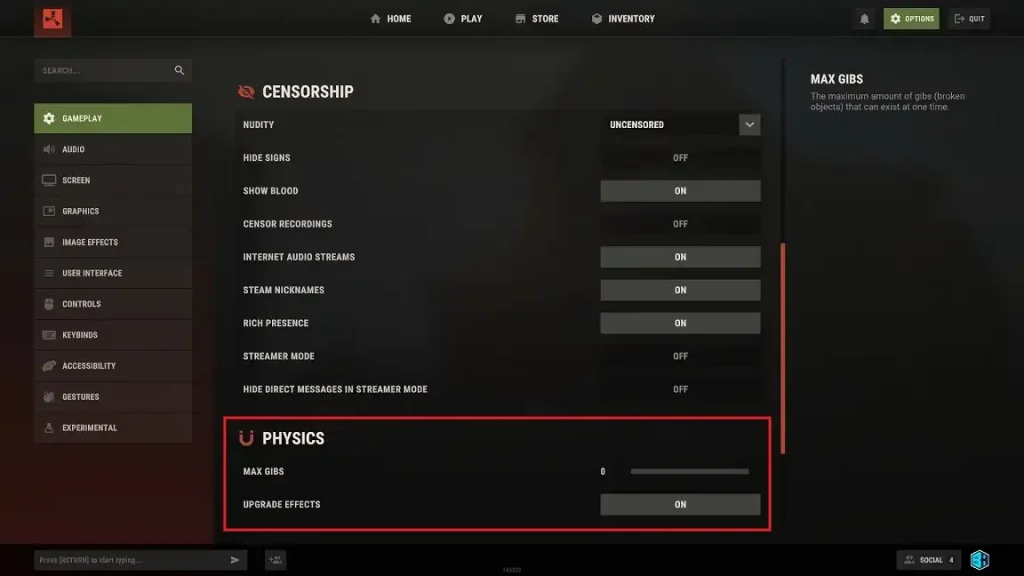
Censorship Settings
- Nudity: Uncensored/Pixelated/Underwear
- Hide Signs: On/Off
- Show Blood: On/Off
- Censor Recordings: On/Off
- Internet Audio Streams: On/Off
- Steam Nicknames: On/Off
- Rich Presence: On/Off
- Streamer Mode: On/Off
- Hide Direct Messages in Streamer Mode: On/Off
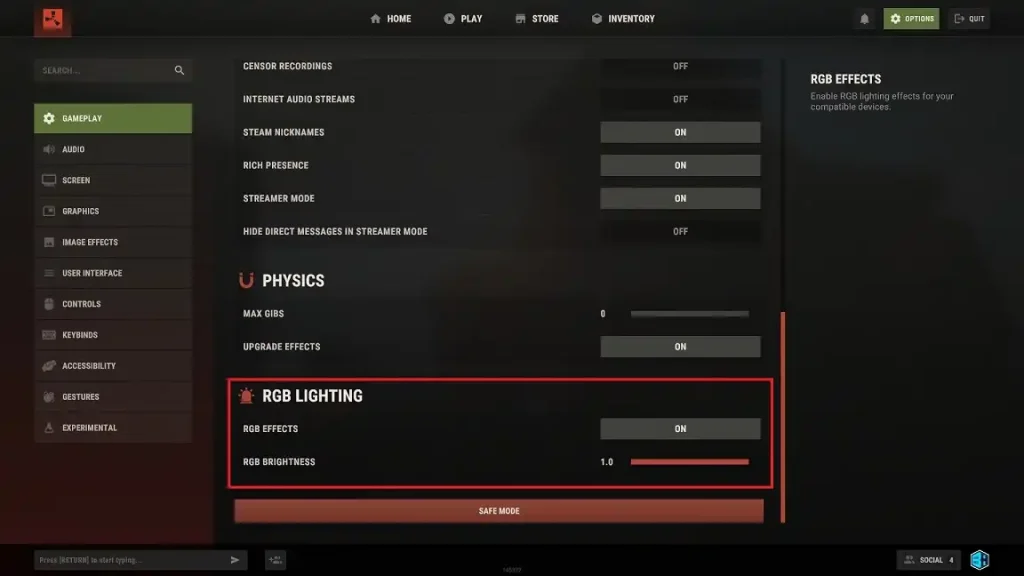
Physics Settings
- Max Gibs: 0
- Upgrade Effects: On
RGB Lighting Settings
- RGB Effects: On/Off
- RGB Brightness: 1.0
Screen Settings
- Resolution: Native to monitor
- Screen Mode: Fullscreen/Windowed
FPS Settings
- Max Framerate: 240
- VSync: Off
- Limit FPS in Menu: On
- Limit FPS in Background: Off
Graphics Rendering Settings
- Render Scale: 1.0
- Shader Level: 6
- NVIDIA DLSS: Ultra Performance
- NVIDIA DLAA: Off
- NVIDIA Reflex Mode: On + Boost
- NVIDIA Reflex Latency Marker: Off
- Pixel Light Count: 0
- Max Shadow Lights: 1
- Particle Raycast Budget: 512
- Soft Particles: On
- Volumetric Clouds: Low/Off
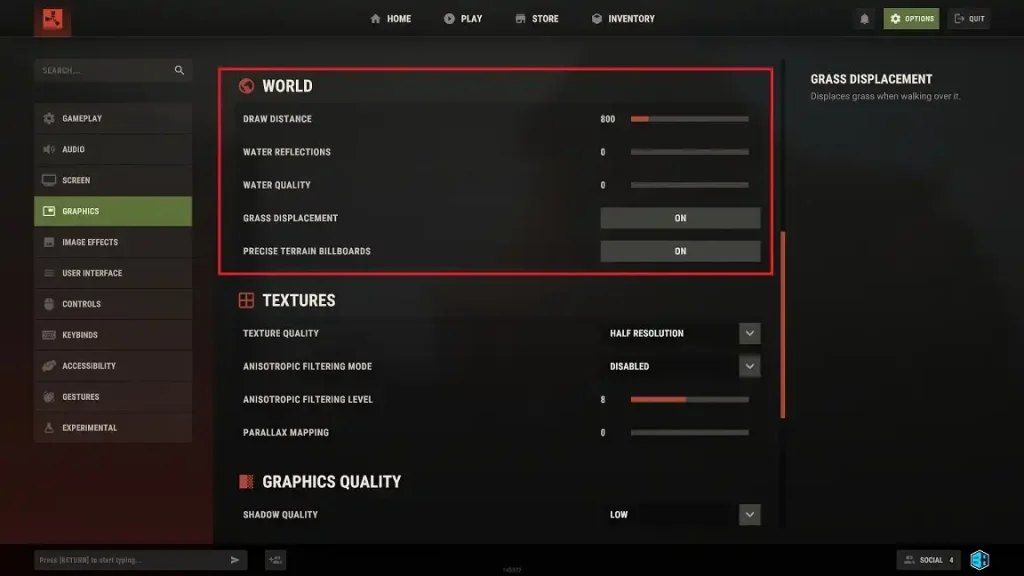
World Settings
- Draw Distance: 800
- Water Reflections: 0
- Water Quality: 0
- Grass Displacement: On
- Precise Terrain Billboards: On
Textures Settings
- Texture Quality: Half Resolution
- Antisotropic Filtering Mode: Disabled
- Antisotropic Filtering Level: 8
- Parallax Mapping: 0
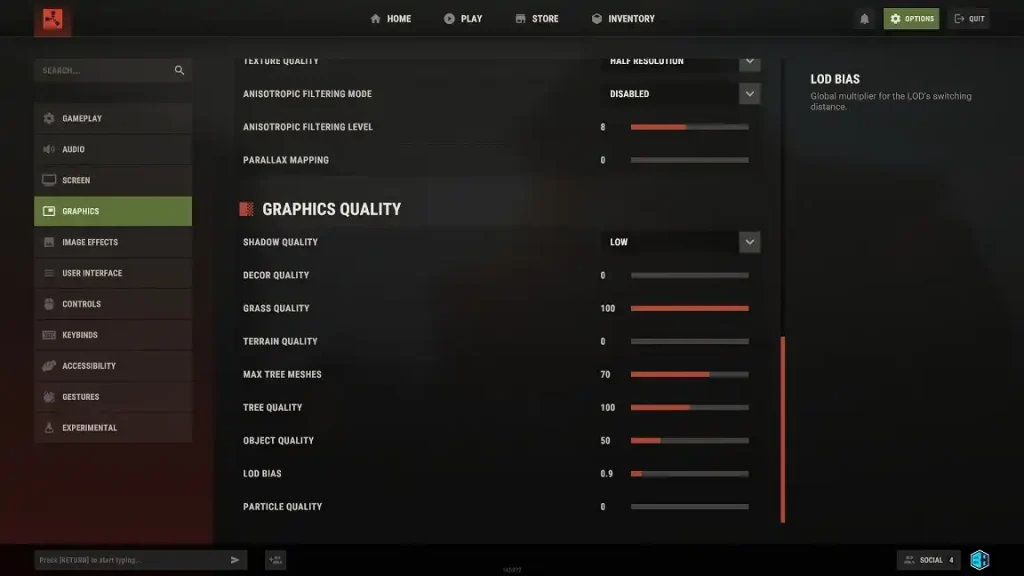
Graphics Quality Settings
- Shadow Quality: Low
- Décor Quality: 0
- Grass Quality: 100
- Terrain Quality: 0
- Max Tree Meshes: 70
- Tree Quality: 100
- Object Quality: 50
- LOD Bias: 0.9
- Particle Quality: 0
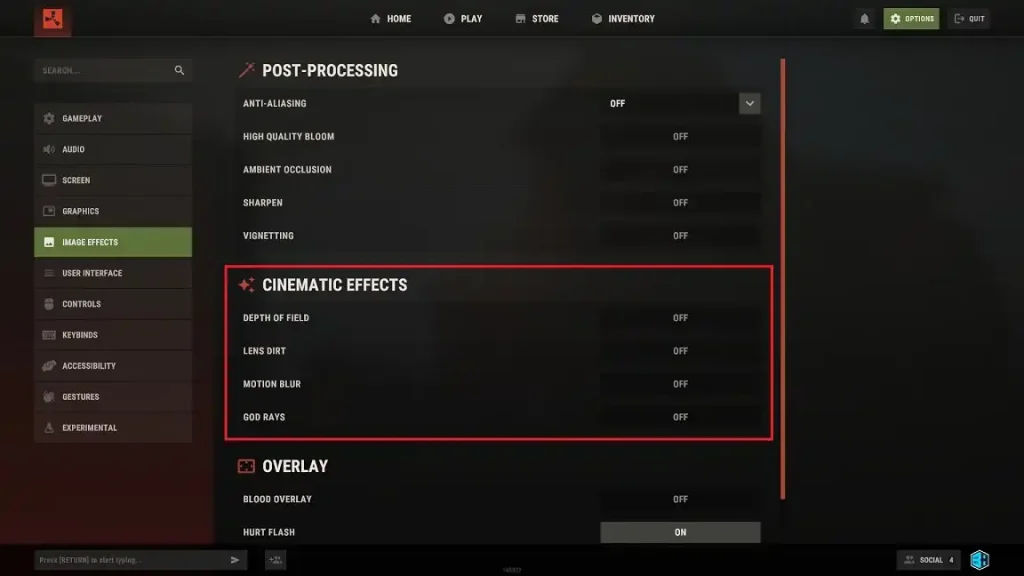
Image Effects Post-Processing Settings
- Anti-Aliasing: Off
- High Quality Bloom: Off
- Ambient Occlusion: Off
- Sharpen: Off
- Vignetting: Off
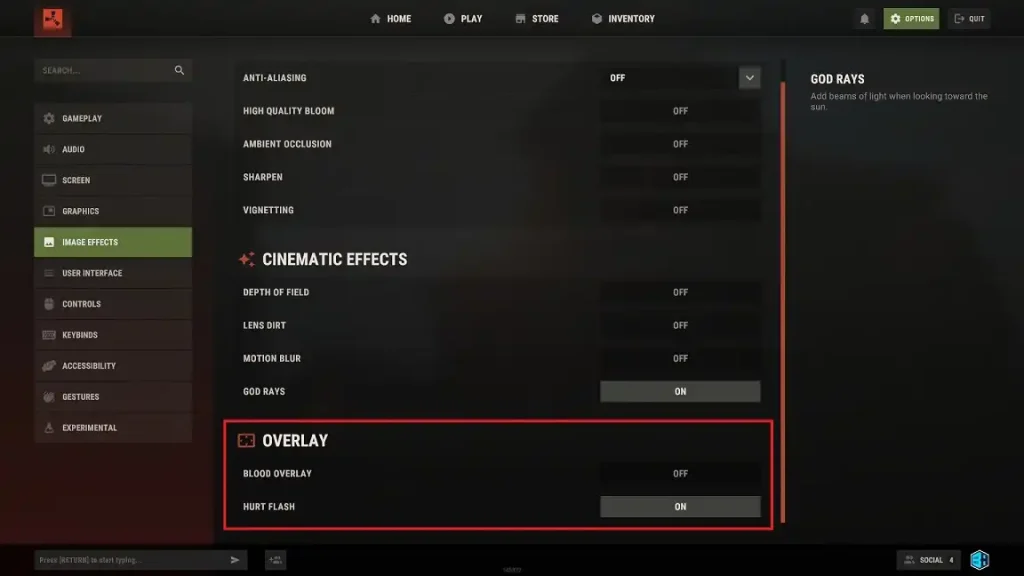
Cinematic Effects Settings
- Depth of Field: Off
- Lens Dirt: Off
- Motion Blur: Off
- God Rays: Off
Overlay Settings
- Blood Overlay: Off
- Hurt Flash: On
Zapisz się do newslettera
Subskrybuj, aby otrzymywać najnowsze informacje ze świata gier!

Dołącz do naszego Discorda
Zostań częścią naszej społeczności ponad 20,000 podobnie myślących członków!
Jak oceniasz ten wpis?
Podziel się swoją opinią i pomóż nam tworzyć jeszcze lepsze artykuły!
Nie podobał mi się
Neutralnie
Podobał mi się

Potrzebujesz serwera do gry?
Wynajmij serwer gier, na którym Ty i Twoi znajomi możecie grać prywatnie z niskim opóźnieniem i własnymi ustawieniami. Wybieraj spośród 110+ gier, zaproś ludzi z całego świata i ciesz się prywatnymi rozgrywkami lub zbuduj własną społeczność online z własnymi zasadami.

Powiązane wpisy







BĄDŹ NA BIEŻĄCO!
Dołącz do naszego newslettera, aby otrzymywać informacje o naszych hostowanych grach, nowościach firmowych i ekskluzywnych ofertach. Bądź na bieżąco!













