

How to Get the Minecraft Creeper Cape
Opublikowano przez

Udostępnij:

Udostępnij na X

Udostępnij na Facebooku

Udostępnij na Threads

Udostępnij na Bluesky

Skopiuj do schowka

Udostępnij przez e-mail
(Estimated Read Time: 3 Minutes)
Minecraft's 15th anniversary is on the horizon, meaning celebrations galore! But this year, an unintentional sneak peek has shown us one of the goodies in store. So, today, we explore how to get the Minecraft creeper cape as per the official Minecraft website's unintentional leaks.What Are Minecraft Capes?
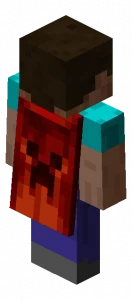 Capes in Minecraft are a cosmetic option one can select alongside their skin. However, unlike skins which are available to everyone, capes are exclusive rewards, or cosmetics Bedrock Edition users can purchase in the Minecraft store. Very few capes are available for Java Edition, so it's important to grab them before they're gone!
How to Get the Minecraft Creeper Cape
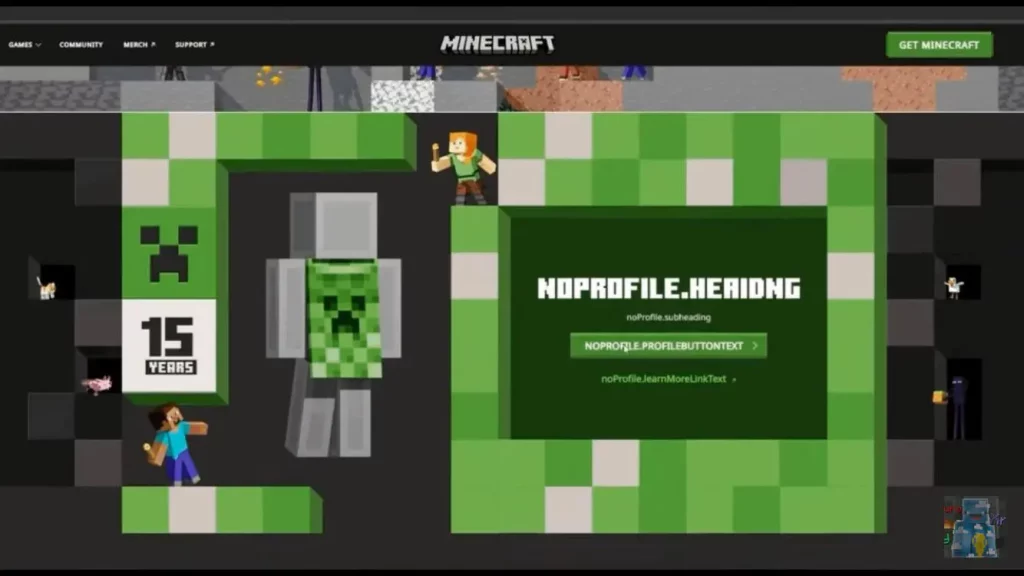 In celebration of Minecraft's 15th anniversary, everyone is receiving a limited-time creeper cape as a reward! Both Java Edition and Bedrock Edition users will be able to obtain their cape by going to a currently unavailable webpage, which we will link to here as soon as it appears.
Once available, it should be as simple as clicking claim on a large green button while logged in, assuming the leaked page remains the same. In either case, one thing is certain: it will be a limited-time reward, so be sure to get it before it disappears! We will be sure to have the exact dates listed here.
In celebration of Minecraft's 15th anniversary, everyone is receiving a limited-time creeper cape as a reward! Both Java Edition and Bedrock Edition users will be able to obtain their cape by going to a currently unavailable webpage, which we will link to here as soon as it appears.
Once available, it should be as simple as clicking claim on a large green button while logged in, assuming the leaked page remains the same. In either case, one thing is certain: it will be a limited-time reward, so be sure to get it before it disappears! We will be sure to have the exact dates listed here.
How to Change Capes: Minecraft Creeper Cape Java Edition
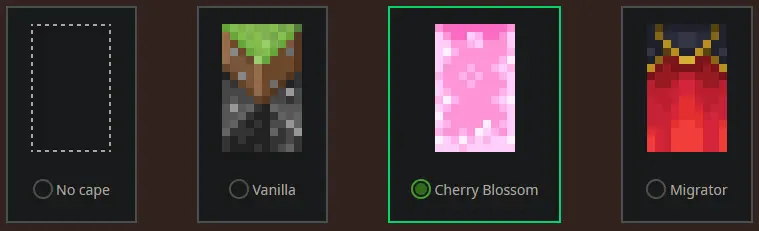 To check if you have any capes or to change the one you are wearing on Java Edition, simply open the official Minecraft website and follow the steps below.
- Select "Account" in the top right corner and then "Login."
- Click "My Games" on the left side of your Minecraft profile.
- Under "Minecraft: Java Edition," select "Change Skin."
- Scroll down to "Change Your Cape - PC/Mac."
- Click your desired cape.
How to Change Capes: Minecraft Creeper Cape Bedrock Edition
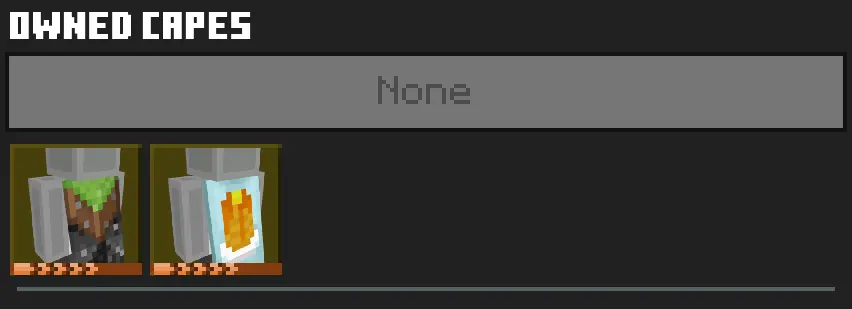 To check if you have any capes or to change the one you are wearing on Bedrock Edition, simply open the Bedrock Edition client and follow the steps below.
- Login to the Minecraft Bedrock Edition client.
- Select "Dressing Room."
- Click the red cape icon on the left side of the screen.
- Pick your desired cape and select "Equipped."
Zapisz się do newslettera
Subskrybuj, aby otrzymywać najnowsze informacje ze świata gier!

Dołącz do naszego Discorda
Zostań częścią naszej społeczności ponad 20,000 podobnie myślących członków!
Jak oceniasz ten wpis?
Podziel się swoją opinią i pomóż nam tworzyć jeszcze lepsze artykuły!
Nie podobał mi się
Neutralnie
Podobał mi się

Potrzebujesz serwera do gry?
Wynajmij serwer gier, na którym Ty i Twoi znajomi możecie grać prywatnie z niskim opóźnieniem i własnymi ustawieniami. Wybieraj spośród 110+ gier, zaproś ludzi z całego świata i ciesz się prywatnymi rozgrywkami lub zbuduj własną społeczność online z własnymi zasadami.

Powiązane wpisy







BĄDŹ NA BIEŻĄCO!
Dołącz do naszego newslettera, aby otrzymywać informacje o naszych hostowanych grach, nowościach firmowych i ekskluzywnych ofertach. Bądź na bieżąco!













