

Windrose Controls Guide (PC): Keyboard & Mouse, and Controller (Gamepad)
Pubblicato il da

Condividi:

Condividi su X

Condividi su Facebook

Condividi su Threads

Condividi su Bluesky

Copia negli Appunti

Condividi via email
You’re shipwrecked on an island after a vicious pirate attack, and you’re left with nothing but a few tools and weapons. Understanding the game’s controls is the first step to mastering your character and equipment. This Windrose Controls Guide helps you in that regard, aiding you and other pirate kings and queens in grasping the different keybinds when using the keyboard, mouse, or gamepad.
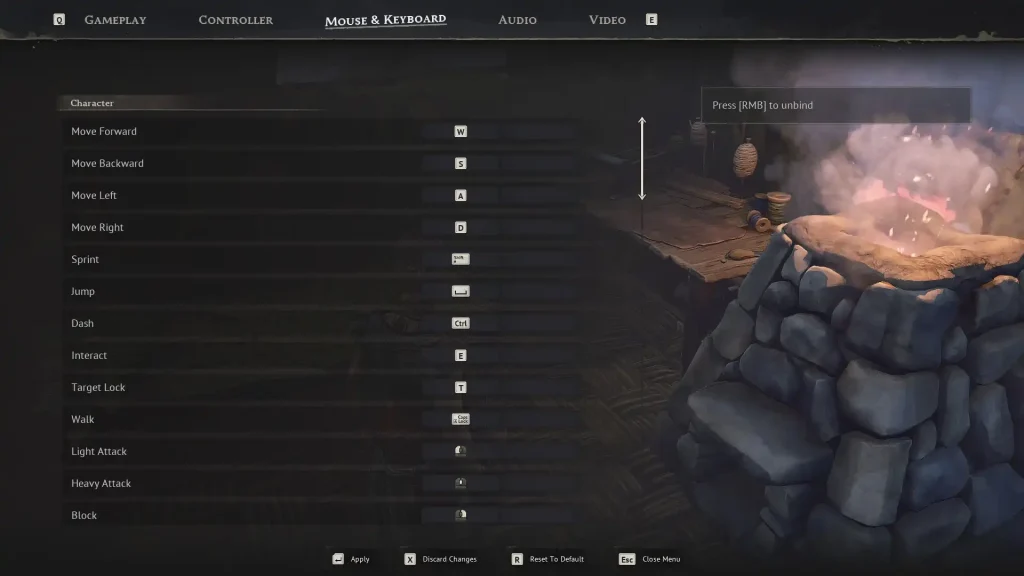
 As of the game’s Early Access release, players can change the default keyboard and mouse controls mentioned below. However, it’s not possible to alter gamepad keybinds at the time of writing. Nonetheless, Windrose Crew, the game’s developer, aims to provide additional gamepad support in a future patch.
So, keep reading to learn more about the game’s controls to support your crew in solo mode or on a Windrose dedicated server:
As of the game’s Early Access release, players can change the default keyboard and mouse controls mentioned below. However, it’s not possible to alter gamepad keybinds at the time of writing. Nonetheless, Windrose Crew, the game’s developer, aims to provide additional gamepad support in a future patch.
So, keep reading to learn more about the game’s controls to support your crew in solo mode or on a Windrose dedicated server:
Windrose Controls Guide
As of the game’s Early Access release, players can change the default keyboard and mouse controls mentioned below. However, it’s not possible to alter gamepad keybinds at the time of writing. Nonetheless, Windrose Crew, the game’s developer, aims to provide additional gamepad support in a future patch.
So, keep reading to learn more about the game’s controls to support your crew in solo mode or on a Windrose dedicated server:
Windrose Mouse & Keyboard Controls
Character Controls
- Move Forward: W
- Move Backward: S
- Move Left: A
- Move Right: D
- Sprint: SHIFT
- Jump: SPACE
- Dash: CTRL
- Interact: E
- Target Lock: T
- Walk: CAPS LOCK
- Light Attack: Left mouse button
- Heavy Attack: Middle mouse button
- Block: Right mouse button
- Reload: R
- Aim: ALT
- Fire: Left mouse button
- Remove Weapon: Hold R
- Change Target: Left Bracket ([) or Right Bracket (])
- Special Attack: F
- Use Item 1: 1
- Use Item 2: 2
- Use Item 3: 3
- Use Item 4: 4
- Use Item 5: 5
- Use Item 6: 6
- Use Item 7: 7
- Use Item 8: 8
- Shovel (Next Mode): X
- Shovel (Previous Mode): Z
Building Controls
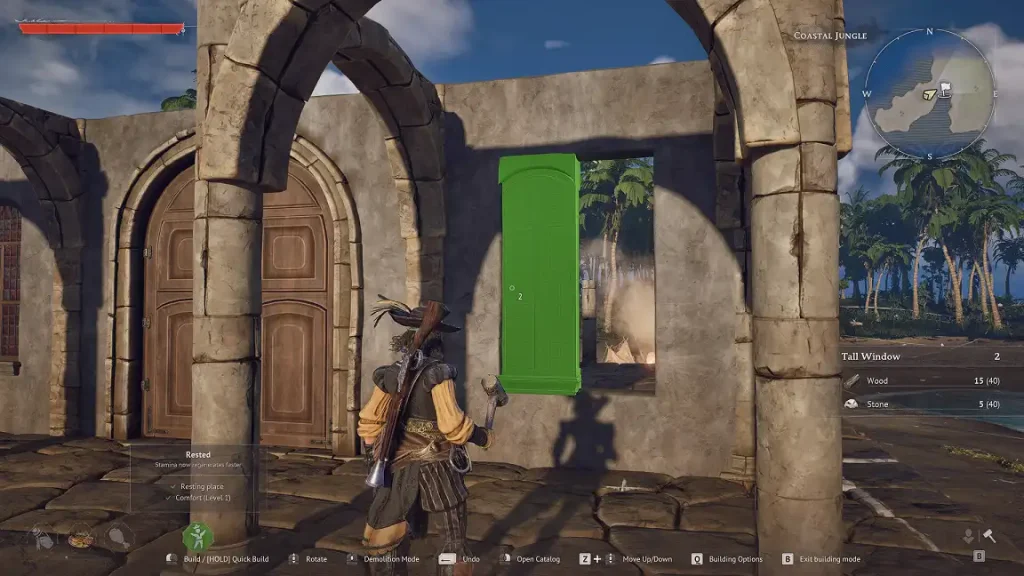
- Build Mode: B
- Open Catalog: Right mouse button
- Build: Left mouse button
- Quick Build: Hold Left mouse button
- Rotate: Scroll Wheel Forward/Backward
- Building Options: Q
- Toggle Destroy Mode: Middle mouse button
- Destroy Block: Left mouse button
- Camera Mode: V
- Snapping Mode: P
- Shift Block: Z
- Rotation Step: L
Menu Controls
- Game Menu: ESCAPE
- Inventory: TAB or I
- Map: M
- Discovery: G
- Adventure: J
- Recall Ship: K
- Previous Tab: Q
- Next Tab: E
- Previous Tab (Secondary): A
- Next Tab (Secondary): D
- Confirm Operation: SPACE
- Decrease Value: Z
- Increase Value: X
- Story (First Page): Q
- Story (Previous Page): A
- Story (Play/Pause): SPACE
- Story (Next Page): D
- Story (Last Page): E
- Story (Close): ESCAPE
Ship Controls
- Speed Up: W
- Slow Down/Reverse: S
- Camera Mode: F
- Toggle Shanty: B
- Turn Right: D
- Turn Left: A
- Begin Boarding: SPACE
- Next Shanty: N
- Leave Helm: E
- Interact (From Ship): SPACE
- Aim: Right mouse button
- Fire: Left mouse button
- Select Cannonballs: 1
- Select Chain Shots: 2
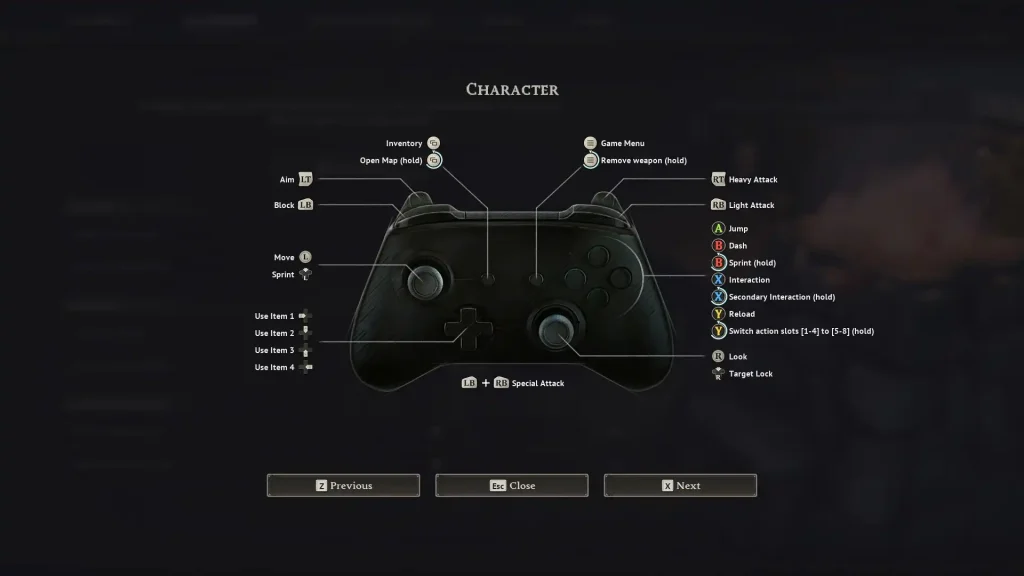
Windrose Controller Controls (Xbox Controller Layout)
Character Controls
- Basic Movement: Left Analog Stick
- Look Around: Right Analog Stick
- Sprint: Press Left Analog Stick or Hold B
- Jump: A
- Dash: B
- Interaction: X
- Secondary Interaction: Hold X
- Target Lock: Press Right Analog Stick
- Light Attack: Right Bumper
- Heavy Attack: Right Trigger
- Block: Left Bumper
- Reload: Y
- Switch Action Slots: Hold Y
- Aim: Left Trigger
- Game Menu: Menu Button
- Remove Weapon: Hold Menu Button
- Special Attack: Left Bumper + Right Bumper
- Use Item 1: Left Directional Button
- Use Item 2: Up Directional Button
- Use Item 3: Down Directional Button
- Use Item 4: Right Directional Button
- Inventory: View Button
- Open Map: Hold View Button
Building Controls
- Build Mode: B
- Open Catalog: Y
- Build: Right Trigger
- Quick Build: Hold Right Trigger
- Rotate: Right Bumper or Left Bumper
- Building Options: Menu Button
- Toggle Destroy Mode: Left Trigger
- Destroy Block: Right Trigger
- Camera Mode: Press Right Analog Stick
- Move Up: Up Directional Button
- Move Down: Down Directional Button
Ship Controls
- Speed Up: A
- Slow Down/Reverse: B
- Camera Mode: Press Right Analog Stick
- Toggle Shanty: Hold Y
- Begin Boarding: Y
- Next Shanty: Press Left Analog Stick
- Disembark Captain: X
- Interact (From Ship): Y
- Aim: Left Trigger
- Fire: Right Trigger
- Select Cannonballs: Left Bumper
- Select Chain Shots: Right Bumper
- Use Item 1: Left Directional Button
- Use Item 2: Up Directional Button
- Use Item 3: Down Directional Button
- Use Item 4: Right Directional Button
Crea il tuo server
Windrose
Windrose
Scegli un piano, seleziona un gioco e gioca con i tuoi amici!
Iscriviti alla nostra Newsletter
Iscriviti per ricevere gli ultimi aggiornamenti sul mondo del gaming!

Unisciti al nostro Discord
Entra a far parte della nostra community con oltre 20.000 membri appassionati come te!
Come valuteresti questo blog?
Condividi la tua opinione e aiutaci a migliorare sempre di più i nostri blog!
Non mi è piaciuto
Neutrale
Mi è piaciuto

Hai bisogno di un server di gioco?
Noleggia un server di gioco dove tu e i tuoi amici potrete giocare in privato con bassa latenza e impostazioni personalizzate. Scegli tra 110+ giochi, invita persone da tutto il mondo, goditi le partite private o costruisci la tua community online con le tue regole.

Blog Pertinenti







SCOPRI LE ULTIME NOVITÀ!
Iscriviti alla nostra newsletter per ricevere aggiornamenti sui nostri giochi ospitati, novità aziendali e offerte esclusive. Rimani sempre aggiornato!













