

Vintage Story Controls Guide: All PC Keybinds
Pubblicato il da

Condividi:

Condividi su X

Condividi su Facebook

Condividi su Threads

Condividi su Bluesky

Copia negli Appunti

Condividi via email
In Vintage Story, you have the freedom to explore massive, procedurally generated lands and create whatever you can think of. Where you go and what you do is up to you, but you won't get far if you don't know how to control anything. Luckily, our Vintage Story controls guide can tell you exactly what you need to know so that you can hop in and start surviving this eldritch sandbox in style.
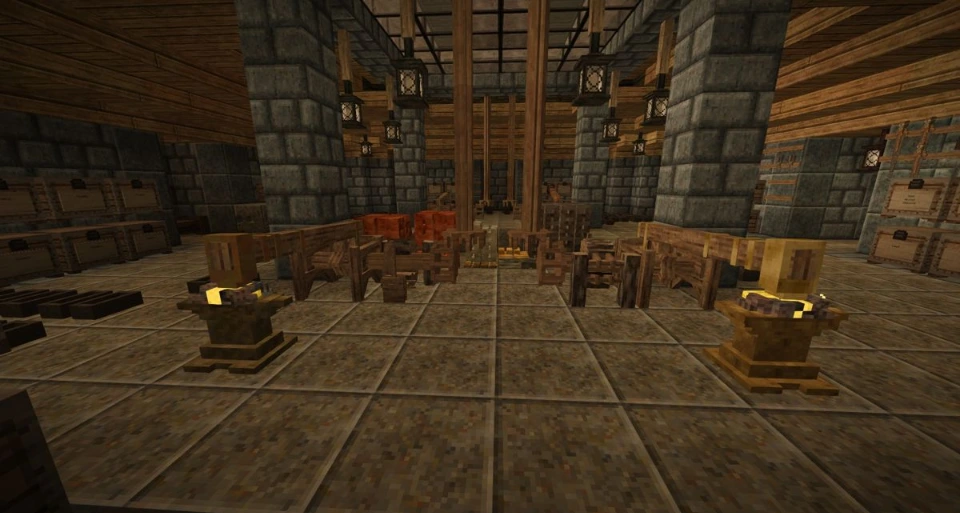 If you're familiar with sandbox survival games, then you should feel right at home in Vintage Story. You can harvest materials, pick up blocks, and replace those blocks in whatever manner you like to form elaborate creations of your design. Of course, you're not alone in the wilderness; plenty of unsightly monsters would love to turn you into their next meal. You'll have to carefully manage your inventory, equip some gear, and fight off any would-be killers you encounter. Remember to keep an eye on your nutrition levels as well!
Below, we've listed all the controls you'll need to get started. We've also included important info on how to adjust your HUD, game debugs, and more.
If you're familiar with sandbox survival games, then you should feel right at home in Vintage Story. You can harvest materials, pick up blocks, and replace those blocks in whatever manner you like to form elaborate creations of your design. Of course, you're not alone in the wilderness; plenty of unsightly monsters would love to turn you into their next meal. You'll have to carefully manage your inventory, equip some gear, and fight off any would-be killers you encounter. Remember to keep an eye on your nutrition levels as well!
Below, we've listed all the controls you'll need to get started. We've also included important info on how to adjust your HUD, game debugs, and more.
Vintage Story Controls: All PC Keybinds
If you're familiar with sandbox survival games, then you should feel right at home in Vintage Story. You can harvest materials, pick up blocks, and replace those blocks in whatever manner you like to form elaborate creations of your design. Of course, you're not alone in the wilderness; plenty of unsightly monsters would love to turn you into their next meal. You'll have to carefully manage your inventory, equip some gear, and fight off any would-be killers you encounter. Remember to keep an eye on your nutrition levels as well!
Below, we've listed all the controls you'll need to get started. We've also included important info on how to adjust your HUD, game debugs, and more.
Movement
- Move Forward: W
- Move Backward: S
- Move Left: A
- Move Right: D
- Sneak: Shift
- Run: Ctrl
- Jump: Spacebar
- Sit Down: G
Actions
- Attack/Interact/Break Blocks/Use Tools: Left Mouse Click
- Place Blocks/Open Containers/Eat Equipped Items/Pick Up Objects: Right Mouse Click
- Open Backpack/Crafting Inventory: E
- Open Character Inventory: C
- Drop Item from Hotbar Slot: Q
- Drop All Items from Hotbar Slots: Ctrl + Q
- Select Tool/Clayforming Mode: F
- Swap Left/Right Hand Contents: X
- Select Hotbar Slot: 0-9
- Select Backpack Slot: Ctrl + 1-4
- Transfer Item Stack: Shift + Left Mouse Click
- Take Half of Stack: Right Mouse Click
- Take Individual Items from Stack: Ctrl + Scroll Wheel
User Interface & HUD
- Pause Game/Settings: Esc
- Show/Hide HUD: F4
- Camera Toggle: F5
- Show/Hide Minimap: F6
- Show/Hide Compass: Ctrl + V
- Show/Hide Block & Entity Info: Ctrl + B
- Show/Hide Interaction Info: Ctrl + N
- Zoom Out: - (Only works in third-person mode)
- Zoom In: + (Only works in third-person mode)
- Lock/Unlock Cursor: Left Alt
- Chat: T
- Begin Client Command: .
- Begin Server Command: /
- Show/Hide Chat Dialog: Tab
- Open Macro Editor: Ctrl + M
- Toggle Fullscreen Mode: F11
- Take Screenshot: F12
- Take Mega Screenshot: Ctrl + F12
Creative Mode Controls
- -1 Fly/Move Speed: F1
- +1 Fly/Move Speed: F2
- -0.1 Fly/Move Speed: Shift + F1
- +0.1 Fly/Move Speed: Shift + F2
- Cycle Fly Mode: F3
- Fly Mode On/Off: Spacebar x2
- Show/Hide Meta Blocks: F4
Debug & Macros
- FPS Graph: Alt + F3
- Debug Screen & FPS Graph: Ctrl + F3
- Reload World: Ctrl + F1
- Reload Shaders: Alt + F1
- Reload Textures: Alt + F2
- Compact Large Object Heap: Alt + F8
- Recompose All Dialogs: Alt + F9
- Cycle Dialog Outline Modes: Alt + F10
- Toggle Tick Profiler: Ctrl + F10
Crea il tuo server
Vintage Story
Vintage Story
Scegli un piano, seleziona un gioco e gioca con i tuoi amici!
Iscriviti alla nostra Newsletter
Iscriviti per ricevere gli ultimi aggiornamenti sul mondo del gaming!

Unisciti al nostro Discord
Entra a far parte della nostra community con oltre 20.000 membri appassionati come te!
Come valuteresti questo blog?
Condividi la tua opinione e aiutaci a migliorare sempre di più i nostri blog!
Non mi è piaciuto
Neutrale
Mi è piaciuto

Hai bisogno di un server di gioco?
Noleggia un server di gioco dove tu e i tuoi amici potrete giocare in privato con bassa latenza e impostazioni personalizzate. Scegli tra 110+ giochi, invita persone da tutto il mondo, goditi le partite private o costruisci la tua community online con le tue regole.

Blog Pertinenti







SCOPRI LE ULTIME NOVITÀ!
Iscriviti alla nostra newsletter per ricevere aggiornamenti sui nostri giochi ospitati, novità aziendali e offerte esclusive. Rimani sempre aggiornato!













