
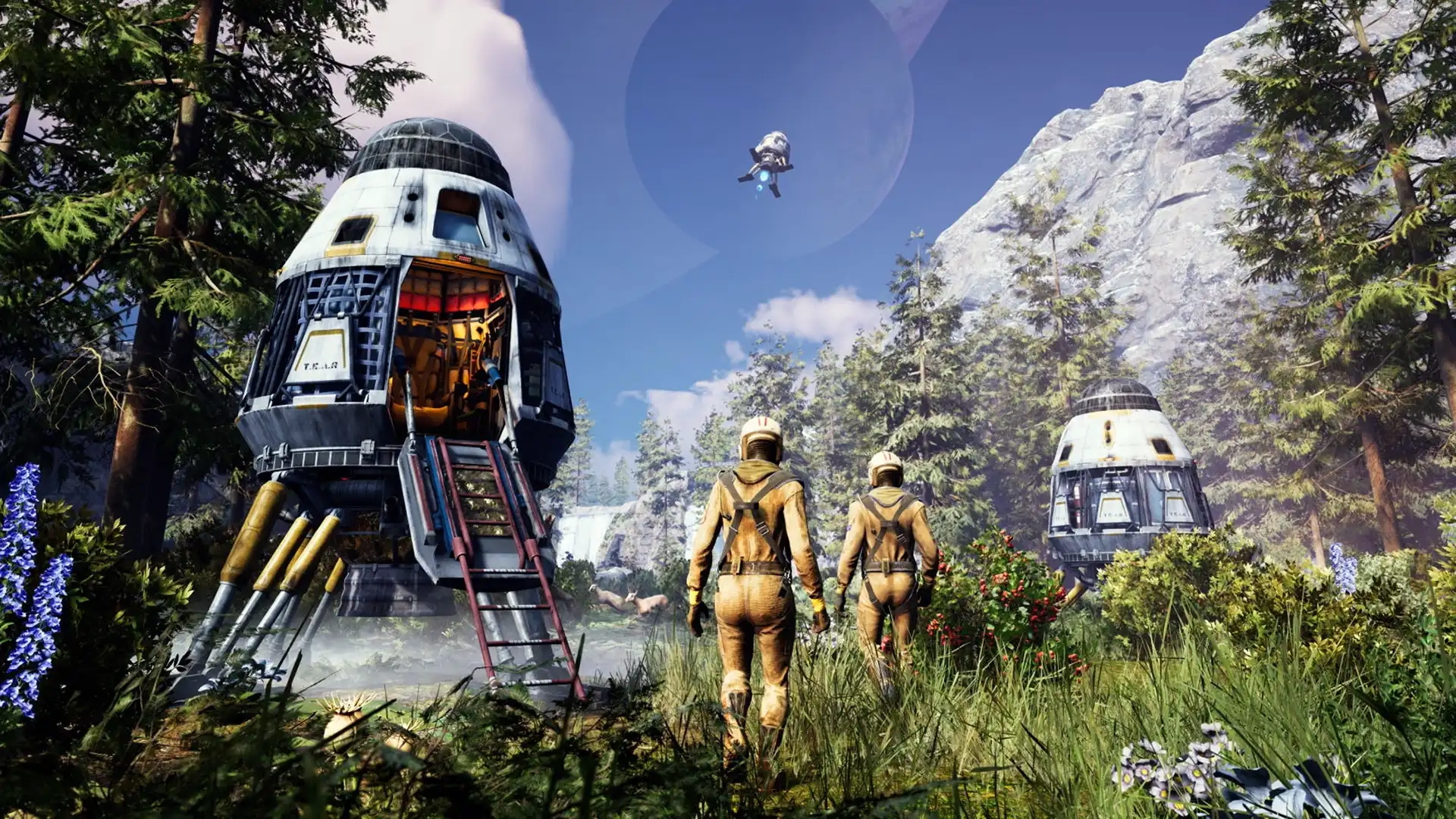
Icarus Controls Guide (PC, Console)
Pubblicato il da

Condividi:

Condividi su X

Condividi su Facebook

Condividi su Threads

Condividi su Bluesky

Copia negli Appunti

Condividi via email
The world of Icarus tests each player’s ability to survive, and mastering the game’s controls improves your chances of walking off a ferocious Grizzly Bear attack. Whether you’re commanding your character with a controller or a keyboard & mouse, the in-game controls can become your lifeline. So, start your journey to becoming a master Prospector by understanding the game’s controls through this guide.
 Consider this Icarus Controls Guide to be a control room schematic. Below are the default keybinds across the game’s PC and console editions. That said, feel free to rebind the control schemes to tailor them to your unique playstyle, especially for combat and crafting.
Note: The controls mentioned below are for the game’s PC and PS5 editions. Follow this page for updates on the game’s Xbox controls.
Consider this Icarus Controls Guide to be a control room schematic. Below are the default keybinds across the game’s PC and console editions. That said, feel free to rebind the control schemes to tailor them to your unique playstyle, especially for combat and crafting.
Note: The controls mentioned below are for the game’s PC and PS5 editions. Follow this page for updates on the game’s Xbox controls.
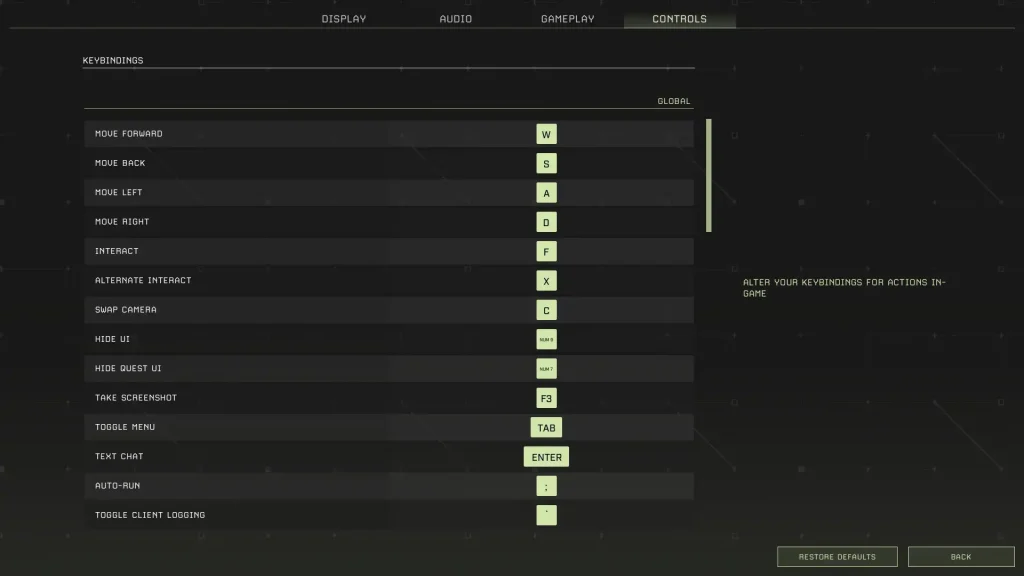
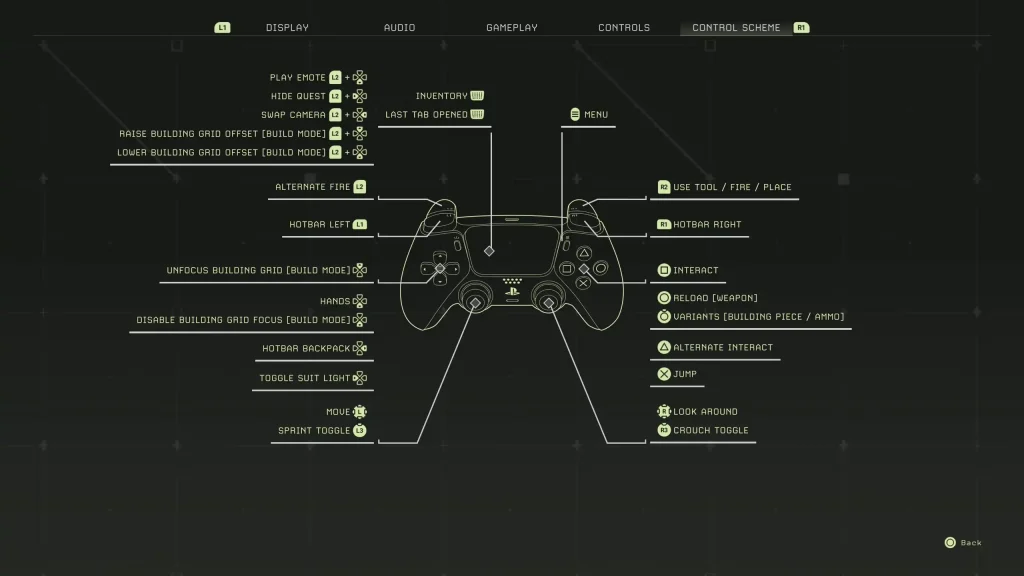
Icarus Controls for PC & Console Editions
Consider this Icarus Controls Guide to be a control room schematic. Below are the default keybinds across the game’s PC and console editions. That said, feel free to rebind the control schemes to tailor them to your unique playstyle, especially for combat and crafting.
Note: The controls mentioned below are for the game’s PC and PS5 editions. Follow this page for updates on the game’s Xbox controls.
Icarus PC Controls (Keyboard & Mouse)
Global Controls
- Move Forward: W
- Move Back: S
- Move Left: A
- Move Right: D
- Interact: F
- Alternate Interact: X
- Swap Camera: C
- Hide UI: Numpad 9
- Hide Quest UI: Numpad 7
- Take Screenshot: F3
- Toggle Menu: Tab
- Text Chat: Enter
- Auto Run: Semicolon (;)
- Toggle Client Logging: Backtick (`)
- Open Field Guide: J
- Open Field Guide to Index: F1
- Loot All: Q
Player Controls (On Foot)
- Free Look: Left ALT
- Sprint: Left SHIFT
- Jump: Space
- Crouch: Left CTRL
- Hands: H
- Hotbar Forward: Mouse scroll wheel down
- Hotbar Back: Mouse scroll wheel up
- Hotbar 1: 1
- Hotbar 2: 2
- Hotbar 3: 3
- Hotbar 4: 4
- Hotbar 5: 5
- Hotbar 6: 6
- Hotbar 7: 7
- Hotbar 8: 8
- Hotbar 9: 9
- Hotbar 0: 0
- Hotbar Backpack: G
- Destroy Building Piece: Y
- Unfocus Building Grid: END
- Disable Building Grid Focus: HOME
- Raise Building Grid Offset: Page Up
- Lower Building Grid Offset: Page Down
- Toggle Suit Light: L
- Play Emote: Numpad +
- Toggle Photo Mode: Numpad 8
Weapons Controls
- Fire: Left mouse button
- Alternate Fire: Right mouse button
- Reload: R
In Prospect Controls
- Inventory: I
- Crafting: O
- Map: M
- Tech: P
Tamed Creatures Controls
- Toggle Stay/Follow: Slash (/)
- Cycle Combat Behavior: INSERT/DELETE
- Nearby Tamed Creatures Follow: Left Bracket ([)
- Nearby Tamed Creatures Stay: Right Bracket (])
Icarus PlayStation 5 Controls
- Play Emote: L2 + Down directional button
- Hide Quest: L2 + Left directional button
- Swap Camera: L2 + Right directional button
- Raise Building Grid Offset (Build Mode): L2 + Up directional button
- Lower Building Grid Offset (Build Mode): L2 + Down directional button
- Alternate Fire: L2
- Hotbar Left: L1
- Unfocus Building Grid (Build Mode): Up directional button
- Hands: Down Directional Button
- Disable Building Grid Focus (Build Mode): Down directional button
- Hotbar Backpack: Right directional button
- Toggle Suit Light: Left directional button
- Basic Movement: Left analog stick
- Sprint Toggle: L3
- Inventory/Last Tab Opened: Press the touchpad
- Menu: Options button
- Use Tool/Fire/Place: R2
- Hotbar Right: R1
- Interact: Square
- Reload (Weapon): Circle
- Variants (Building Piece/Ammo): Hold Circle
- Alternate Interact: Triangle
- Jump: X
- Look Around: Right analog stick
- Crouch Toggle: R3
Crea il tuo server
Icarus
Icarus
Scegli un piano, seleziona un gioco e gioca con i tuoi amici!
Iscriviti alla nostra Newsletter
Iscriviti per ricevere gli ultimi aggiornamenti sul mondo del gaming!

Unisciti al nostro Discord
Entra a far parte della nostra community con oltre 20.000 membri appassionati come te!
Come valuteresti questo blog?
Condividi la tua opinione e aiutaci a migliorare sempre di più i nostri blog!
Non mi è piaciuto
Neutrale
Mi è piaciuto

Hai bisogno di un server di gioco?
Noleggia un server di gioco dove tu e i tuoi amici potrete giocare in privato con bassa latenza e impostazioni personalizzate. Scegli tra 110+ giochi, invita persone da tutto il mondo, goditi le partite private o costruisci la tua community online con le tue regole.

Blog Pertinenti







SCOPRI LE ULTIME NOVITÀ!
Iscriviti alla nostra newsletter per ricevere aggiornamenti sui nostri giochi ospitati, novità aziendali e offerte esclusive. Rimani sempre aggiornato!













