

Hytale: How to Convert a Minecraft Build Into a Prefab
Pubblicato il da

Condividi:

Condividi su X

Condividi su Facebook

Condividi su Threads

Condividi su Bluesky

Copia negli Appunti

Condividi via email
Prefabs, or prefabricated content, are objects, structures, or blocks placed throughout Hytale. But what if you can turn one of your elaborate Minecraft creations into Hytale? You’re probably thinking that it’s going to take hours of building and resource gathering to recreate that masterpiece. Thankfully, it’s possible to transform your Minecraft build into a Hytale prefab, and we’re here to show you how through this guide!
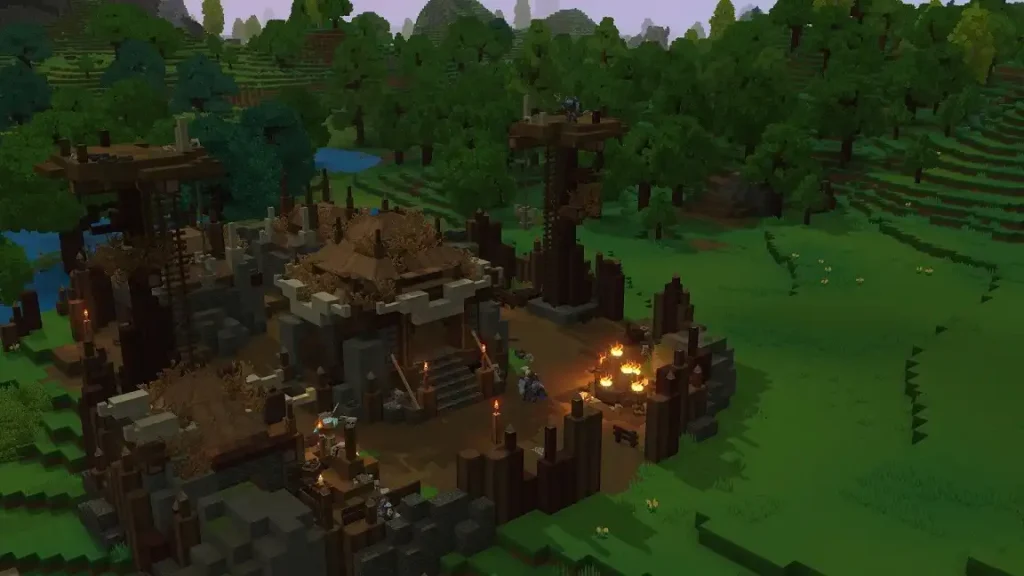 Converting a Minecraft build into a Hytale prefab is possible through Skytale’s Hytale Converter tool. This free online tool converts Minecraft .schematic, .schem, and .litematic files into prefab.json files for Hytale.
The tool is also reasonably straightforward to use. Simply upload the Minecraft schematic file into the converter, and click the “Convert file” button. Wait for the site to finish processing the file. Then, upload the newly converted prefab into Hytale.
The next step depends on whether you’re going to use the new prefab in single player mode or in a dedicated Hytale server. If you want to use the prefab as a solo player, move the downloaded file to the following path on your PC: C:\User\[Name]\AppData\Roaming\Hytale\UserData\Saves\[NomDuMonde]\prefabs. Otherwise, upload the file to the following folder if you’re an administrator of the Hytale server: \hytale\Server\prefabs.
With the file in the correct folder, launch Hytale and enter your world. Next, access Creative Mode, and then navigate to the “Creative Tools” tab by pressing “B” on your keyboard (by default).
Here, hover your mouse above the “World” dropdown menu, and then select “Prefabs.” If the previous steps were done correctly, the file should appear on your screen. Select it, and then place your Minecraft build into the Hytale world.
Remember, most standard Minecraft blocks can be converted into prefabs. However, some blocks, especially those from Minecraft mods, may not appear or function the same way upon converting them into Hytale prefabs. If so, some manual adjustments might be required to make them look and/or work as intended.
Converting a Minecraft build into a Hytale prefab is possible through Skytale’s Hytale Converter tool. This free online tool converts Minecraft .schematic, .schem, and .litematic files into prefab.json files for Hytale.
The tool is also reasonably straightforward to use. Simply upload the Minecraft schematic file into the converter, and click the “Convert file” button. Wait for the site to finish processing the file. Then, upload the newly converted prefab into Hytale.
The next step depends on whether you’re going to use the new prefab in single player mode or in a dedicated Hytale server. If you want to use the prefab as a solo player, move the downloaded file to the following path on your PC: C:\User\[Name]\AppData\Roaming\Hytale\UserData\Saves\[NomDuMonde]\prefabs. Otherwise, upload the file to the following folder if you’re an administrator of the Hytale server: \hytale\Server\prefabs.
With the file in the correct folder, launch Hytale and enter your world. Next, access Creative Mode, and then navigate to the “Creative Tools” tab by pressing “B” on your keyboard (by default).
Here, hover your mouse above the “World” dropdown menu, and then select “Prefabs.” If the previous steps were done correctly, the file should appear on your screen. Select it, and then place your Minecraft build into the Hytale world.
Remember, most standard Minecraft blocks can be converted into prefabs. However, some blocks, especially those from Minecraft mods, may not appear or function the same way upon converting them into Hytale prefabs. If so, some manual adjustments might be required to make them look and/or work as intended.
How to Convert a Minecraft Build Into a Hytale Prefab
Converting a Minecraft build into a Hytale prefab is possible through Skytale’s Hytale Converter tool. This free online tool converts Minecraft .schematic, .schem, and .litematic files into prefab.json files for Hytale.
The tool is also reasonably straightforward to use. Simply upload the Minecraft schematic file into the converter, and click the “Convert file” button. Wait for the site to finish processing the file. Then, upload the newly converted prefab into Hytale.
The next step depends on whether you’re going to use the new prefab in single player mode or in a dedicated Hytale server. If you want to use the prefab as a solo player, move the downloaded file to the following path on your PC: C:\User\[Name]\AppData\Roaming\Hytale\UserData\Saves\[NomDuMonde]\prefabs. Otherwise, upload the file to the following folder if you’re an administrator of the Hytale server: \hytale\Server\prefabs.
With the file in the correct folder, launch Hytale and enter your world. Next, access Creative Mode, and then navigate to the “Creative Tools” tab by pressing “B” on your keyboard (by default).
Here, hover your mouse above the “World” dropdown menu, and then select “Prefabs.” If the previous steps were done correctly, the file should appear on your screen. Select it, and then place your Minecraft build into the Hytale world.
Remember, most standard Minecraft blocks can be converted into prefabs. However, some blocks, especially those from Minecraft mods, may not appear or function the same way upon converting them into Hytale prefabs. If so, some manual adjustments might be required to make them look and/or work as intended.Crea il tuo server
Hytale
Hytale
Scegli un piano, seleziona un gioco e gioca con i tuoi amici!
Iscriviti alla nostra Newsletter
Iscriviti per ricevere gli ultimi aggiornamenti sul mondo del gaming!

Unisciti al nostro Discord
Entra a far parte della nostra community con oltre 20.000 membri appassionati come te!
Come valuteresti questo blog?
Condividi la tua opinione e aiutaci a migliorare sempre di più i nostri blog!
Non mi è piaciuto
Neutrale
Mi è piaciuto

Hai bisogno di un server di gioco?
Noleggia un server di gioco dove tu e i tuoi amici potrete giocare in privato con bassa latenza e impostazioni personalizzate. Scegli tra 110+ giochi, invita persone da tutto il mondo, goditi le partite private o costruisci la tua community online con le tue regole.

Blog Pertinenti







SCOPRI LE ULTIME NOVITÀ!
Iscriviti alla nostra newsletter per ricevere aggiornamenti sui nostri giochi ospitati, novità aziendali e offerte esclusive. Rimani sempre aggiornato!













