



Condividi su X

Condividi su Facebook

Condividi su Threads

Condividi su Bluesky

Copia negli Appunti

Condividi via email
Valheim has taken the gaming world by storm, and in less than a month has sold over 3 million copies while still in early access!
The game puts players in a magical world full of triumphs and challenges, and to make it even better, you can bring your friends too.
To play multiplayer Valheim around the clock, however, you may want to host your own Valheim dedicated server.
Here’s how to do exactly that.
Hosting A Valheim Server
To host your own multiplayer lobby in Valheim is simple. You simply create a password (or play without it), tell your friends, send an invite, and it’s all taken care of.

But once the lobby host closes their game, your Valheim world goes with it.
That’s why players turn to hosting a dedicated server in Valheim.
The purpose of a Valheim dedicated server is simple - to allow the game world to be more consistent, optimized, and away from down time.
DON’T MISS IT: The Top 5 Valheim Mods You Need For Your Server
That is, as long as it’s done correctly.
How to Host a Dedicated Server in Valheim
To take your Valheim game to the next level and upgrade the experience entirely, hosting a dedicated server in Valheim is the clear-cut answer.

Here’s what you’ll need to do to set it up.
- Browse your Steam library for Valheim Dedicated Server under Tools (must be toggled on first).
- Install this program, then visit its folder.
- Decide on whether you’ll host your Valheim dedicated server on your own machine, or a separate one entirely.
- Visit your folder location for Valheim, then go to the Worlds folder. Transfer these files to the PC you’ll be hosting your dedicated server on. If you’re hosting on your own machine - skip this step.
- Now, go to the following file location (barring any changes you might’ve made) - C:\Program Files (x86)\Steam\steamapps\common\Valheim Dedicated Server.
- Right click on “start_headless_server” and select edit.
- Find the following spaces in the text “name” “world” “password”. These should already have information after them, which you will now adjust.
- For name, replace the info with what you want your server name to be. This isn't the same as your world save name, which must be different.
- For world, input what you want your world save name to be. Make sure it’s different from the server name.
- For password, input whatever you want your server password to be - and don’t forget it!
- From here, click “start_headless_server” - and your world should come alive!
- Your players can find your server in the community listings if you made it public, or via accessing View, then Servers in Steam from the Favorites tab.
DON’T MISS IT: How to Tame Animals in Valheim
Using a Server Hosting Service
Many players want to have their own Valheim server without having to deal with hosting or managing it. This is where server hosting services can be a great alternative. And the benefit of hosting services can be measured in their popularity; the global web hosting services market is expected to grow from $102 billion in value to $321.5 billion by 2025.
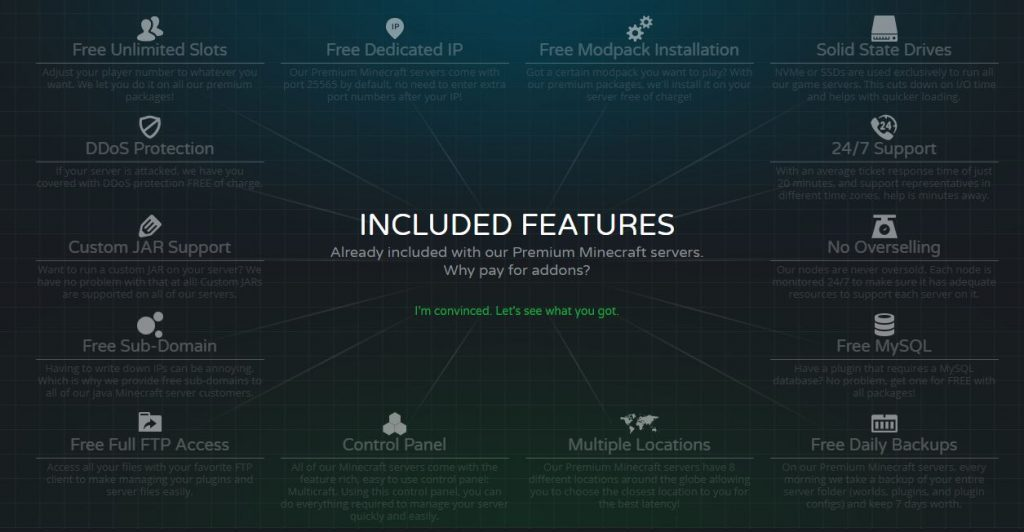
These servers hosting services have plenty of benefits - including better performance, backups, management resources, personal assistance, and more.
If you’re looking for a server hosting service for your Valheim world, look no further.
Iscriviti per ricevere gli ultimi aggiornamenti sul mondo del gaming!

Entra a far parte della nostra community con oltre 20.000 membri appassionati come te!
Come valuteresti questo blog?


Blog Pertinenti







SCOPRI LE ULTIME NOVITÀ!
Iscriviti alla nostra newsletter per ricevere aggiornamenti sui nostri giochi ospitati, novità aziendali e offerte esclusive. Rimani sempre aggiornato!













