

How to Get the Minecraft Creeper Cape
Pubblicato il da

Condividi:

Condividi su X

Condividi su Facebook

Condividi su Threads

Condividi su Bluesky

Copia negli Appunti

Condividi via email
(Estimated Read Time: 3 Minutes)
Minecraft's 15th anniversary is on the horizon, meaning celebrations galore! But this year, an unintentional sneak peek has shown us one of the goodies in store. So, today, we explore how to get the Minecraft creeper cape as per the official Minecraft website's unintentional leaks.What Are Minecraft Capes?
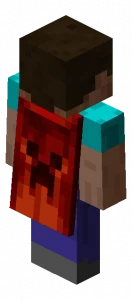 Capes in Minecraft are a cosmetic option one can select alongside their skin. However, unlike skins which are available to everyone, capes are exclusive rewards, or cosmetics Bedrock Edition users can purchase in the Minecraft store. Very few capes are available for Java Edition, so it's important to grab them before they're gone!
How to Get the Minecraft Creeper Cape
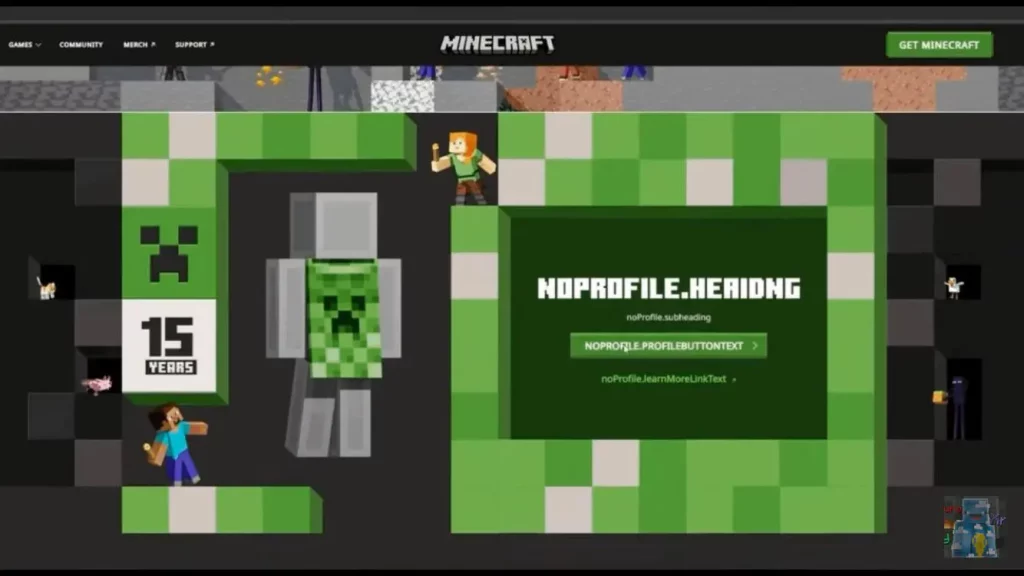 In celebration of Minecraft's 15th anniversary, everyone is receiving a limited-time creeper cape as a reward! Both Java Edition and Bedrock Edition users will be able to obtain their cape by going to a currently unavailable webpage, which we will link to here as soon as it appears.
Once available, it should be as simple as clicking claim on a large green button while logged in, assuming the leaked page remains the same. In either case, one thing is certain: it will be a limited-time reward, so be sure to get it before it disappears! We will be sure to have the exact dates listed here.
In celebration of Minecraft's 15th anniversary, everyone is receiving a limited-time creeper cape as a reward! Both Java Edition and Bedrock Edition users will be able to obtain their cape by going to a currently unavailable webpage, which we will link to here as soon as it appears.
Once available, it should be as simple as clicking claim on a large green button while logged in, assuming the leaked page remains the same. In either case, one thing is certain: it will be a limited-time reward, so be sure to get it before it disappears! We will be sure to have the exact dates listed here.
How to Change Capes: Minecraft Creeper Cape Java Edition
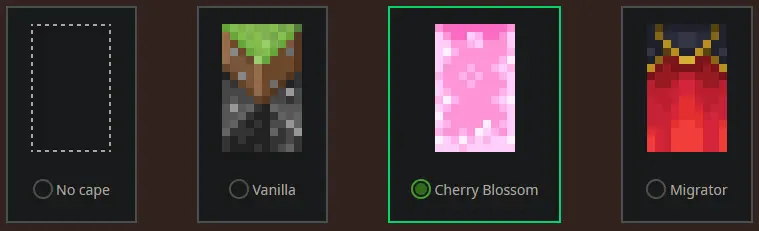 To check if you have any capes or to change the one you are wearing on Java Edition, simply open the official Minecraft website and follow the steps below.
- Select "Account" in the top right corner and then "Login."
- Click "My Games" on the left side of your Minecraft profile.
- Under "Minecraft: Java Edition," select "Change Skin."
- Scroll down to "Change Your Cape - PC/Mac."
- Click your desired cape.
How to Change Capes: Minecraft Creeper Cape Bedrock Edition
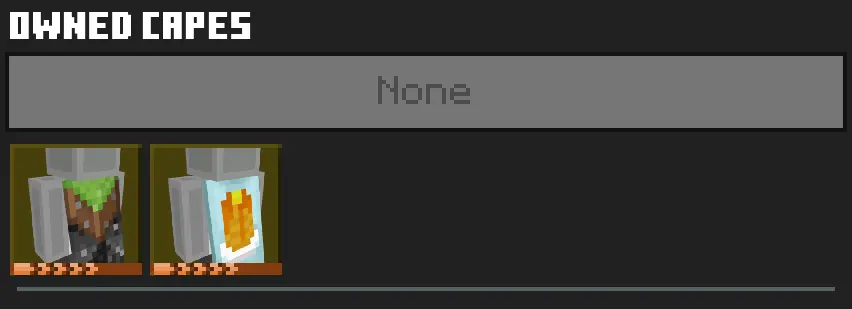 To check if you have any capes or to change the one you are wearing on Bedrock Edition, simply open the Bedrock Edition client and follow the steps below.
- Login to the Minecraft Bedrock Edition client.
- Select "Dressing Room."
- Click the red cape icon on the left side of the screen.
- Pick your desired cape and select "Equipped."
Crea il tuo server
Minecraft
Minecraft
Scegli un piano, seleziona un gioco e gioca con i tuoi amici!
Iscriviti alla nostra Newsletter
Iscriviti per ricevere gli ultimi aggiornamenti sul mondo del gaming!

Unisciti al nostro Discord
Entra a far parte della nostra community con oltre 20.000 membri appassionati come te!
Come valuteresti questo blog?
Condividi la tua opinione e aiutaci a migliorare sempre di più i nostri blog!
Non mi è piaciuto
Neutrale
Mi è piaciuto

Hai bisogno di un server di gioco?
Noleggia un server di gioco dove tu e i tuoi amici potrete giocare in privato con bassa latenza e impostazioni personalizzate. Scegli tra 110+ giochi, invita persone da tutto il mondo, goditi le partite private o costruisci la tua community online con le tue regole.

Blog Pertinenti







SCOPRI LE ULTIME NOVITÀ!
Iscriviti alla nostra newsletter per ricevere aggiornamenti sui nostri giochi ospitati, novità aziendali e offerte esclusive. Rimani sempre aggiornato!













