

How to Enable Vibrant Visuals in Minecraft
Pubblicato il da

Condividi:

Condividi su X

Condividi su Facebook

Condividi su Threads

Condividi su Bluesky

Copia negli Appunti

Condividi via email
Vibrant Visuals has arrived, allowing many players to enjoy the wonders of shaders for the very first time. But where is the setting found, and how is it enabled? Today, we answer that and more in “How to enable Vibrant Visuals in Minecraft.”
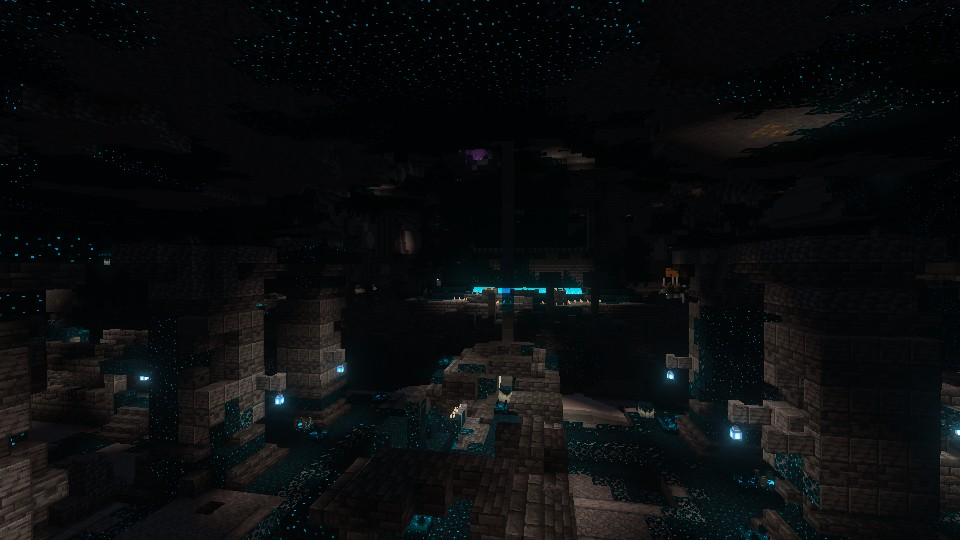
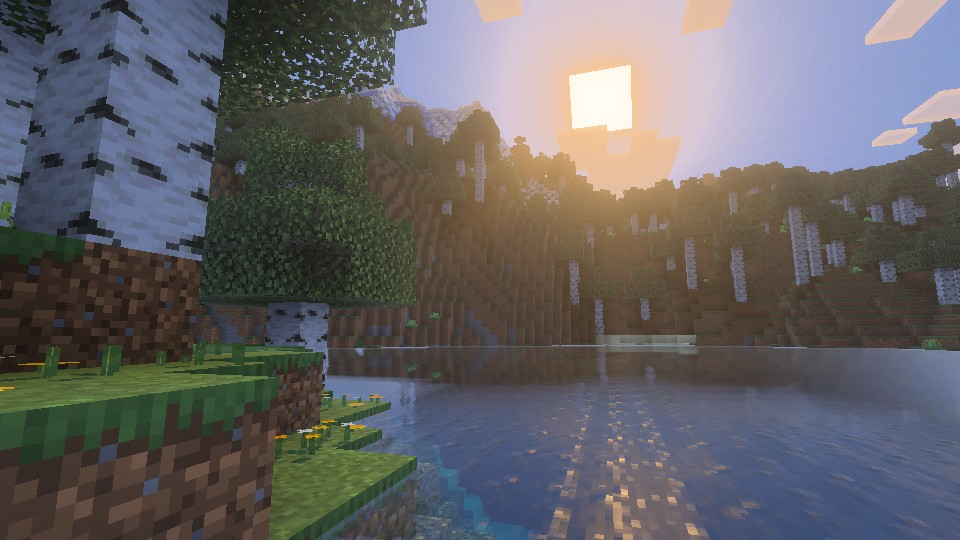 Added to Bedrock Edition in Minecraft 1.21.6 Chase the Skies, Vibrant Visuals is a new graphics setting above fancy that updates select textures, makes water and the light that passes through it more realistic, and adds dynamic lighting with shadows that are accurate down to the pixel.
The setting is entirely optional and can be enabled or disabled at any time, including while in-game.
Added to Bedrock Edition in Minecraft 1.21.6 Chase the Skies, Vibrant Visuals is a new graphics setting above fancy that updates select textures, makes water and the light that passes through it more realistic, and adds dynamic lighting with shadows that are accurate down to the pixel.
The setting is entirely optional and can be enabled or disabled at any time, including while in-game.
 Vibrant Visuals is not currently available for Minecraft Java Edition, but Mojang has confirmed that it will be released at some point down the line. They want to get everything just right in Bedrock before copying the project over to Java Edition in its finished form. Sadly, no specific release date has been given at this time.
What Is Vibrant Visuals?
Added to Bedrock Edition in Minecraft 1.21.6 Chase the Skies, Vibrant Visuals is a new graphics setting above fancy that updates select textures, makes water and the light that passes through it more realistic, and adds dynamic lighting with shadows that are accurate down to the pixel.
The setting is entirely optional and can be enabled or disabled at any time, including while in-game.
How to Enable Vibrant Visuals in Minecraft
- Open Minecraft Bedrock Edition
- Click “Settings”
- Click “Video”
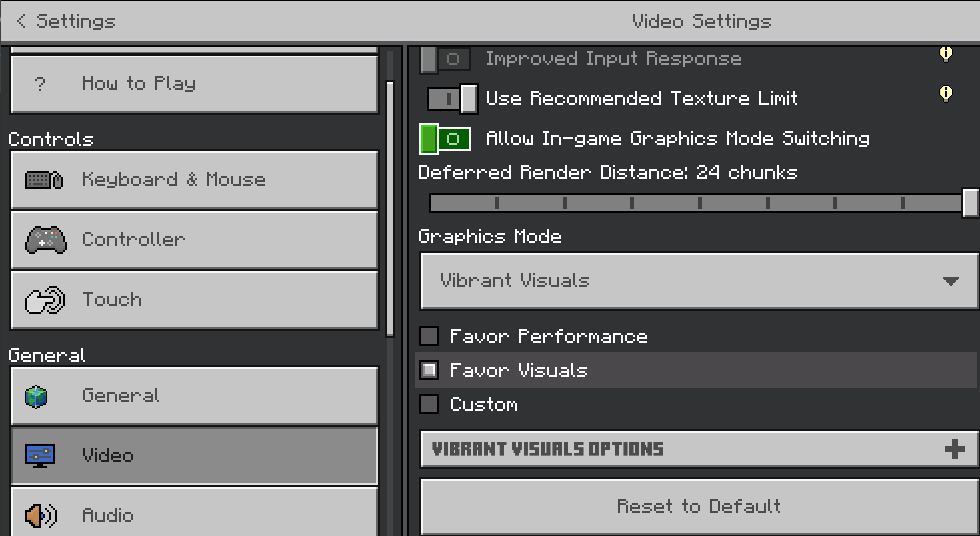
- Scroll Down to “Graphics Mode”
- Select “Vibrant Visuals” From the Dropdown Menu
- Select “Favor Performance” or “Favor Visuals” Based on Preference and Hardware
- Leave the Settings and Enjoy the Visuals In-Game
Will It Release on Minecraft Java Edition?
Vibrant Visuals is not currently available for Minecraft Java Edition, but Mojang has confirmed that it will be released at some point down the line. They want to get everything just right in Bedrock before copying the project over to Java Edition in its finished form. Sadly, no specific release date has been given at this time.Crea il tuo server
Minecraft
Minecraft
Scegli un piano, seleziona un gioco e gioca con i tuoi amici!
Iscriviti alla nostra Newsletter
Iscriviti per ricevere gli ultimi aggiornamenti sul mondo del gaming!

Unisciti al nostro Discord
Entra a far parte della nostra community con oltre 20.000 membri appassionati come te!
Come valuteresti questo blog?
Condividi la tua opinione e aiutaci a migliorare sempre di più i nostri blog!
Non mi è piaciuto
Neutrale
Mi è piaciuto

Hai bisogno di un server di gioco?
Noleggia un server di gioco dove tu e i tuoi amici potrete giocare in privato con bassa latenza e impostazioni personalizzate. Scegli tra 110+ giochi, invita persone da tutto il mondo, goditi le partite private o costruisci la tua community online con le tue regole.

Blog Pertinenti







SCOPRI LE ULTIME NOVITÀ!
Iscriviti alla nostra newsletter per ricevere aggiornamenti sui nostri giochi ospitati, novità aziendali e offerte esclusive. Rimani sempre aggiornato!













