What is the Minecraft2Shell Vulnerability?
Publié le par

Partager :

Partager sur X

Partager sur Facebook

Partager sur Threads

Partager sur Bluesky

Copier dans le presse-papiers

Partager par e-mail
In the digital age, cybersecurity is more important than ever. But threats can come from areas least expected, even with great caution. Today, we answer the question “What is the Minecraft2Shell Vulnerability?”
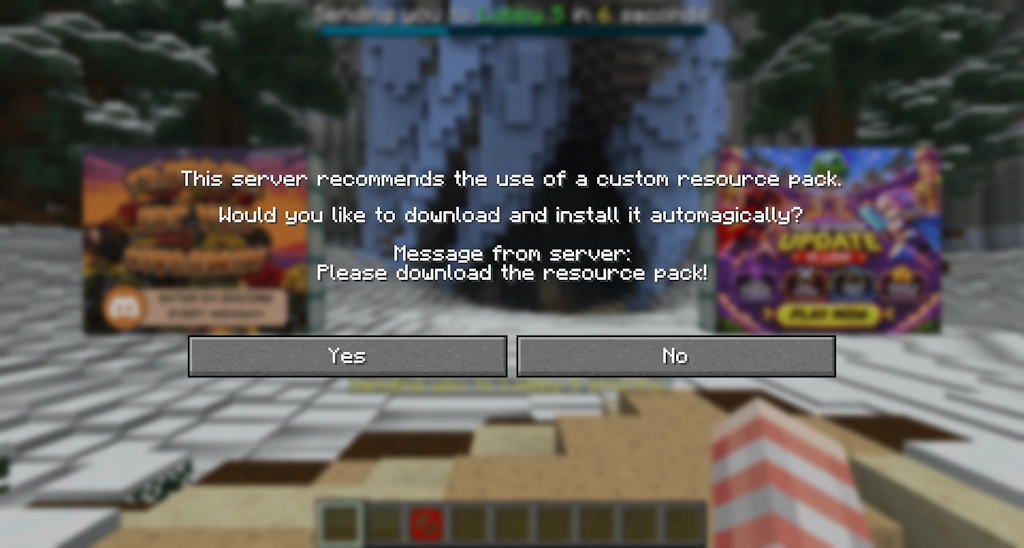 The Minecraft2Shell vulnerability allowed Java Edition server operators to use server-side resource packs, which players can opt to download when joining their servers, to run commands on the downloader’s PC. For example, a command could be run by the malicious operator to open multiple programs. Thankfully, Mojang has since fixed this vulnerability, and it is no longer a threat to those using the latest version on the official Minecraft launcher.
 Minecraft is largely safe to trust, and resource packs, despite being third-party, typically are as well. But it is always best to proceed with some caution. Avoid joining servers or downloading resource packs from servers you do not know or trust. And, most importantly, always ensure servers must ask your permission before downloading anything.
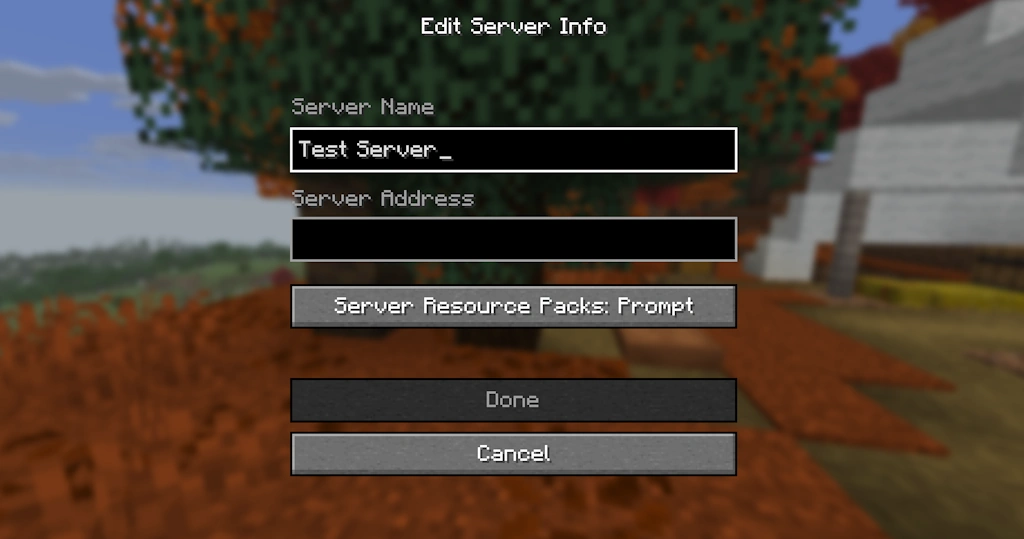
Asking to download resource packs is the default setting for Minecraft. However, if allowed for an individual server, that specific server retains permission to install resource packs in the future. The steps below can be used to change these servers back to the prompt setting so that they must continue to ask.
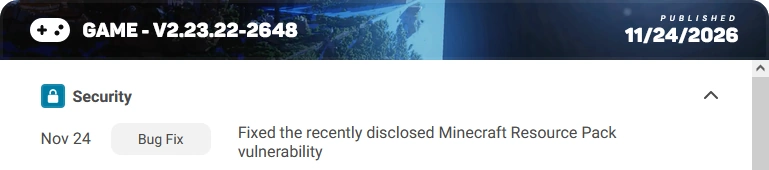 We recommend those on third-party clients confirm that the developers have applied the latest security update from Mojang. Most large clients will have an announcement regarding progress for serious issues such as this within the client, through their social media, or on their website. Lunar client, for example, confirmed the fix within their changelog for client version 2.23.22-2648 on November 24, 2026.
What is the Minecraft2Shell Vulnerability?
The Minecraft2Shell vulnerability allowed Java Edition server operators to use server-side resource packs, which players can opt to download when joining their servers, to run commands on the downloader’s PC. For example, a command could be run by the malicious operator to open multiple programs. Thankfully, Mojang has since fixed this vulnerability, and it is no longer a threat to those using the latest version on the official Minecraft launcher.
Safety & Security
Minecraft is largely safe to trust, and resource packs, despite being third-party, typically are as well. But it is always best to proceed with some caution. Avoid joining servers or downloading resource packs from servers you do not know or trust. And, most importantly, always ensure servers must ask your permission before downloading anything.
Asking to download resource packs is the default setting for Minecraft. However, if allowed for an individual server, that specific server retains permission to install resource packs in the future. The steps below can be used to change these servers back to the prompt setting so that they must continue to ask.
- Open Minecraft Java Edition.
- Click “Multiplayer”.
- Select a server.
- Click “Edit”.
- If Server Resource Packs are “Enabled”, click the button until it becomes “Prompt”.
- Return to step 3 and repeat the process for the next saved server.
Third Party Clients
We recommend those on third-party clients confirm that the developers have applied the latest security update from Mojang. Most large clients will have an announcement regarding progress for serious issues such as this within the client, through their social media, or on their website. Lunar client, for example, confirmed the fix within their changelog for client version 2.23.22-2648 on November 24, 2026.Créez votre propre
serveur Minecraft
Choisissez un plan, sélectionnez un jeu et jouez avec vos amis !
Abonnez-vous à notre newsletter
Abonnez-vous pour recevoir les dernières mises à jour sur l'univers du jeu vidéo !

Rejoignez notre Discord
Rejoignez notre communauté de plus de 20 000 membres passionnés !
Comment évalueriez-vous ce blog ?
Partagez votre avis et aidez-nous à améliorer nos blogs !
Pas aimé
Neutre
Aimé

Besoin d'un serveur de jeu ?
Louez un serveur de jeu où vous et vos amis pouvez jouer en privé avec une faible latence et des paramètres personnalisés. Choisissez parmi 120+ jeux, invitez des joueurs du monde entier et profitez de parties privées, ou créez votre propre communauté en ligne avec vos propres règles.

Blogs pertinents






OBTENEZ LES DERNIÈRES INFOS !
Inscrivez-vous à nos e-mails pour obtenir des mises à jour sur nos jeux hébergés, des nouvelles de l'entreprise et des offres exclusives. Restez au courant !