

Once Human Controls Guide: All PC & Controller Keybinds (Xbox, PlayStation)
Publié le par

Partager :

Partager sur X

Partager sur Facebook

Partager sur Threads

Partager sur Bluesky

Copier dans le presse-papiers

Partager par e-mail
There is danger around every corner in the surreal apocalypse of Once Human. While the game has a tutorial that teaches you the basics, it's always good to brush up on the game's controls when starting. We've gathered all the info you need on Once Human controls when playing on PC with a mouse & keyboard or controller.
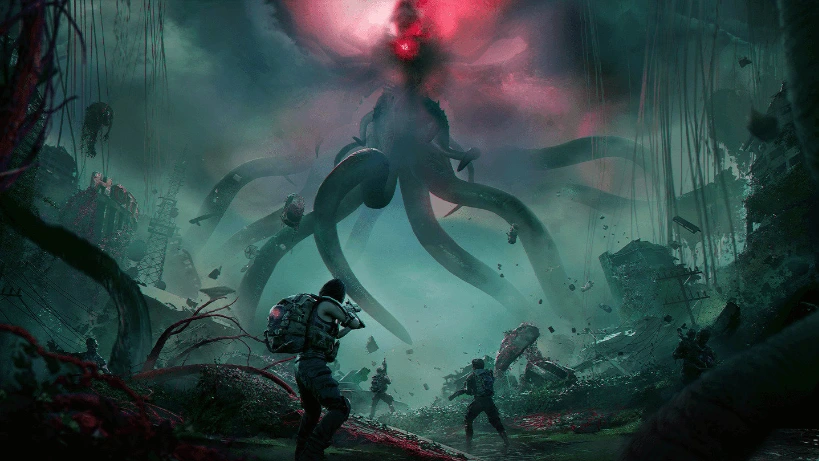 In Once Human, you'll need to manage basic exploration and combat controls. However, you also need to manage situational controls, such as navigating the game's interface, driving vehicles, and more. Pay careful attention to the game's tutorials to learn how everything works. However, you can always return to our handy guide if you need a reminder!
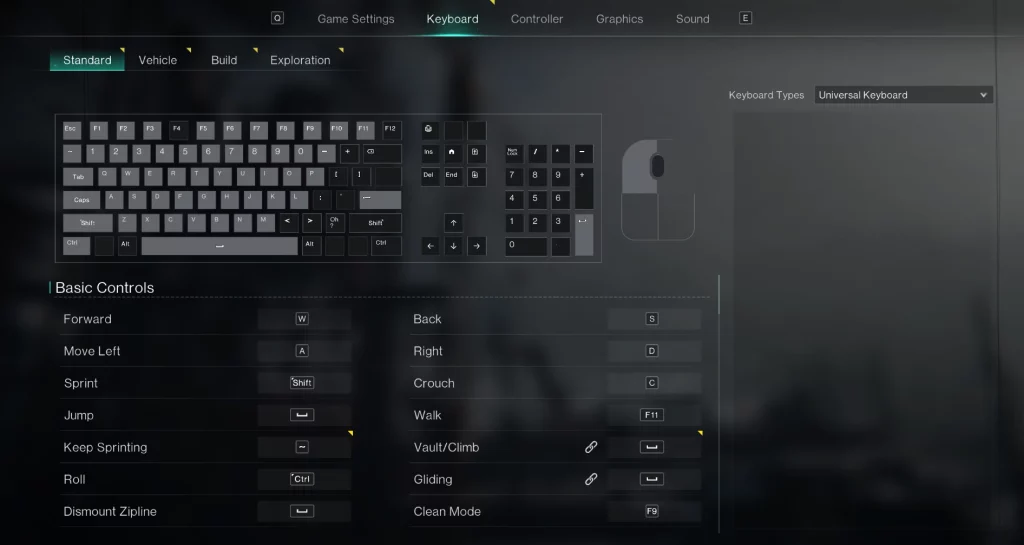
Once Human Controls & Keybinds (PC)
In Once Human, you'll need to manage basic exploration and combat controls. However, you also need to manage situational controls, such as navigating the game's interface, driving vehicles, and more. Pay careful attention to the game's tutorials to learn how everything works. However, you can always return to our handy guide if you need a reminder!
Basic Controls
- Forward: W
- Back: S
- Move Left: A
- Move Right: D
- Sprint: Shift
- Crouch: C
- Jump: Spacebar
- Walk: F11
- Keep Sprinting: ~
- Vault/Climb: Spacebar
- Roll: Ctrl
- Gliding: Spacebar
- Dismount Zipline: Spacebar
- Clean Mode: F9
Common Functions
- Summon Vehicles: G
- Interact with Target: F
- Spacetime: Q
- Collect Water: G
- Launch PvP: P
- Camp: T
- Function Wheel: Tab
- Expressions Wheel: X
- Quick Pin: Click in Scroll Wheel
- Track Task: Y
- Flashlight: N
- Pin Wheel: Click in Scroll Wheel
- Whispers: H
- Check Player: Z
System Interface
- Item Backpack: I
- Gear Backpack: K
- Cradle: O
- Blueprint: Unbound by default
- Mods: Unbound by default
- Cosmetics: Unbound by default
- World Map: M
- Task: L
- Journey: J
- Survival Manual: F6
- Field Guide: Unbound by default
- Build: B
- Team: U
- HIVE: Unbound by default
- Warband: Unbound by default
- Shop: F2
- Battle Pass: Unbound by default
- Sign Up: Y
- Events: F3
- Settings: Unbound by default
- System Menu: Esc
- Manage Eternaland: F7
- Logistics: F8
Combat
- Fire: Left Mouse Click
- Aim: Right Mouse Click
- Reload: R
- Switch to OTS: Right Mouse Click
- Weapon 1: 1
- Weapon 2: 2
- Switch to Melee Weapon: 3
- Quick Switch Weapon: Use Scroll Wheel
- Holster Weapon: H
- Switch Camera: Caps
- Melee Attack: V
- Melee Heavy Attack: Right Mouse Click
- Place Vehicle_Exit: Esc
- Place Vehicle_Confirm: Left Mouse Click
- Vehicle Camera Zoom: Alt + Use Scroll Wheel
- Deviation Control: E
- Deviation Battle Skill: E
- Deviation Signature Move: X
Hotbar
- Item 1: 4
- Item 2: 5
- Item 3: 6
- Item 4: 7
- Item 5: 8
- Item 6: 9
- Item 7: 0
- Item 8: -
Chat
- Send Messages: Enter
- Voice Chat: F5
- Open Private Chat: F1
- Interact: H
Story
- Skip Cutscene: Spacebar
- Upload Configuration data: F10
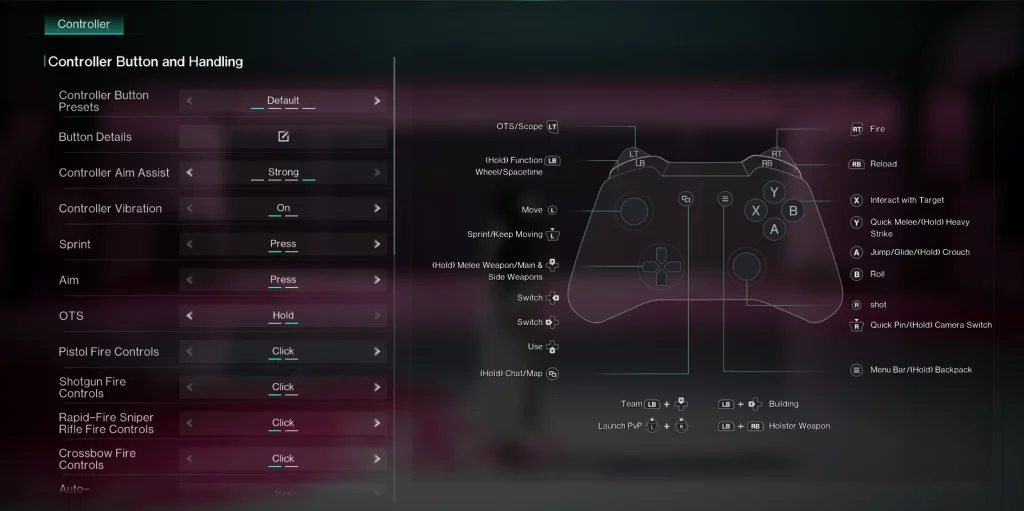
Once Human Controls on Controller (Xbox & PlayStation)
Xbox Controller
- OTS/Scope: LT
- Fire: RT
- (Hold) Function & Wheel/Spacetime: LB
- Reload: RB
- Move: Move Left Stick
- Sprint/Keep Moving: Click in Left Stick
- (Hold) Melee Weapon/Main & Side Weapons: Up on Directional Pad
- Switch: Right & Left on Directional Pad
- Use: Down on Directional Pad
- (Hold) Chat/Map: View Button
- Interact with Target: X
- Quick Melee/(Hold) Heavy Strike: Y
- Jump/Glide/(Hold) Crouch: A
- Roll: B
- Move Camera: Move Right Stick
- Quick Pin/(Hold) Camera Switch: Click in Right Stick
- Menu Bar/(Hold) Backpack: Menu Button
- Team: LB + Up on Directional Pad
- Building: LB + Left on Directional Pad
- Launch PvP: Click in Left Stick + Click in Right Stick
- Holster Weapon: LB + RB
PlayStation Controller
- OTS/Scope: L2
- Fire: R2
- (Hold) Function & Wheel/Spacetime: L1
- Reload: R1
- Move: Move Left Stick
- Sprint/Keep Moving: Click in Left Stick
- (Hold) Melee Weapon/Main & Side Weapons: Up on Directional Pad
- Switch: Right & Left on Directional Pad
- Use: Down on Directional Pad
- (Hold) Chat/Map: Click in Touchpad
- Interact with Target: Square
- Quick Melee/(Hold) Heavy Strike: Triangle
- Jump/Glide/(Hold) Crouch: Cross
- Roll: Circle
- Move Camera: Move Right Stick
- Quick Pin/(Hold) Camera Switch: Click in Right Stick
- Menu Bar/(Hold) Backpack: Options Button
- Team: L1 + Up on Directional Pad
- Building: L1 + Left on Directional Pad
- Launch PvP: Click in Left Stick + Click in Right Stick
- Holster Weapon: L1 + R1
Créez votre propre
serveur Once Human
serveur Once Human
Choisissez un plan, sélectionnez un jeu et jouez avec vos amis !
Abonnez-vous à notre newsletter
Abonnez-vous pour recevoir les dernières mises à jour sur l'univers du jeu vidéo !

Rejoignez notre Discord
Rejoignez notre communauté de plus de 20 000 membres passionnés !
Comment évalueriez-vous ce blog ?
Partagez votre avis et aidez-nous à améliorer nos blogs !
Pas aimé
Neutre
Aimé

Besoin d'un serveur de jeu ?
Louez un serveur de jeu où vous et vos amis pouvez jouer en privé avec une faible latence et des paramètres personnalisés. Choisissez parmi 110+ jeux, invitez des joueurs du monde entier et profitez de parties privées, ou créez votre propre communauté en ligne avec vos propres règles.

Blogs pertinents







OBTENEZ LES DERNIÈRES INFOS !
Inscrivez-vous à nos e-mails pour obtenir des mises à jour sur nos jeux hébergés, des nouvelles de l'entreprise et des offres exclusives. Restez au courant !













