

Minecraft 1.19.81 Update (Bedrock): Patch Notes & How To Install
Publié le par

Partager :

Partager sur X

Partager sur Facebook

Partager sur Threads

Partager sur Bluesky

Copier dans le presse-papiers

Partager par e-mail
The Minecraft community noticed some issues with one of the game’s latest patches. But Mojang, the developer behind this hit sandbox title, released the Minecraft 1.19.81 update to remedy these concerns.
 The Minecraft 1.19.91 update for Bedrock is available for all supported platforms except for the game’s Nintendo Switch version. However, the patch for Nintendo’s current-generation gaming console will soon be available.
This update fixes the following issues:
The Minecraft 1.19.91 update for Bedrock is available for all supported platforms except for the game’s Nintendo Switch version. However, the patch for Nintendo’s current-generation gaming console will soon be available.
This update fixes the following issues:
 An over-the-air (OTA) update should be available for your gaming platform of choice. For example, force the game to update on your device (e.g., Android, iOS, or PS4) by going to the recommended menu.
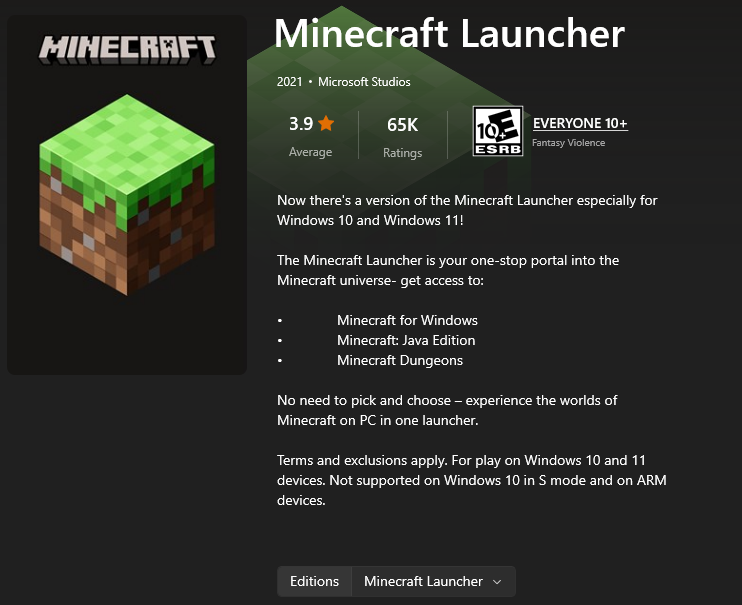
The same goes when you’re playing the game on a Windows PC. Open the Minecraft launcher and select the Bedrock edition. The game should automatically update to the 1.19.81 patch.
But, if the automatic update fails, you may install the patch through the Microsoft Store. Open that app, and click on the Library icon at the bottom left corner of the window.
In the Library window, click the “Get Updates” button at the upper right. Note that the period in which the updates finish depends on the number of detected apps with new patches to be installed. After which, open the Minecraft launcher again and check if the game now has the 1.19.81 patch.
If updating through the Microsoft store still fails, you may also try installing the patch through the Xbox App. Open it, and select “My Library.” Here, search for the Minecraft Bedrock edition and click on it. Then, click on the three dots underneath the banner and force the update from there.
At this point, your Minecraft Bedrock app should have the 1.19.81 patch installed. If not, you may need to uninstall the app and reinstall it to get the update.
You can also try out the new features coming to the game. For instance, you can try the Minecraft 1.20 Snapshot 2317A. Alternatively, you may also want to check out Mojang’s latest game, Minecraft Legends.
An over-the-air (OTA) update should be available for your gaming platform of choice. For example, force the game to update on your device (e.g., Android, iOS, or PS4) by going to the recommended menu.
The same goes when you’re playing the game on a Windows PC. Open the Minecraft launcher and select the Bedrock edition. The game should automatically update to the 1.19.81 patch.
But, if the automatic update fails, you may install the patch through the Microsoft Store. Open that app, and click on the Library icon at the bottom left corner of the window.
In the Library window, click the “Get Updates” button at the upper right. Note that the period in which the updates finish depends on the number of detected apps with new patches to be installed. After which, open the Minecraft launcher again and check if the game now has the 1.19.81 patch.
If updating through the Microsoft store still fails, you may also try installing the patch through the Xbox App. Open it, and select “My Library.” Here, search for the Minecraft Bedrock edition and click on it. Then, click on the three dots underneath the banner and force the update from there.
At this point, your Minecraft Bedrock app should have the 1.19.81 patch installed. If not, you may need to uninstall the app and reinstall it to get the update.
You can also try out the new features coming to the game. For instance, you can try the Minecraft 1.20 Snapshot 2317A. Alternatively, you may also want to check out Mojang’s latest game, Minecraft Legends.
Minecraft 1.19.81 Patch Notes
The Minecraft 1.19.91 update for Bedrock is available for all supported platforms except for the game’s Nintendo Switch version. However, the patch for Nintendo’s current-generation gaming console will soon be available.
This update fixes the following issues:
Realm Crashes
- Fixed a crash with the ‘/tell’ command (and some other commands) that could occur on Realms
Infinite Loading With The Purchase Button
- Fixed an issue with Purchase buttons loading infinitely on Featured Servers
Show More Button Disappearance
- Fixed Featured Server offers not displaying the “Show More” button
How To Install The Minecraft 1.19.81 Update
An over-the-air (OTA) update should be available for your gaming platform of choice. For example, force the game to update on your device (e.g., Android, iOS, or PS4) by going to the recommended menu.
The same goes when you’re playing the game on a Windows PC. Open the Minecraft launcher and select the Bedrock edition. The game should automatically update to the 1.19.81 patch.
But, if the automatic update fails, you may install the patch through the Microsoft Store. Open that app, and click on the Library icon at the bottom left corner of the window.
In the Library window, click the “Get Updates” button at the upper right. Note that the period in which the updates finish depends on the number of detected apps with new patches to be installed. After which, open the Minecraft launcher again and check if the game now has the 1.19.81 patch.
If updating through the Microsoft store still fails, you may also try installing the patch through the Xbox App. Open it, and select “My Library.” Here, search for the Minecraft Bedrock edition and click on it. Then, click on the three dots underneath the banner and force the update from there.
At this point, your Minecraft Bedrock app should have the 1.19.81 patch installed. If not, you may need to uninstall the app and reinstall it to get the update.
You can also try out the new features coming to the game. For instance, you can try the Minecraft 1.20 Snapshot 2317A. Alternatively, you may also want to check out Mojang’s latest game, Minecraft Legends.
Créez votre propre
serveur Minecraft
serveur Minecraft
Choisissez un plan, sélectionnez un jeu et jouez avec vos amis !
Abonnez-vous à notre newsletter
Abonnez-vous pour recevoir les dernières mises à jour sur l'univers du jeu vidéo !

Rejoignez notre Discord
Rejoignez notre communauté de plus de 20 000 membres passionnés !
Comment évalueriez-vous ce blog ?
Partagez votre avis et aidez-nous à améliorer nos blogs !
Pas aimé
Neutre
Aimé

Besoin d'un serveur de jeu ?
Louez un serveur de jeu où vous et vos amis pouvez jouer en privé avec une faible latence et des paramètres personnalisés. Choisissez parmi 110+ jeux, invitez des joueurs du monde entier et profitez de parties privées, ou créez votre propre communauté en ligne avec vos propres règles.

Blogs pertinents







OBTENEZ LES DERNIÈRES INFOS !
Inscrivez-vous à nos e-mails pour obtenir des mises à jour sur nos jeux hébergés, des nouvelles de l'entreprise et des offres exclusives. Restez au courant !













