

Hytale: How to Convert a Minecraft Build Into a Prefab
Publié le par

Partager :

Partager sur X

Partager sur Facebook

Partager sur Threads

Partager sur Bluesky

Copier dans le presse-papiers

Partager par e-mail
Prefabs, or prefabricated content, are objects, structures, or blocks placed throughout Hytale. But what if you can turn one of your elaborate Minecraft creations into Hytale? You’re probably thinking that it’s going to take hours of building and resource gathering to recreate that masterpiece. Thankfully, it’s possible to transform your Minecraft build into a Hytale prefab, and we’re here to show you how through this guide!
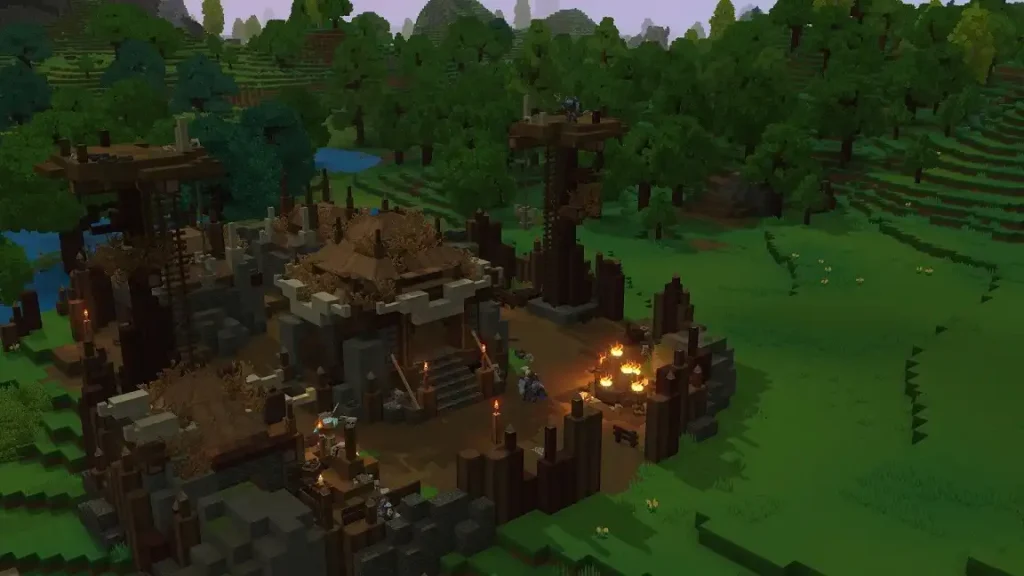 Converting a Minecraft build into a Hytale prefab is possible through Skytale’s Hytale Converter tool. This free online tool converts Minecraft .schematic, .schem, and .litematic files into prefab.json files for Hytale.
The tool is also reasonably straightforward to use. Simply upload the Minecraft schematic file into the converter, and click the “Convert file” button. Wait for the site to finish processing the file. Then, upload the newly converted prefab into Hytale.
The next step depends on whether you’re going to use the new prefab in single player mode or in a dedicated Hytale server. If you want to use the prefab as a solo player, move the downloaded file to the following path on your PC: C:\User\[Name]\AppData\Roaming\Hytale\UserData\Saves\[NomDuMonde]\prefabs. Otherwise, upload the file to the following folder if you’re an administrator of the Hytale server: \hytale\Server\prefabs.
With the file in the correct folder, launch Hytale and enter your world. Next, access Creative Mode, and then navigate to the “Creative Tools” tab by pressing “B” on your keyboard (by default).
Here, hover your mouse above the “World” dropdown menu, and then select “Prefabs.” If the previous steps were done correctly, the file should appear on your screen. Select it, and then place your Minecraft build into the Hytale world.
Remember, most standard Minecraft blocks can be converted into prefabs. However, some blocks, especially those from Minecraft mods, may not appear or function the same way upon converting them into Hytale prefabs. If so, some manual adjustments might be required to make them look and/or work as intended.
Converting a Minecraft build into a Hytale prefab is possible through Skytale’s Hytale Converter tool. This free online tool converts Minecraft .schematic, .schem, and .litematic files into prefab.json files for Hytale.
The tool is also reasonably straightforward to use. Simply upload the Minecraft schematic file into the converter, and click the “Convert file” button. Wait for the site to finish processing the file. Then, upload the newly converted prefab into Hytale.
The next step depends on whether you’re going to use the new prefab in single player mode or in a dedicated Hytale server. If you want to use the prefab as a solo player, move the downloaded file to the following path on your PC: C:\User\[Name]\AppData\Roaming\Hytale\UserData\Saves\[NomDuMonde]\prefabs. Otherwise, upload the file to the following folder if you’re an administrator of the Hytale server: \hytale\Server\prefabs.
With the file in the correct folder, launch Hytale and enter your world. Next, access Creative Mode, and then navigate to the “Creative Tools” tab by pressing “B” on your keyboard (by default).
Here, hover your mouse above the “World” dropdown menu, and then select “Prefabs.” If the previous steps were done correctly, the file should appear on your screen. Select it, and then place your Minecraft build into the Hytale world.
Remember, most standard Minecraft blocks can be converted into prefabs. However, some blocks, especially those from Minecraft mods, may not appear or function the same way upon converting them into Hytale prefabs. If so, some manual adjustments might be required to make them look and/or work as intended.
How to Convert a Minecraft Build Into a Hytale Prefab
Converting a Minecraft build into a Hytale prefab is possible through Skytale’s Hytale Converter tool. This free online tool converts Minecraft .schematic, .schem, and .litematic files into prefab.json files for Hytale.
The tool is also reasonably straightforward to use. Simply upload the Minecraft schematic file into the converter, and click the “Convert file” button. Wait for the site to finish processing the file. Then, upload the newly converted prefab into Hytale.
The next step depends on whether you’re going to use the new prefab in single player mode or in a dedicated Hytale server. If you want to use the prefab as a solo player, move the downloaded file to the following path on your PC: C:\User\[Name]\AppData\Roaming\Hytale\UserData\Saves\[NomDuMonde]\prefabs. Otherwise, upload the file to the following folder if you’re an administrator of the Hytale server: \hytale\Server\prefabs.
With the file in the correct folder, launch Hytale and enter your world. Next, access Creative Mode, and then navigate to the “Creative Tools” tab by pressing “B” on your keyboard (by default).
Here, hover your mouse above the “World” dropdown menu, and then select “Prefabs.” If the previous steps were done correctly, the file should appear on your screen. Select it, and then place your Minecraft build into the Hytale world.
Remember, most standard Minecraft blocks can be converted into prefabs. However, some blocks, especially those from Minecraft mods, may not appear or function the same way upon converting them into Hytale prefabs. If so, some manual adjustments might be required to make them look and/or work as intended.Créez votre propre
serveur Hytale
serveur Hytale
Choisissez un plan, sélectionnez un jeu et jouez avec vos amis !
Abonnez-vous à notre newsletter
Abonnez-vous pour recevoir les dernières mises à jour sur l'univers du jeu vidéo !

Rejoignez notre Discord
Rejoignez notre communauté de plus de 20 000 membres passionnés !
Comment évalueriez-vous ce blog ?
Partagez votre avis et aidez-nous à améliorer nos blogs !
Pas aimé
Neutre
Aimé

Besoin d'un serveur de jeu ?
Louez un serveur de jeu où vous et vos amis pouvez jouer en privé avec une faible latence et des paramètres personnalisés. Choisissez parmi 110+ jeux, invitez des joueurs du monde entier et profitez de parties privées, ou créez votre propre communauté en ligne avec vos propres règles.

Blogs pertinents







OBTENEZ LES DERNIÈRES INFOS !
Inscrivez-vous à nos e-mails pour obtenir des mises à jour sur nos jeux hébergés, des nouvelles de l'entreprise et des offres exclusives. Restez au courant !













