
Rust Settings Guide: Best PC Settings for Performance & Optimization
Publicado el por

Compartir:

Compartir en X

Compartir en Facebook

Compartir en Threads

Compartir en Bluesky

Copiar al portapapeles

Compartir por correo electrónico
Sometimes, failing to defeat a scientist or another player in Rust isn’t a skill issue, as it might probably be your PC. In particular, the current settings for the Rust client running on your gaming system might be holding you back from getting those headshots. So, keep reading to learn the best PC settings for Rust to improve your KDA.
 First, it’s important to mention that changing the settings for Rust on PC won’t immediately enhance your skills. Optimizing the settings can help reduce friction while playing this intense PvP title.
Also, the PC settings listed below are often ideal for optimal gameplay. That means some visual elements, such as water quality and decorative textures, won’t look as good as when running the game with settings that push the limits of a high-end gaming system.
Additionally, adjusting the settings generally depends on hardware and software limitations. So, the first step to elevate your Rust gameplay is to check whether your PC meets the minimum or recommended system requirements to run the game optimally.
First, it’s important to mention that changing the settings for Rust on PC won’t immediately enhance your skills. Optimizing the settings can help reduce friction while playing this intense PvP title.
Also, the PC settings listed below are often ideal for optimal gameplay. That means some visual elements, such as water quality and decorative textures, won’t look as good as when running the game with settings that push the limits of a high-end gaming system.
Additionally, adjusting the settings generally depends on hardware and software limitations. So, the first step to elevate your Rust gameplay is to check whether your PC meets the minimum or recommended system requirements to run the game optimally.




Best PC Settings in Rust
First, it’s important to mention that changing the settings for Rust on PC won’t immediately enhance your skills. Optimizing the settings can help reduce friction while playing this intense PvP title.
Also, the PC settings listed below are often ideal for optimal gameplay. That means some visual elements, such as water quality and decorative textures, won’t look as good as when running the game with settings that push the limits of a high-end gaming system.
Additionally, adjusting the settings generally depends on hardware and software limitations. So, the first step to elevate your Rust gameplay is to check whether your PC meets the minimum or recommended system requirements to run the game optimally.
Rust Minimum System Requirements
- OS: Windows 11 64-bit
- Processor: AMD Ryzen 5 1400 or Intel® Core i5-6600
- Memory: 12 GB RAM
- Graphics: AMD Radeon RX 470, NVIDIA GeForce GTX 1060, or Intel® Arc™ A580
- DirectX: Version 11
- Storage: 45 GB available space
- Additional Notes: SSD is highly recommended, or expect longer-than-average load times.
Rust Recommended System Requirements
- OS: Windows 11 64-bit
- Processor: AMD Ryzen 7 3700X or Intel® Core i7-6700K
- Memory: 16 GB RAM
- Graphics: AMD Radeon RX 6600XT, NVIDIA GeForce RTX 3060, or Intel® Arc™ B580
- DirectX: Version 12
- Storage: 45 GB available space
- Additional Notes: SSD Required
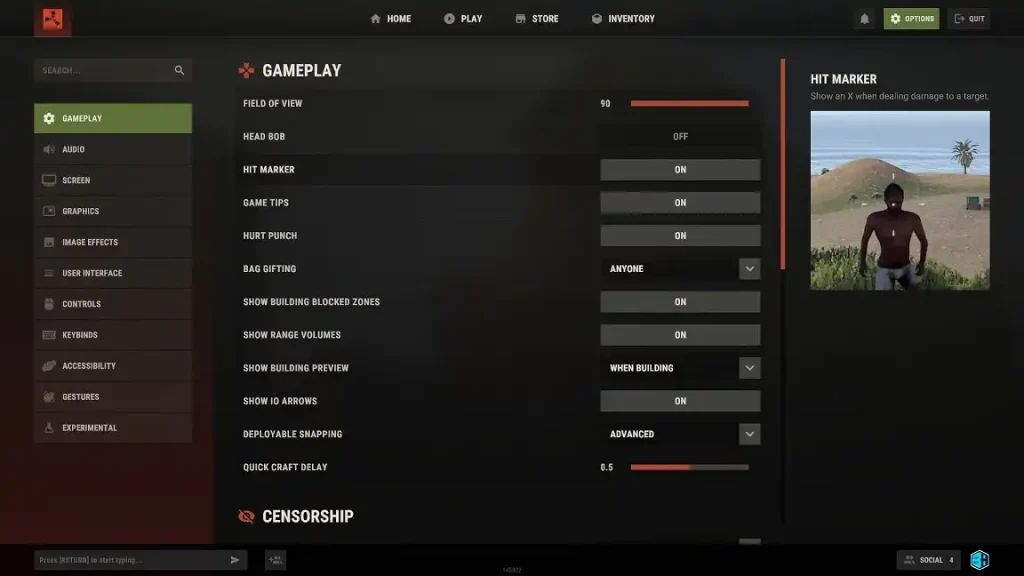
Gameplay Settings
- Field of View: 90
- Head Bob: Off
- Hit Marker: On
- Game Tips: On/Off
- Hurt Punch: On
- Bag Gifting: Anyone/Team/Disabled
- Show Building Blocked Zones: On
- Show Range Volumes: On
- Show Building Preview: When Building
- Show IO Arrows: On
- Deployable Snapping: Advanced
- Quick Craft Delay: 0.5
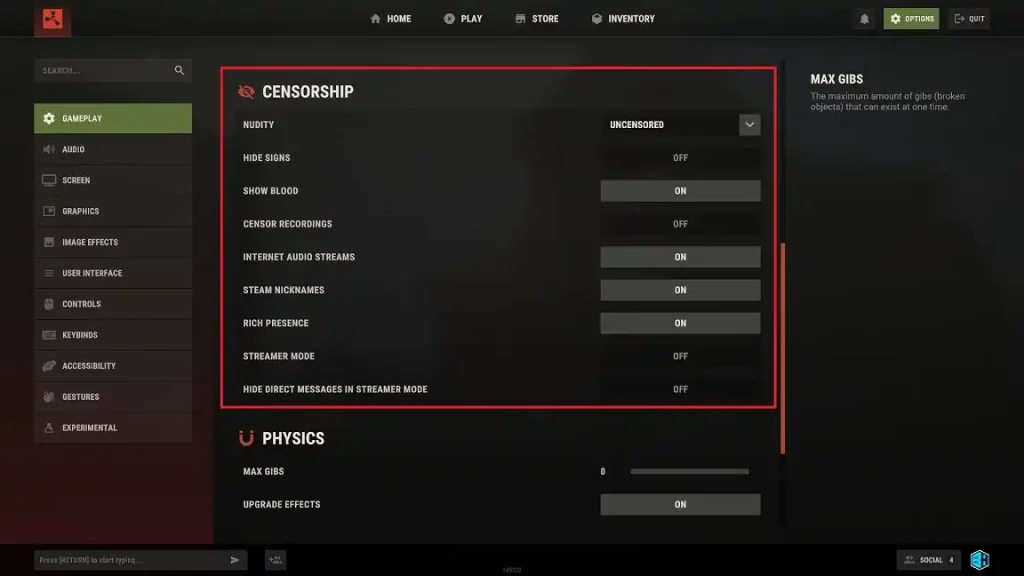
Censorship Settings
- Nudity: Uncensored/Pixelated/Underwear
- Hide Signs: On/Off
- Show Blood: On/Off
- Censor Recordings: On/Off
- Internet Audio Streams: On/Off
- Steam Nicknames: On/Off
- Rich Presence: On/Off
- Streamer Mode: On/Off
- Hide Direct Messages in Streamer Mode: On/Off
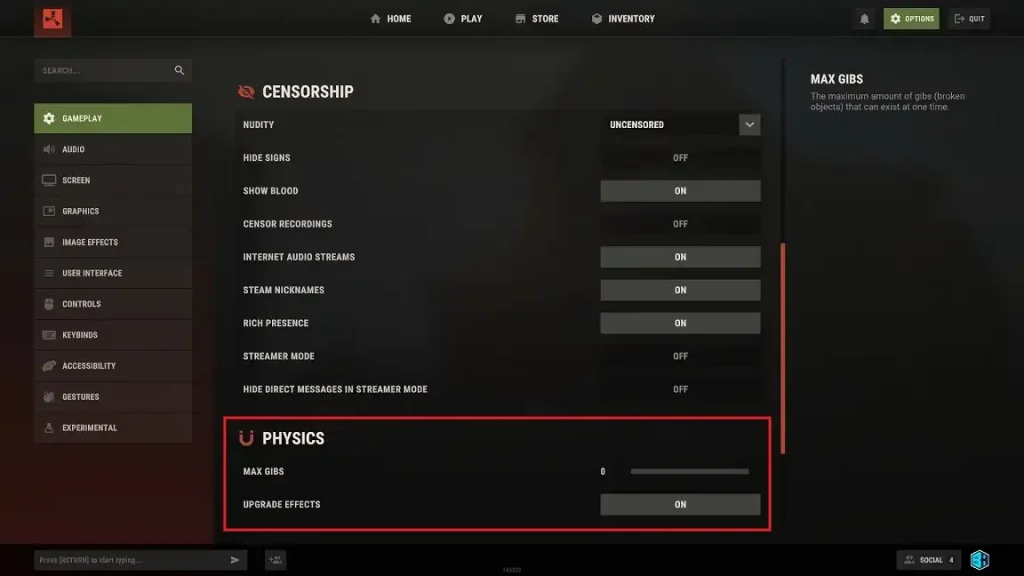
Physics Settings
- Max Gibs: 0
- Upgrade Effects: On
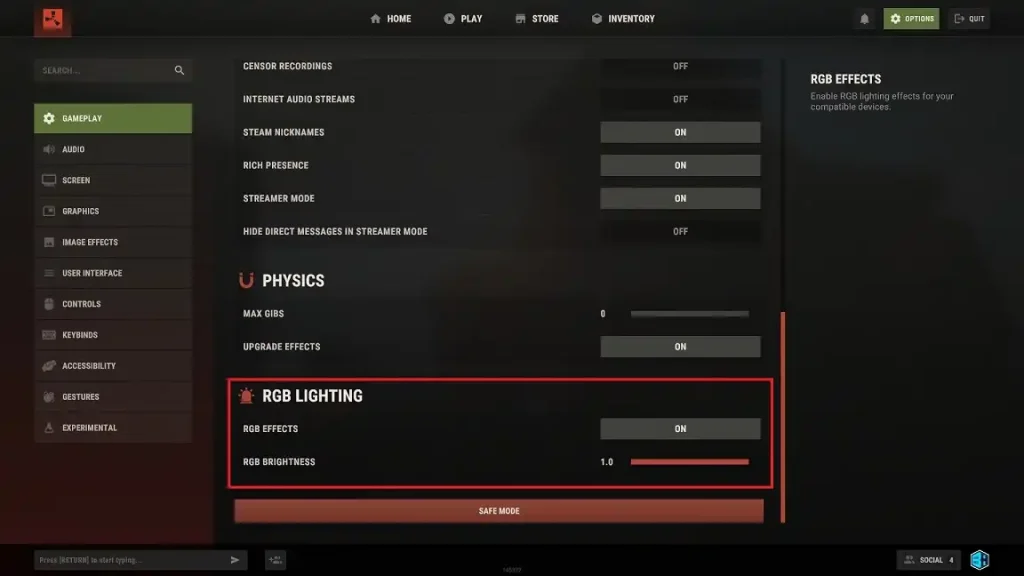
RGB Lighting Settings
- RGB Effects: On/Off
- RGB Brightness: 1.0
Screen Settings
- Resolution: Native to monitor
- Screen Mode: Fullscreen/Windowed
FPS Settings
- Max Framerate: 240
- VSync: Off
- Limit FPS in Menu: On
- Limit FPS in Background: Off
Graphics Rendering Settings
- Render Scale: 1.0
- Shader Level: 6
- NVIDIA DLSS: Ultra Performance
- NVIDIA DLAA: Off
- NVIDIA Reflex Mode: On + Boost
- NVIDIA Reflex Latency Marker: Off
- Pixel Light Count: 0
- Max Shadow Lights: 1
- Particle Raycast Budget: 512
- Soft Particles: On
- Volumetric Clouds: Low/Off
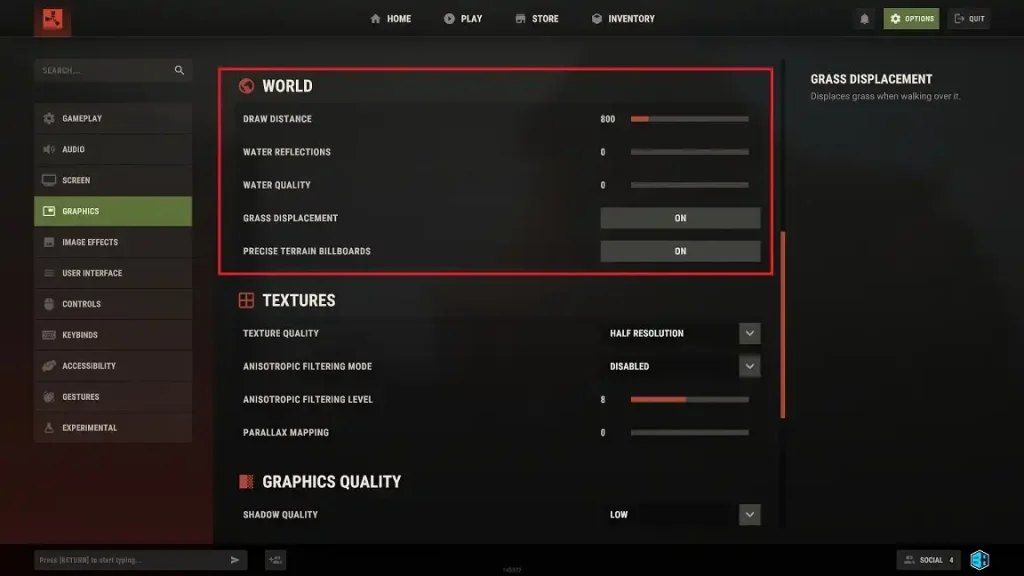
World Settings
- Draw Distance: 800
- Water Reflections: 0
- Water Quality: 0
- Grass Displacement: On
- Precise Terrain Billboards: On
Textures Settings
- Texture Quality: Half Resolution
- Antisotropic Filtering Mode: Disabled
- Antisotropic Filtering Level: 8
- Parallax Mapping: 0
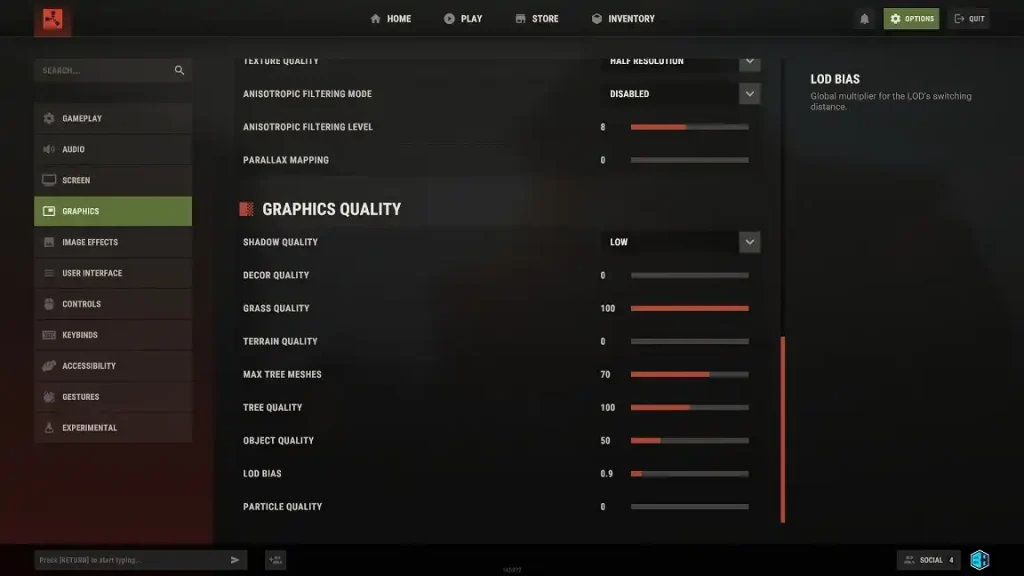
Graphics Quality Settings
- Shadow Quality: Low
- Décor Quality: 0
- Grass Quality: 100
- Terrain Quality: 0
- Max Tree Meshes: 70
- Tree Quality: 100
- Object Quality: 50
- LOD Bias: 0.9
- Particle Quality: 0
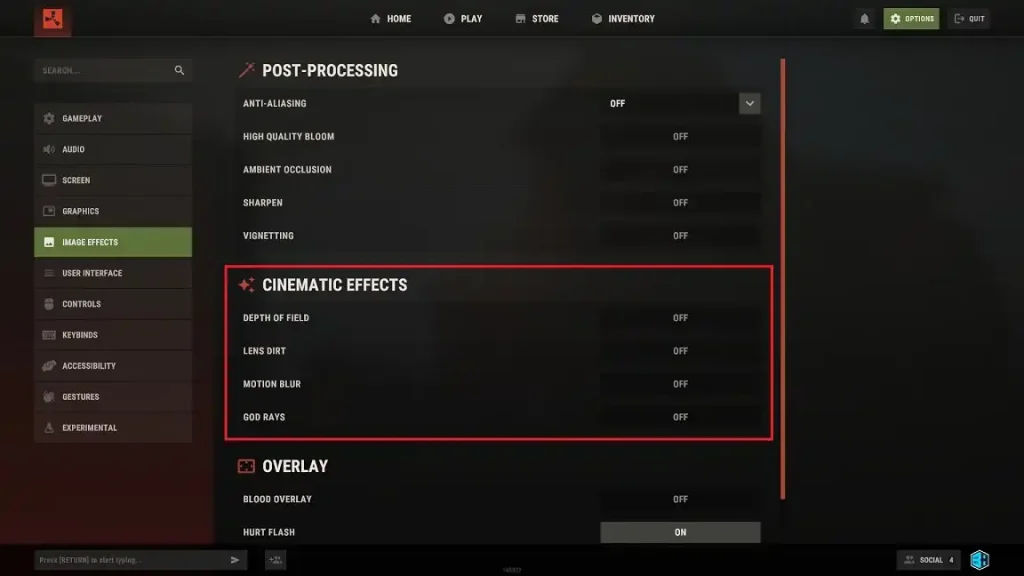
Image Effects Post-Processing Settings
- Anti-Aliasing: Off
- High Quality Bloom: Off
- Ambient Occlusion: Off
- Sharpen: Off
- Vignetting: Off
Cinematic Effects Settings
- Depth of Field: Off
- Lens Dirt: Off
- Motion Blur: Off
- God Rays: Off
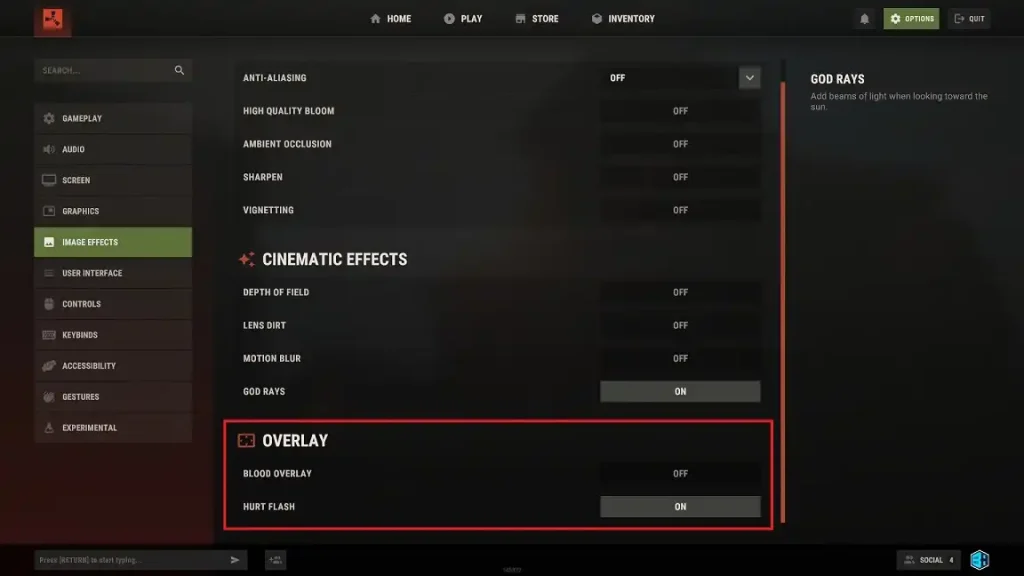
Overlay Settings
- Blood Overlay: Off
- Hurt Flash: On
Crea tu propio servidor
de Rust
de Rust
¡Elige un plan, escoge un juego y juega con tus amigos!
Suscríbete a nuestro boletín
¡Suscríbete para recibir las últimas actualizaciones sobre todo lo relacionado con los videojuegos!

Únete a nuestro Discord
¡Sé parte de nuestra comunidad de más de 20.000 miembros con ideas afines!
¿Cómo calificarías este blog?
¡Comparte tu opinión y ayúdanos a mejorar nuestros blogs!
No me gustó
Neutral
Me gustó

¿Necesitas un servidor de juegos?
Renta un servidor de juego donde tú y tus amigos puedan jugar en privado con baja latencia y configuraciones personalizadas. Elige entre 110+ juegos, invita a gente de todo el mundo y disfruta de partidas privadas, o construye tu propia comunidad en línea con tus propias reglas.

Blogs relevantes







¡ENTÉRATE DE TODO!
Únete a nuestro correo para recibir actualizaciones sobre nuestros juegos alojados, noticias de la empresa y ofertas exclusivas. ¡Mantente al día!













